38
M26 Camera Manual: Installation
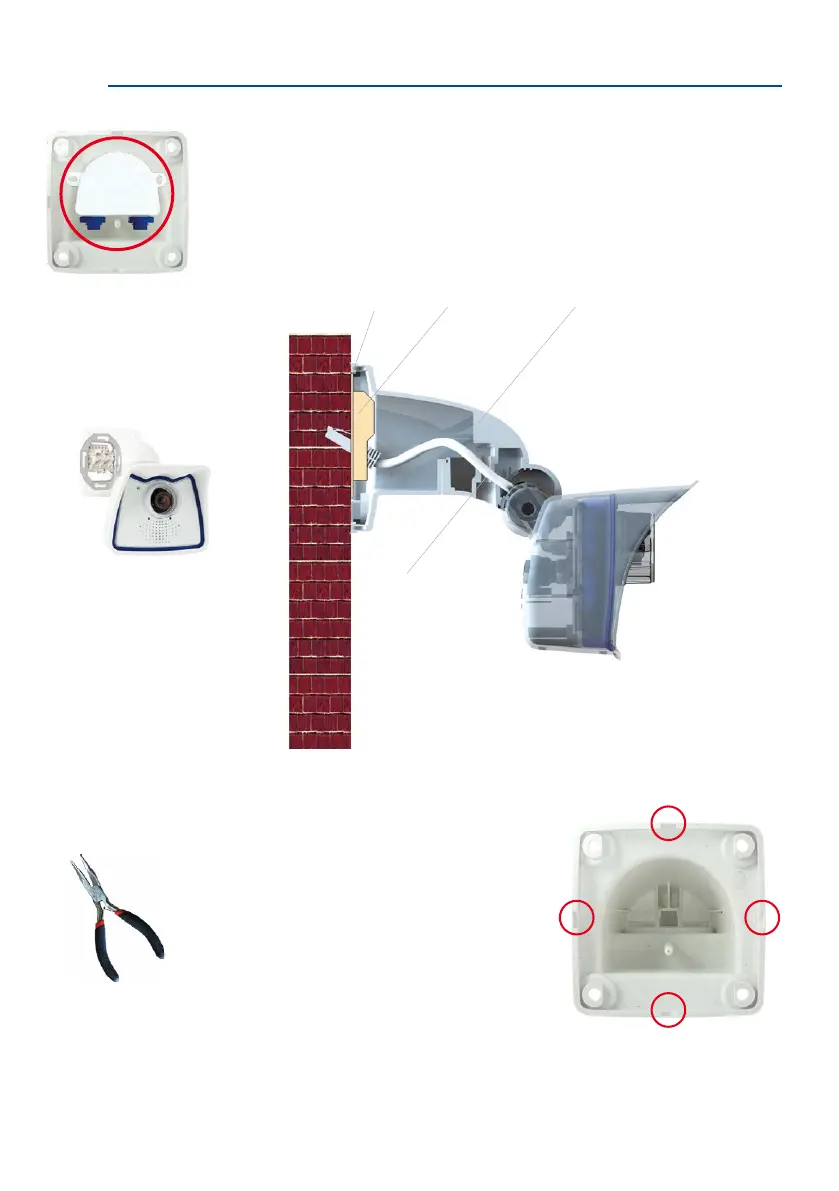
In order to ensure a ush nish with the surface, connect the camera patch cable to the
network cable using a standard adapter that is protected in the wall mount or install
an MX-Overvoltage-Protection-Box, which is easily installed in the cavity of the VarioFlex
wall mount. For additional information on the MX-Overvoltage-Protection-Box, open the
Products > Accessories > Interface Boxes section on www.mobotix.com. Note that you
can also installaush-mountedsocketwithRJ45connectors. In this case, make sure that
the outlet lines up with the upper rim of the mount later on.
When installing on-wall cabling, breaking out one of
the four possible openings in the base of the wall mount
will ensure that the cables can be fed neatly into the
camera. The connection to the camera patch cable
can be established using a suitable adapter within
the wall mount
Caution: If using the wall mount outdoors, only use
the opening at the bottom to prevent water from
entering the mount!
MX-Overvoltage-Protection-Box
in Wall Mount
Sealing ring Flush-mounted
socket
Wall adapter
Camera patch cable
Pliers to break out
cable guides



 To Next Page