49
Mounting the Camera with Pole Mount (Accessory)
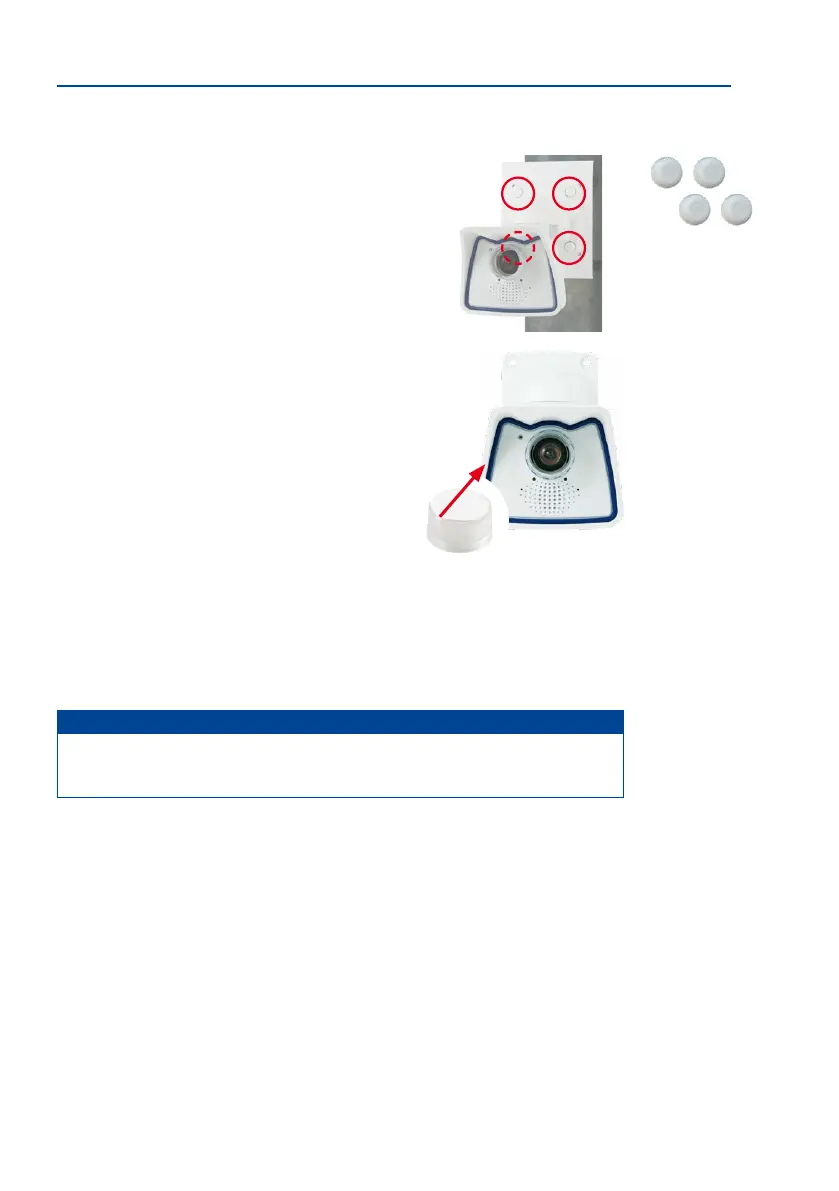
6. Attach the camera: Place the wall mount over the
predrilled positions in the pole mount and tighten it
using the supplied M6x25 mm screws (item 2.2), washers
(item 2.4) and M6 hex nuts (item 2.5). Place the white
caps on the screw heads. Then position the camera as
described in Section 3.2.
7.
Clean the lens cover: Once you have removed the white
protective foil xed to the front of the lens cover, clean
the cover that has already been screwed on with a clean
so cotton cloth for optimal image results. The cover
does not have to be removed.
8. Establish a connection to the camera, check the image: Establish a connection to
the camera as described in Section 3.1, «Manual and Automatic Operation – Overview»
and the following sections. The live image from the camera should be visible on the
computer monitor. Check the image section on the computer monitor.
Note
Make sure that you always use the
VarioFlex mount
with
wall adapter
when
installing
to poles
. Der VarioFlex Ceiling Mount is not to be used.
Screw caps for fas-
tening screws



 To Next Page