52
EN
B CLASSIC / B FUTURA / S CLASSIC - TECHNICAL MANUAL
SERVICE MENU
SQ23
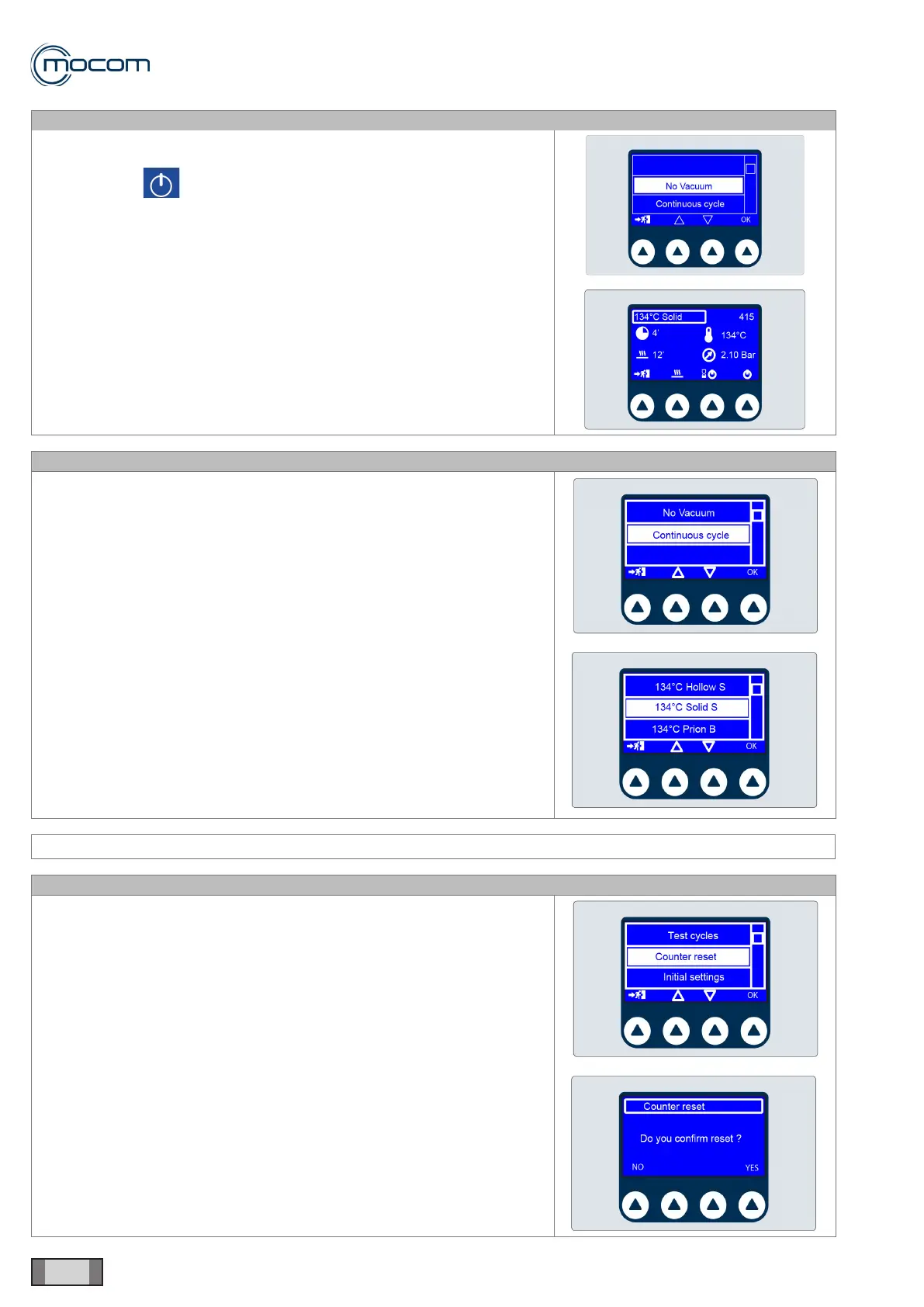
Selecting NO VACUUM displays the start-up screen for cycle Solids
134°C.
With command , you can activate the cycle, which will be performed
without the pre-vacuum phase.
After the warm-up phase, the pressure rise is performed to achieve the
process values of 134°/2.10bar, a condition that will be maintained for 4’.
This special cycle, which has no alarms, is designed to detect any steam
leaks from chamber, door, generator and connected tubes.
SQ24
Selecting CONTINUOUS CYCLE displays the cycle selection screen.
When one of the available cycles is selected and activated, that cycles
will run and repeated automatically with a 5’ pause between subsequent
cycles.
SERVICE MENU – COUNTER RESET
SQ25
Selecting COUNTER RESET activates the reset selection screen.
WARNING
When counter reset is conrmed, the archive of performed cycles will be
deleted.



 To Next Page