54
EN
B CLASSIC / B FUTURA / S CLASSIC - TECHNICAL MANUAL
SERVICE MENU
SERVICE MENU – REPORT MANAGEMENT
SQ28
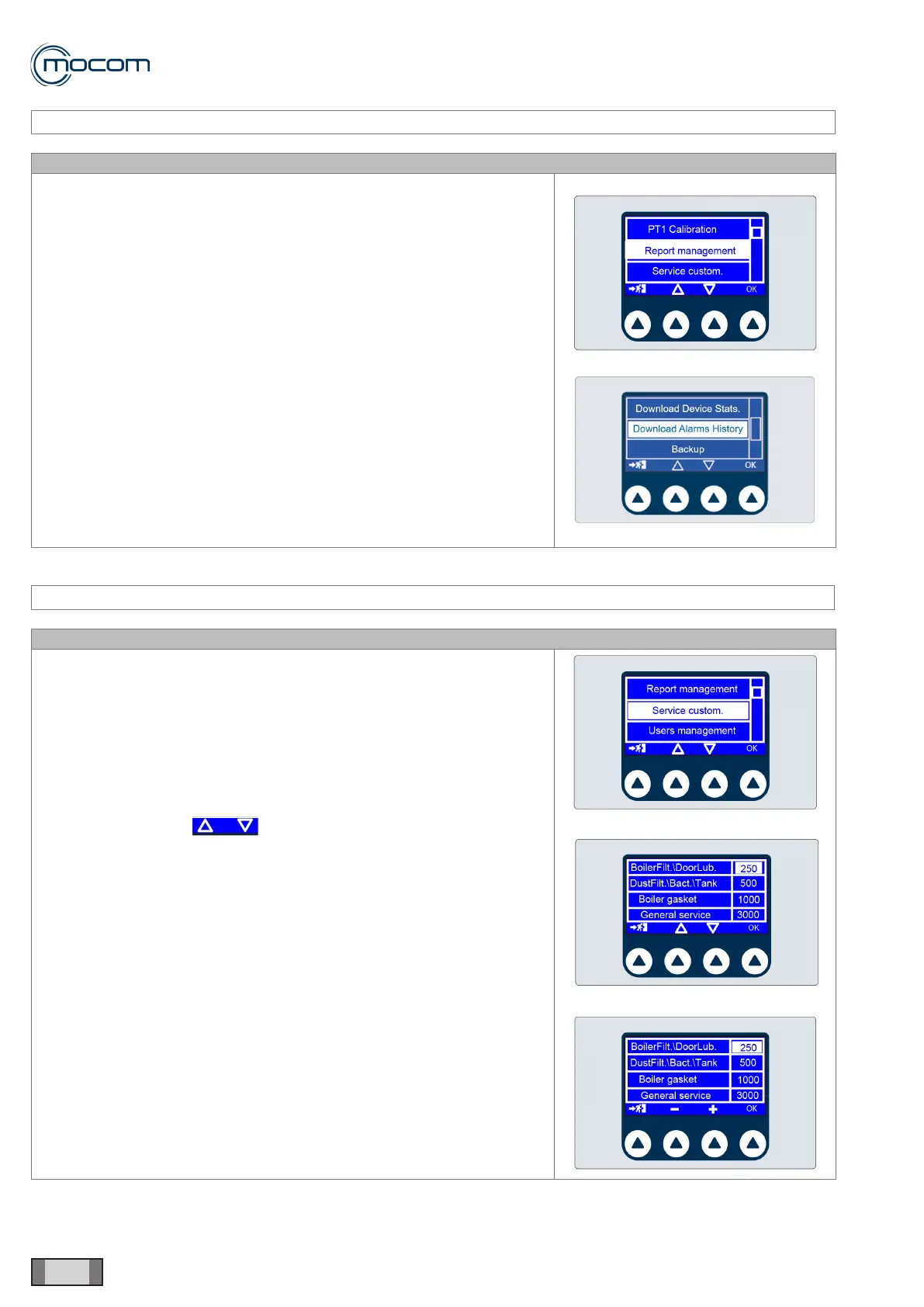
Selecting REPORT MANAGEMENT displays a vertical scroll menu with
the following options:
- Download Device Stats.
- Download Alarms History
- Backup
Download Device Stats transfers a .cvs le (compatible with MS Excel)
containing information on the activation times of the different components
to USB.
Download Alarms History transfers a .cvs le (compatible with MS Excel)
containing information on the alarms generated by the autoclave to USB.
Backup transfers a le, readable only by the Manufacturer, containing
information on the last 500 performed cycles to USB ash drive.
SERVICE MENU – SERVICE CUSTOMIZATION
SQ29
Selecting SERVICE CUSTOMIZATION displays four counters. These are
cycle counters for the following maintenance operations:
- Lubrication of closing system/chamber lter
- Bacteriological lter replacement/Cleaning of tank and dust lter
- Door gasket replacement
- General overhaul
The values can be modied, i.e. the original values can be set lower as
follows:
- Select value using
- Press OK to conrm
- Change value using + / -
- Press OK to conrm



 To Next Page