68
EN
B CLASSIC / B FUTURA / S CLASSIC - TECHNICAL MANUAL
SERVICE MENU
SERVICE MENU – REPORT MANAGEMENT
SQ27
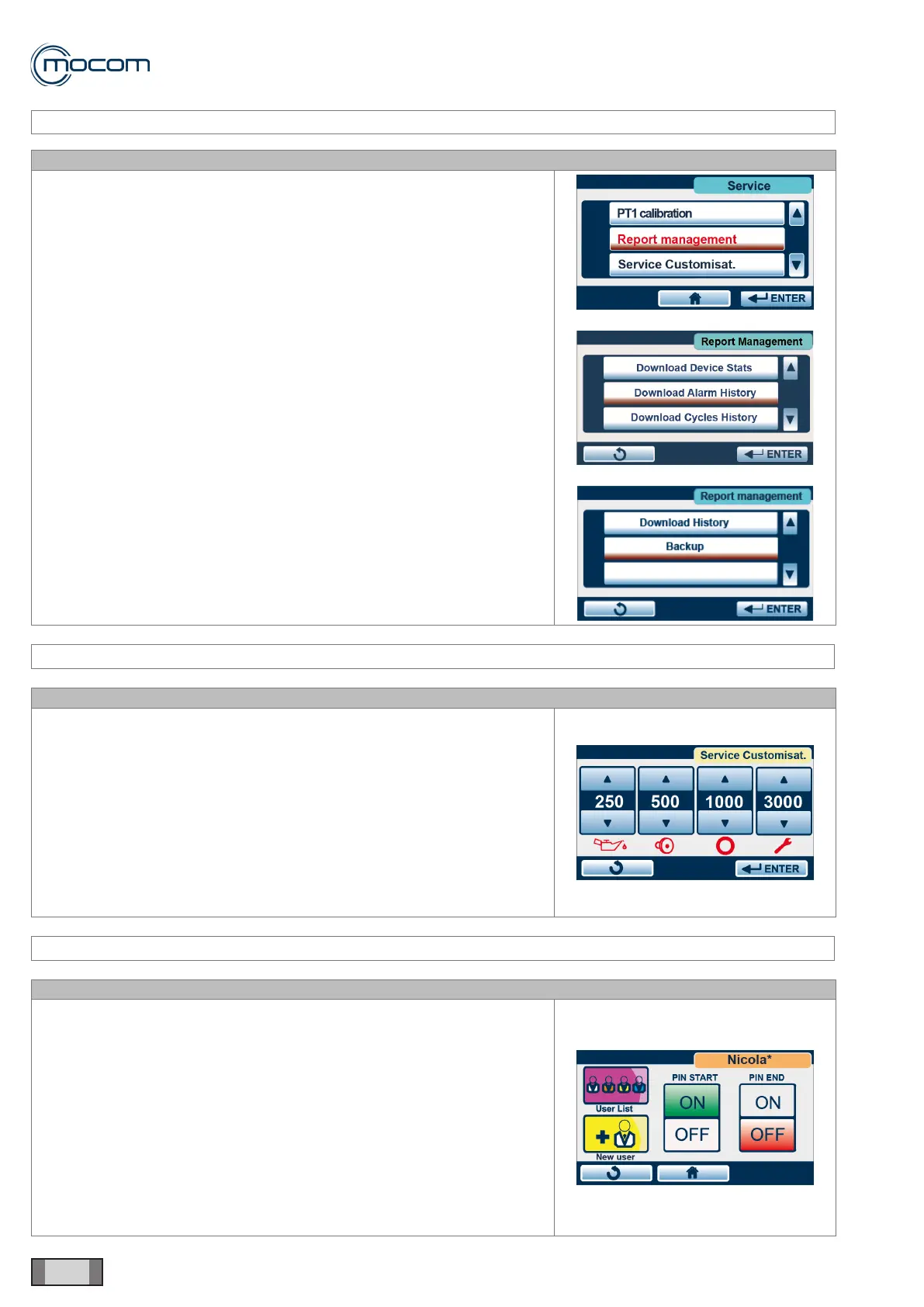
Selecting REPORT MANAGEMENT displays a vertical scroll menu with
the following options:
- Download Device Stats.
- Download Alarm History
- Download Cycles History
- Backup
Download Device Stats. transfers a le containing information on the
activation times of the different components to USB.
Download Alarm History transfers a .csv le (compatible with Excel)
containing information on the alarms generated by the autoclave to USB.
Download Cycles History transfers a .csv le (compatible with Excel)
containing information on all cycles performed by the autoclave to USB.
Backup transfers a le, readable only by the Manufacturer, containing
information on the last 500 performed cycles to USB ash drive.
SERVICE MENU – SERVICE CUSTOMIZATION
SQ28
Selecting SERVICE CUSTOMIZATION displays four counters with values
stored at the factory. These are counters for the following maintenance
operations:
- Lubrication of closing system
- Bacteriological lter replacement
- Door gasket replacement
- Scheduled maintenance
The values can be modied, i.e. the original values can be set lower and
then conrmed by pressing ENTER.
SERVICE MENU – USER MANAGEMENT
SQ29
Selecting USER MANAGEMENT displays the user list management
screen, which is normally used by ofce personnel.
When you operate from menu SERVICE/USER MANAGEMENT, the
system will request no password to access the different users, including
the administrator.
You can make changes, delete or add users, change authorizations.
WARNING
Conrming any changes will delete the previous conguration settings.



 To Next Page