69
EN
TECHNICAL MANUAL - B CLASSIC / B FUTURA / S CLASSIC
SERVICE MENU
SERVICE MENU – NETWORK CONFIGURATION
SQ30
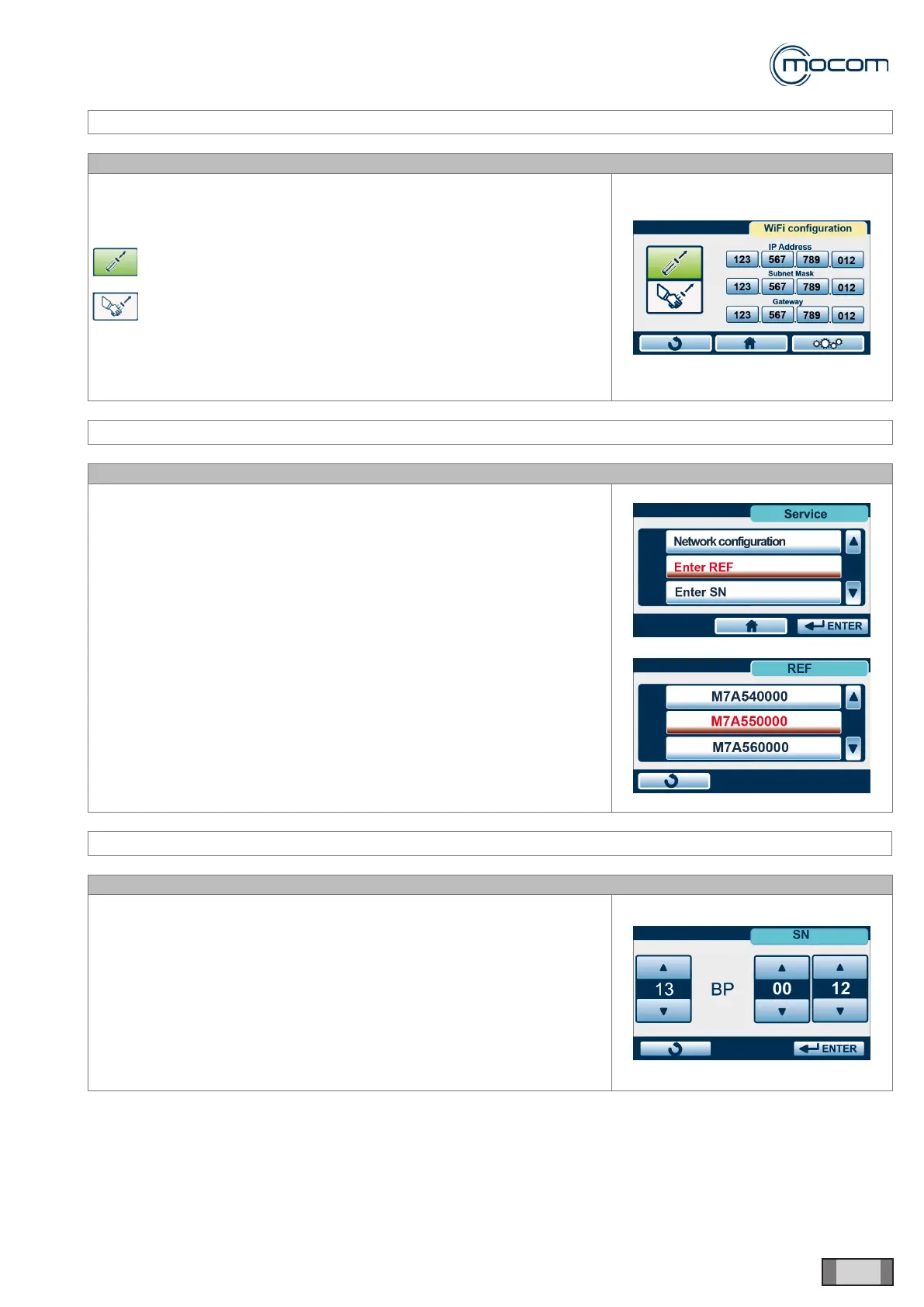
Selecting NETWORK CONFIGURATION displays the screen for
conguring network connection
as follows:
DHCP – automatic TCP IP number assignment
manual conguration of TCP- IP number
This menu provided access to network conguration, just like the
menu DATA MANAGEMENT / LOCAL ETHERNET NETWORK
CONFIGURATION available to user.
SERVICE MENU – REF INPUT
SQ31
The REF INPUT function lets you enter the product code specic to each
individual model.
This code is stored at the factory and needs only be input after the
electronic card has been replaced. The procedure is outlined below.
From the SERVICE MENU, select REF INPUT and:
- Insert a USB memory with the original FW version or a later version
- Ensure that the USB memory is sensed and this is conrmed by two
beeps
- Press ENTER to conrm; this will display the list of product codes from
the same series (Futura or Classic).
- The proper code is reported on the ID plate on the rear panel
- Select the proper code and use the touch control on the code to
conrm it
SERVICE MENU – SN INPUT
SQ32
Function SN INPUT lets you store the unique serial number of each
individual autoclave.
The serial number is stored at the factory using the three counters
displayed and conrmed with ENTER.
The two letters, unique to each model, are automatically assigned when
product code is entered (see REF INPUT).



 To Next Page