70
EN
B CLASSIC / B FUTURA / S CLASSIC - TECHNICAL MANUAL
SERVICE MENU
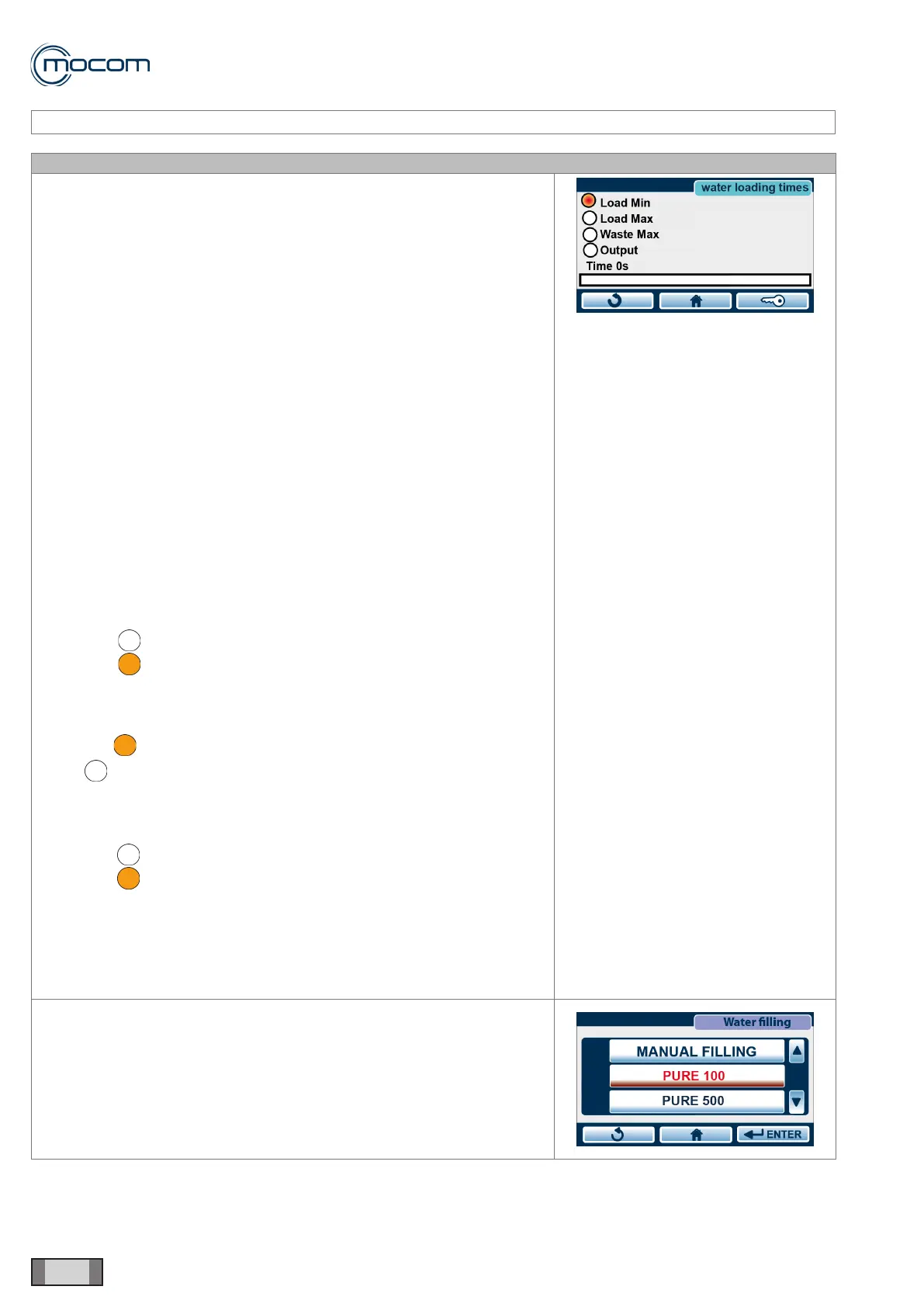
SERVICE MENU – WATER FILLING TIMES
SQ33
Selecting the WATER FILLING TIMES menu displays the following
indicators:
- Max lling – maximum feed tank level
- Min lling – minimum feed tank level
- Max discharge – maximum drain tank level
- Outlet – supply to auto lling device
- Time – auto lling activation time
The automatic lling activation time is also shown by the sliding bar found
under the Time indicator.
The two counters indicate the times expressed in seconds for:
Alarm – error indication during the rst automatic lling phase, from an
empty tank up to minimum level.
Filling – time duration of second tank lling phase, from minimum level to
full, without reaching maximum level.
The minimum/maximum level indicators shown in the WATER FILLING
TIMES menu enable manual testing of the level sensors in the two tanks.
LEVEL SENSOR TEST
This test must be performed with empty tanks to facilitate access to the
three level sensors.
MAXIMUM FILLING LEVEL SENSOR
With an empty feed tank, note reading of indicator.
Max lling - then actuate level sensor manually and note reading of
Max lling - indicator.
MINIMUM FILLING LEVEL SENSOR
With an empty feed tank, note reading of indicator.
Min lling - then actuate level sensor manually and note reading of Min
lling - indicator.
MAXIMUM DRAIN LEVEL SENSOR
With an empty drain tank, note reading of indicator.
Max drain - then actuate level sensor manually and note reading of
Max drain - indicator.
The WATER FILLING TIMES menu shows the ALARM and FILLING times
stored at the factory for:
- External lling pump 150/150
- Pure100 demineralizer 700/700
- Pure500 demineralizer 1000/1000
The display can be activated using the touch control of the bar for the
device
that activates the lling system selection screen.
For EV AUX, the ALARM and FILLING times need to be stored upon
installation.



 To Next Page