71
EN
TECHNICAL MANUAL - B CLASSIC / B FUTURA / S CLASSIC
SERVICE MENU
SQ34 – EV AUX TIME STORAGE
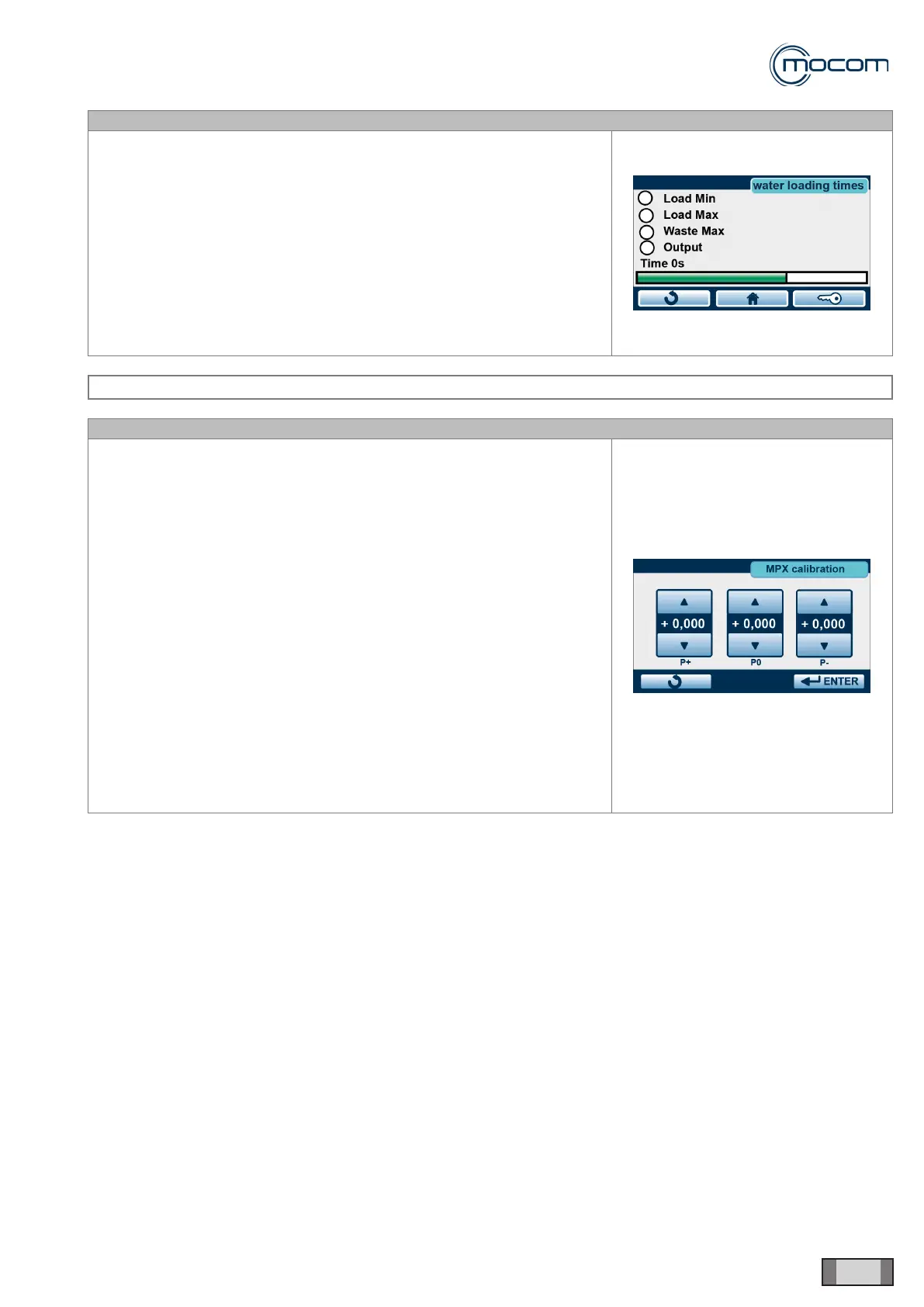
From the WATER FILLING TIMES menu, select EV AUX
When the rst lling stage from an empty tank is activated, the Outlet –
supply to automatic lling dev. is activated, as well as countdown from
1000”
Note the lling level until the minimum level is reached, which is indicated
by the Min lling indicator turning off.
A second countdown from 1000” for the second lling phase is activated.
Note lling level up to nearly Max lling, without activating it.
At the same time, note the difference between FILLING > 1000” and the
reading of the Time indicator.
Enter this difference in counters Alarm and Filling and press ENTER to
conrm.
SERVICE MENU – MPX CALIBRATION
SQ35
Menu - MPX CALIBRATION lets you correct any differences between the
pressure displayed and the pressure measured with a reference pressure
gauge.
The three counters displayed can be modied and represent:
- P+ pressure value correction at + 2.10 bar
- P0 pressure value correction at 0 bar
- P- pressure value correction at – 0.80 bar
In order to determine whether the pressure value displayed is accurate,
you will need to connect the pressure transducer to an external device
capable of reproducing the 3 control conditions:
- P+ positive pressure +2.10 bar
- P0 atmospheric pressure 0.00 bar
- P- negative pressure – 0.80 bar
The device must be equipped with a reference pressure gauge to allow a
comparison with the displayed pressure value.
The displayed value can be changed in 0.001 bar steps.



 To Next Page