TROUBLESHOOTING
The M1000 mag meter is designed for many years of optimal performance. However, should it malfunction, there
are certain things that we recommend you check before contacting our Technical Support department or your local
BadgerMeterRepresentative.
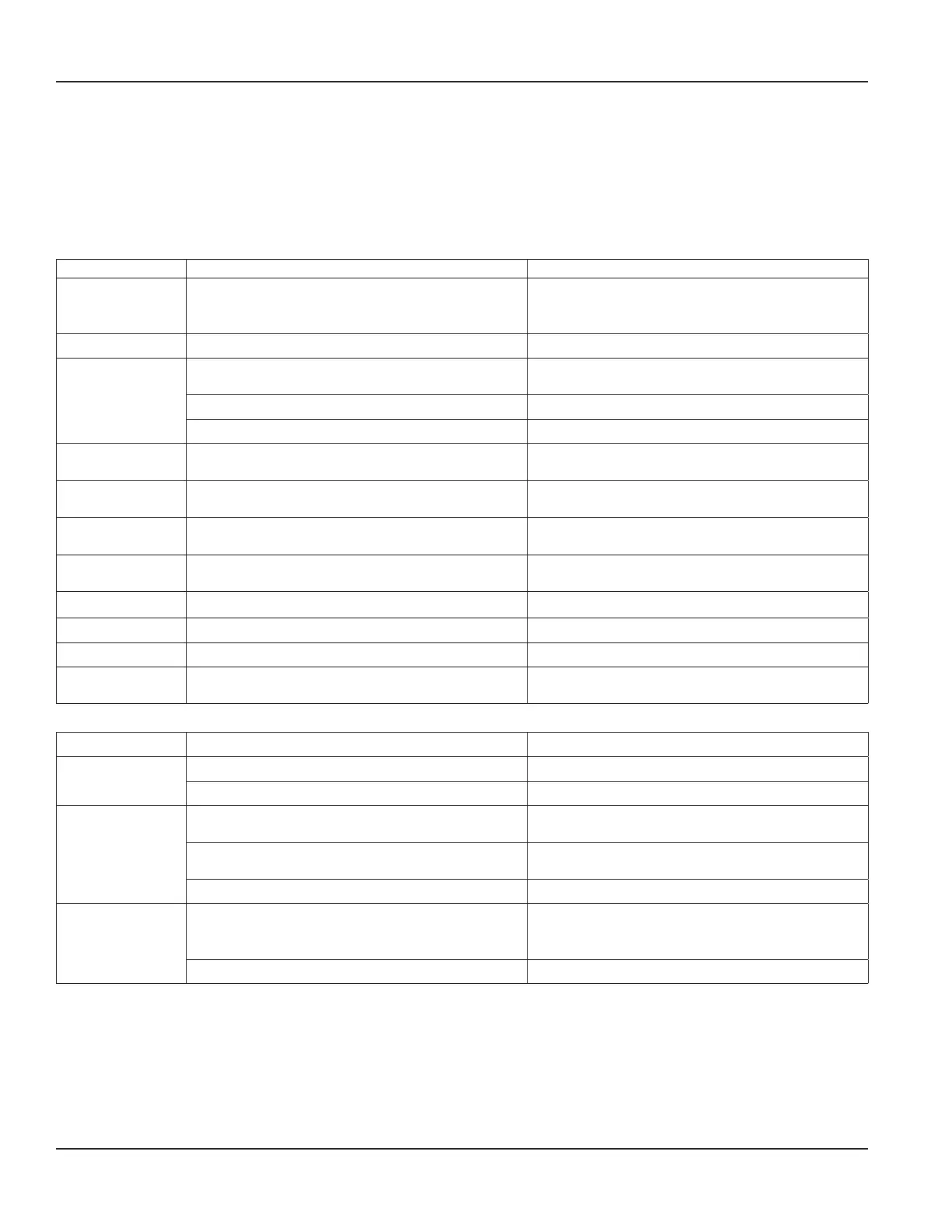
Errors and Warnings
OTE: N The M1000 display flashes whenever an error is detected.
Description Possible Cause Recommended Action
Coil disconnected • Meter not connected.
• Connection to meter interrupted.
Check if meter is connected and make sure that
cable connection is not interrupted or contact
Badger Meter Technical Support.
Coil shorted Coil cables shorted. Check coil cables.
Empty pipe Pipe may not be full. Make sure that pipe is always filled at the
measuring point.
Medium with low conductivity. Calibration required.
Cable broken or disconnected. Check the cable for the empty pipe signal.
Range Actual flow rate is exceeding the programmed full
scale by more than 100%.
Reduce flow rate or increase the programmed
fullscale.
Pulse output Pulse rate exceeds the maximum. Reduce pulse scale (pulse/unit) and/or reduce
pulse width configuration.
AD error Input signal from detector too high. Check the grounding scheme of the meter
installation. See “Meter Grounding” on page15.
Excitation
frequency
The excitation frequency is too high for
thisdetector.
Decrease the excitation frequency in the
MeterSetup.
EEPROM Configuration file is missing. Contact Badger Meter Technical Support.
Configuration Configuration file is corrupted. Contact Badger Meter Technical Support.
Low Battery Low backup battery (memory). Contact Badger Meter Technical Support
Measure Timeout Measurement was not completed within
specifictime.
Contact Badger Meter Technical Support.
Some frequently occurring situations:
Description Possible Cause Recommended Action
Meter does not
function
No auxiliary power. Apply auxiliary power.
Fuse is defective. Replace fuse.
Fluid is flowing,
however display
shows zero
Signal cable is not connected or connection
isinterrupted.
Check signal cable.
Detector installed opposite to forward flow
direction (see arrow on type plate).
Turn detector by 180°.
Connection cable for coils or electrodes mixed-up. Check connection cable.
Inaccurate
measurement
Wrong parameters. Check parameters (detector, amplifier and size) per
“Connecting an AquaCUE/BEACON Encoder Interface
to the M1000 Meter” on page39.
Pipe not completely full. Check if the measuring pipe is completely full.
ModMAG® M1000 Electromagnetic Flow Meter
Page 36 March 2020MAG-UM-00379-EN-07


 To Next Page