SR5 Technical Manual TSP010.doc Issue 3.0 - October 2001
CONFIDENTIAL
Not to be disclosed without prior written permission from Money Controls
Page 32 of 50
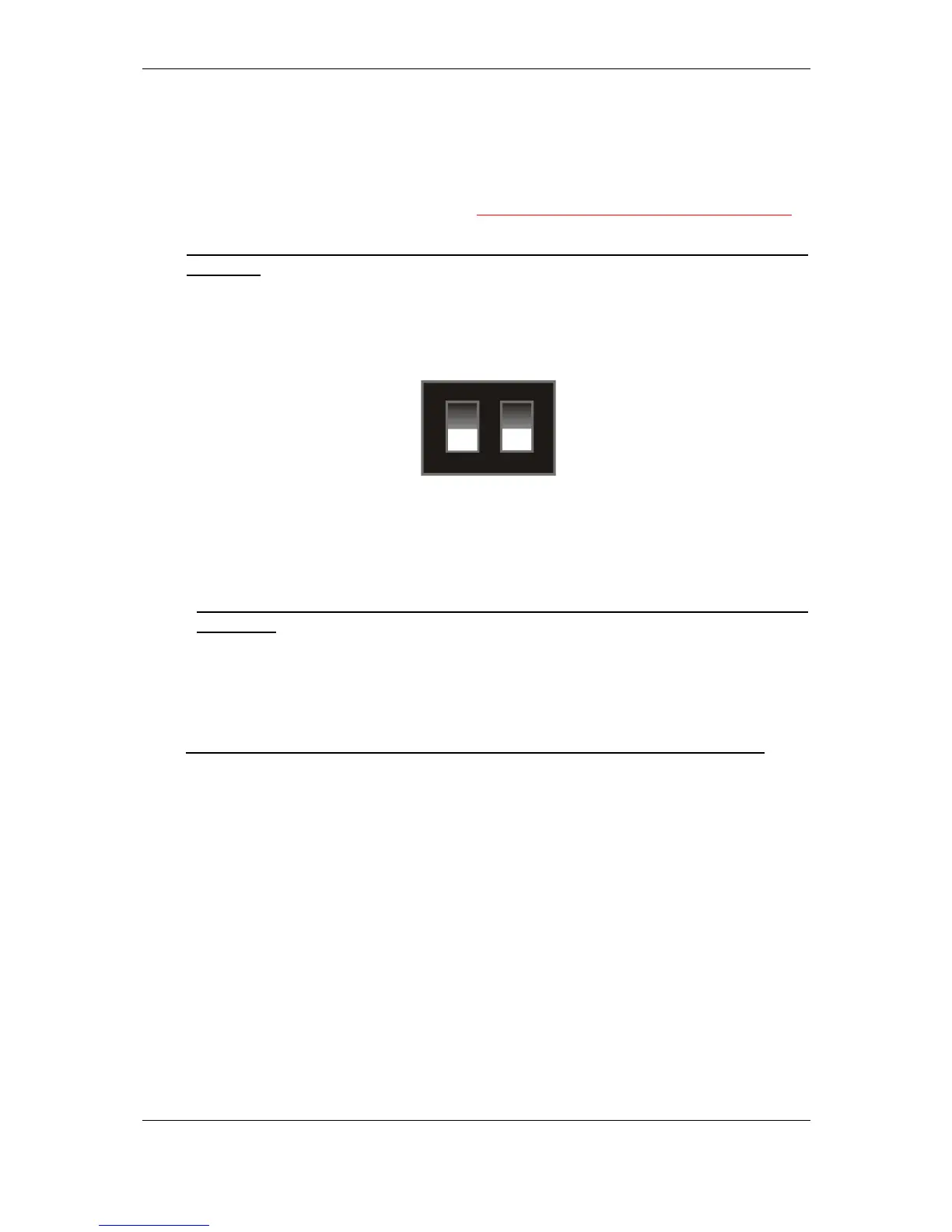
1
2
ON
♦ Alarm and Rundown settings “D”
For Alarm details see section 8). “Alarms”.
To set these options to those required, ensure that the SR5 is powered up
through the main parallel connector. Changes cannot be made in serial mode.
NB: Make a note of the rotary switch position and the bank select switch
positions.
Turn the rotary switch to position D.
Set the Bank Select switches, to the desired position.
When the desired switch positions are selected press and hold the program
button, (situated underneath the rotary switch), the LED will change from Green
to Red, release the program button; the LED will change back to Green.
NB: If the LED stays Green then Alarm and Rundown settings “D” is not
available.
Return the rotary switch and the Bank Select switches to their original positions.
Press the program button, the LED will change to Red, release the program
button; the LED will change back to Green.
NB: NEVER leave the validator with the rotary switch in positions D,E or F.
Other Rundown
or NO Rundown
Alarms OFF
Alarms ONCCL Rundown



 To Next Page