Page 20 of 110
Rev. G
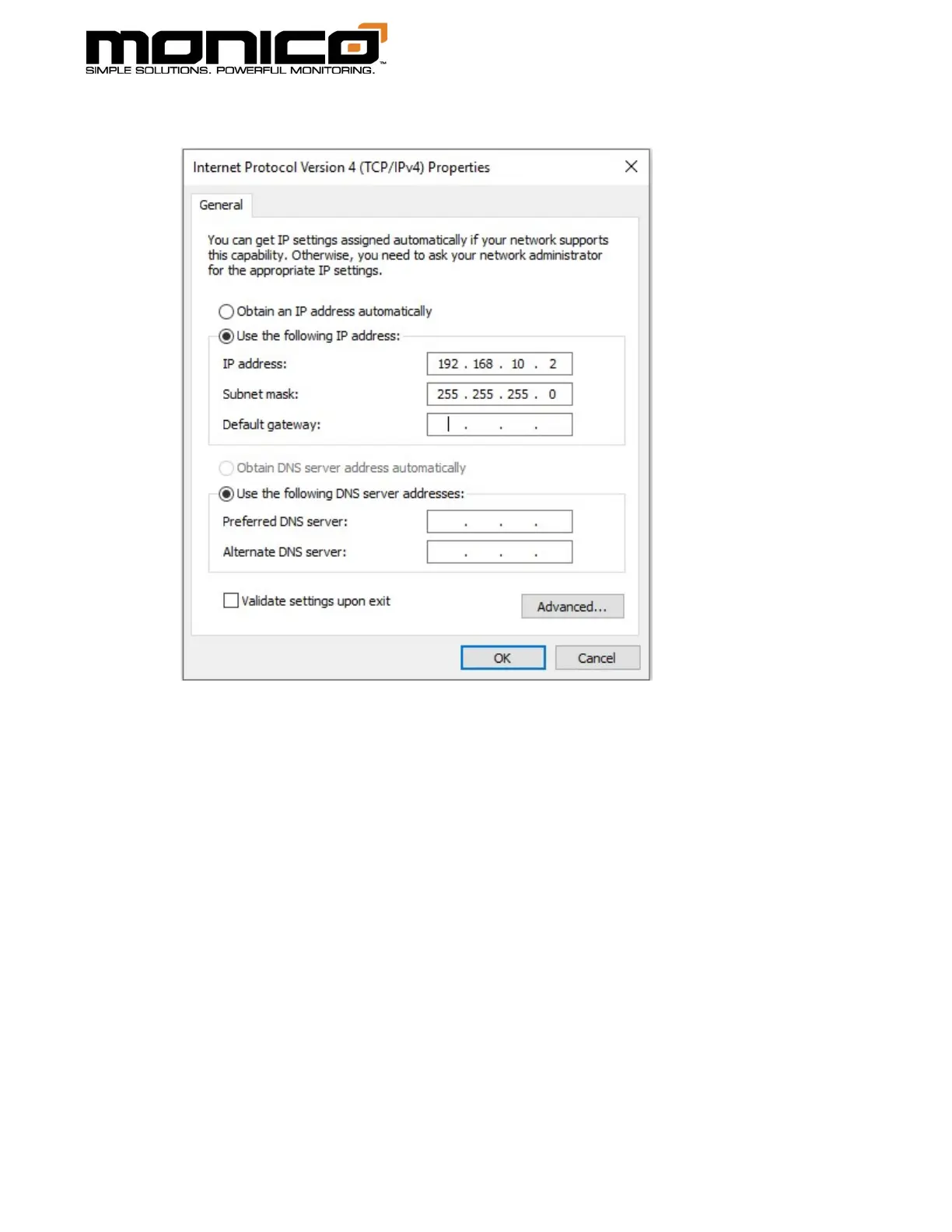
5. Select the “Use the following IP Address” option.
6. Enter an IP Address where the last number is different from mCore’s, then hit
Tab. Example: use the IP depicted above.
7. Enter a Subnet Mask. Typically, it is: 255.255.255.0. Then hit Tab.
8. Leave the Default Gateway blank.
9. Click OK to save, then Close to save.



 To Next Page