CHAPTER 8 INSTALLING THE MX101
CUSTOMER SIDE SCANNER
Introduction
This chapter provides instructions to install the MX101 Customer Side Scanner (CSS) into the MP6000
multi-plane imaging scanner, and affix the MX101 identification label.
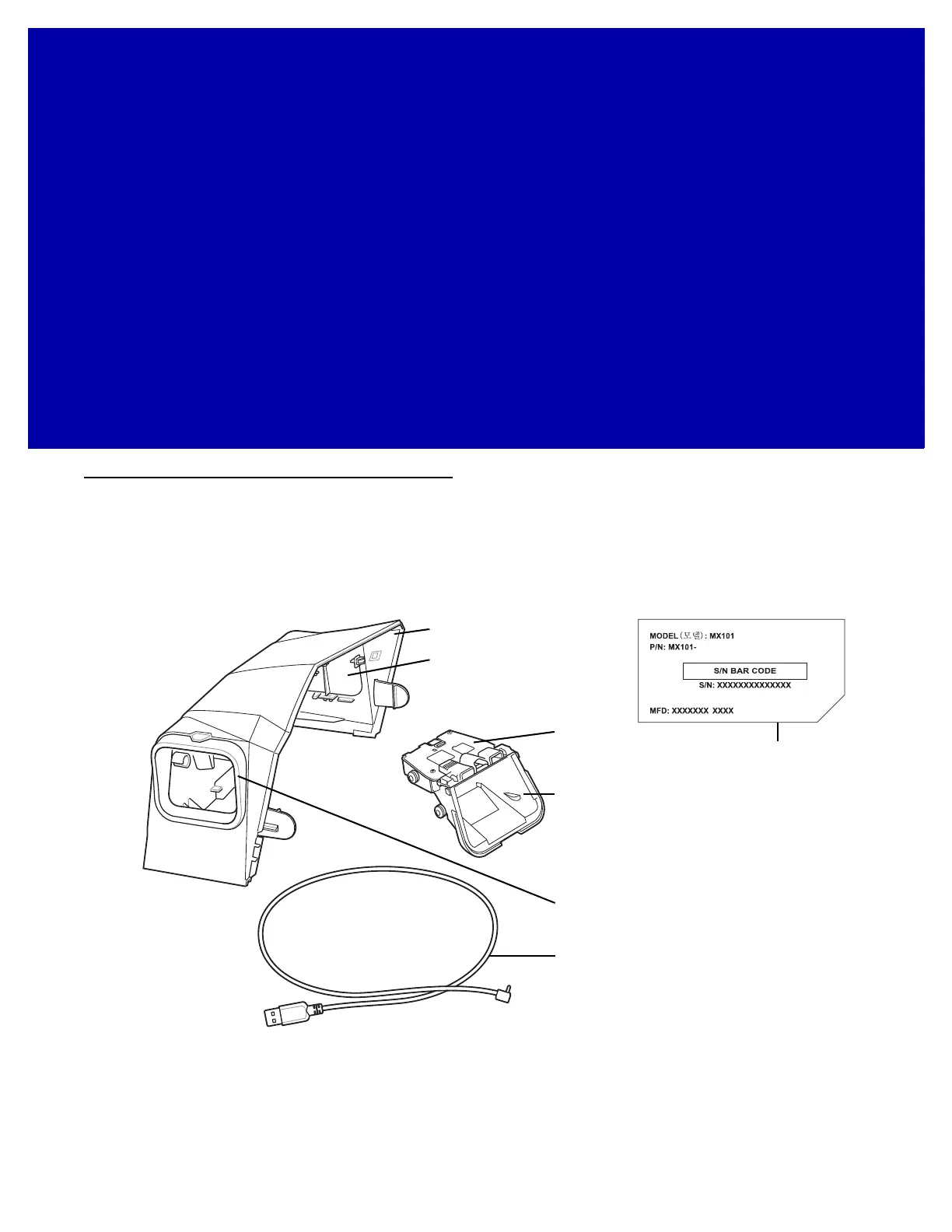
The MX101 CSS optional modular unit replaces the MP6000 tower cover. The unit can be installed on either
the left, or right side of the MP6000. Remove all hardware from the packaging.
Figure 8-1
MX101 Parts
Scan Window
CSS Tower Cover
USB Cable
Scan Window Cover
Identification
Label
CSS Blank Side Cover
Scan Module
xxxxxxxxxxx














 To Next Page