8 - 2 MX101 PRODUCT REFERENCE GUIDE
Installing the MX101 on the Customer’s Right Side of the Tower Cover
To install the MX101 on the customer’s right side (default) of the MP6000:
1. Lift the MP6000 out of the checkstand, if already installed.
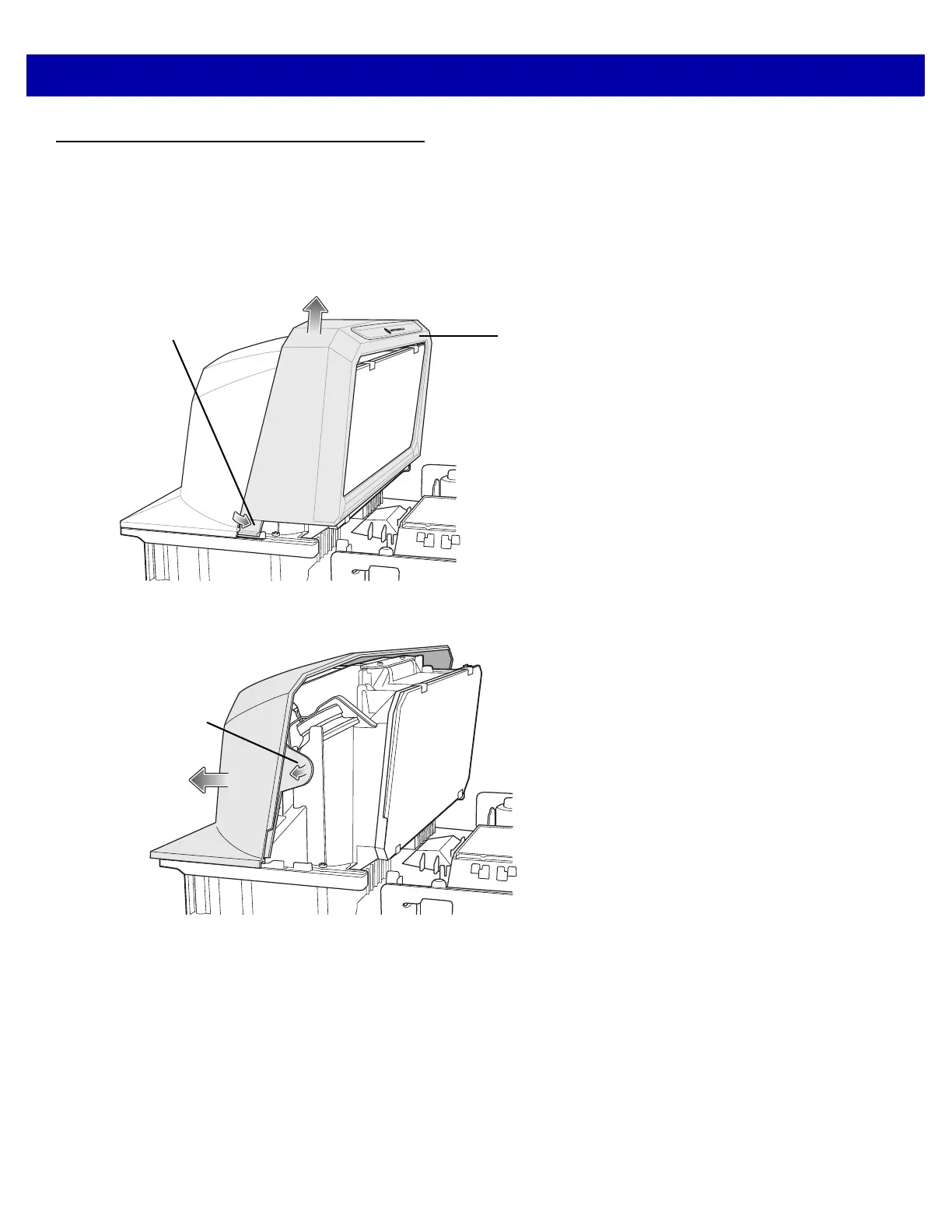
2. Remove the MP6000 tower bezel by squeezing inward on both the left and right sides of the lower part of
the tower bezel, pushing its side snaps to disengage. Slide the tower bezel up and lift out.
Figure 8-2
Removing the MP6000 Tower Bezel
3. Remove the MP6000 tower cover by pushing the tabs on either side; then slide it back to remove.
Figure 8-3
Removing the MP6000 Tower Cover














 To Next Page