Installing the MX101 Customer Side Scanner 8 - 3
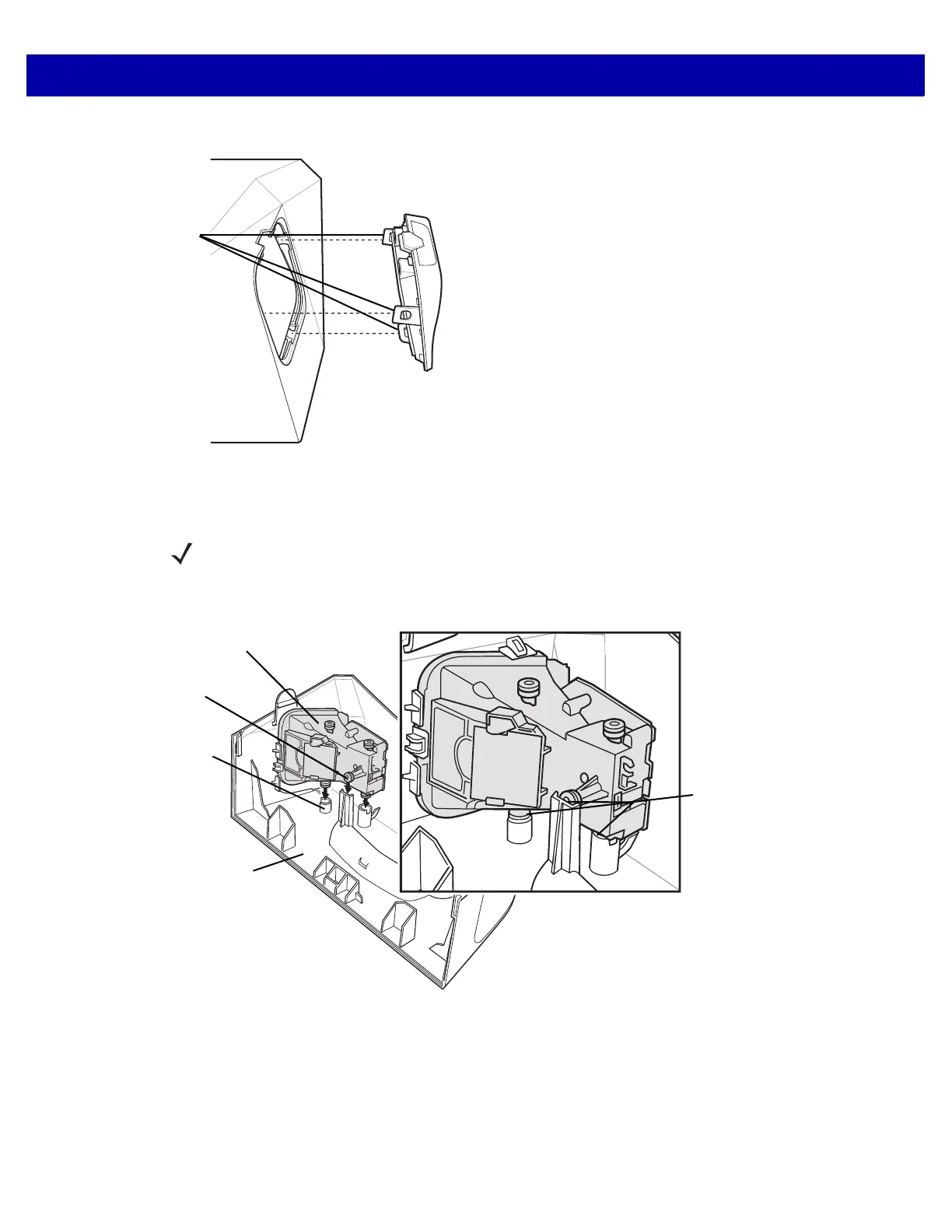
4. Remove the scan window cover from the CSS tower by squeezing the snaps shown below.
Figure 8-4
Removing the Scan Window Cover
5. Determine the side of the MP6000 to which the MX101 should be installed. The default is the customer’s
right side (the side of the MX101 tower cover already open for the scan module to be inserted).
6. Insert the scan module into place facing out of the opening of the CSS tower cover. Ensure the grommets
on the scan module align with the holes in the tower cover, and push into place.
Figure 8-5
Inserting the Scan Module
NOTE See Installing the MX101 on the Customer’s Left Side of the Tower Cover on page 8-7 to install the scan
module on the customer’s left side of the tower cover.
Scan Module
CSS Tower
Cover
Grommets (3)
Grommet
Holes (3)
Module
Installed














 To Next Page