Installing the MX101 Customer Side Scanner 8 - 7
Installing the MX101 on the Customer’s Left Side of the Tower Cover
To install the MX101 on the left side of the MP6000:
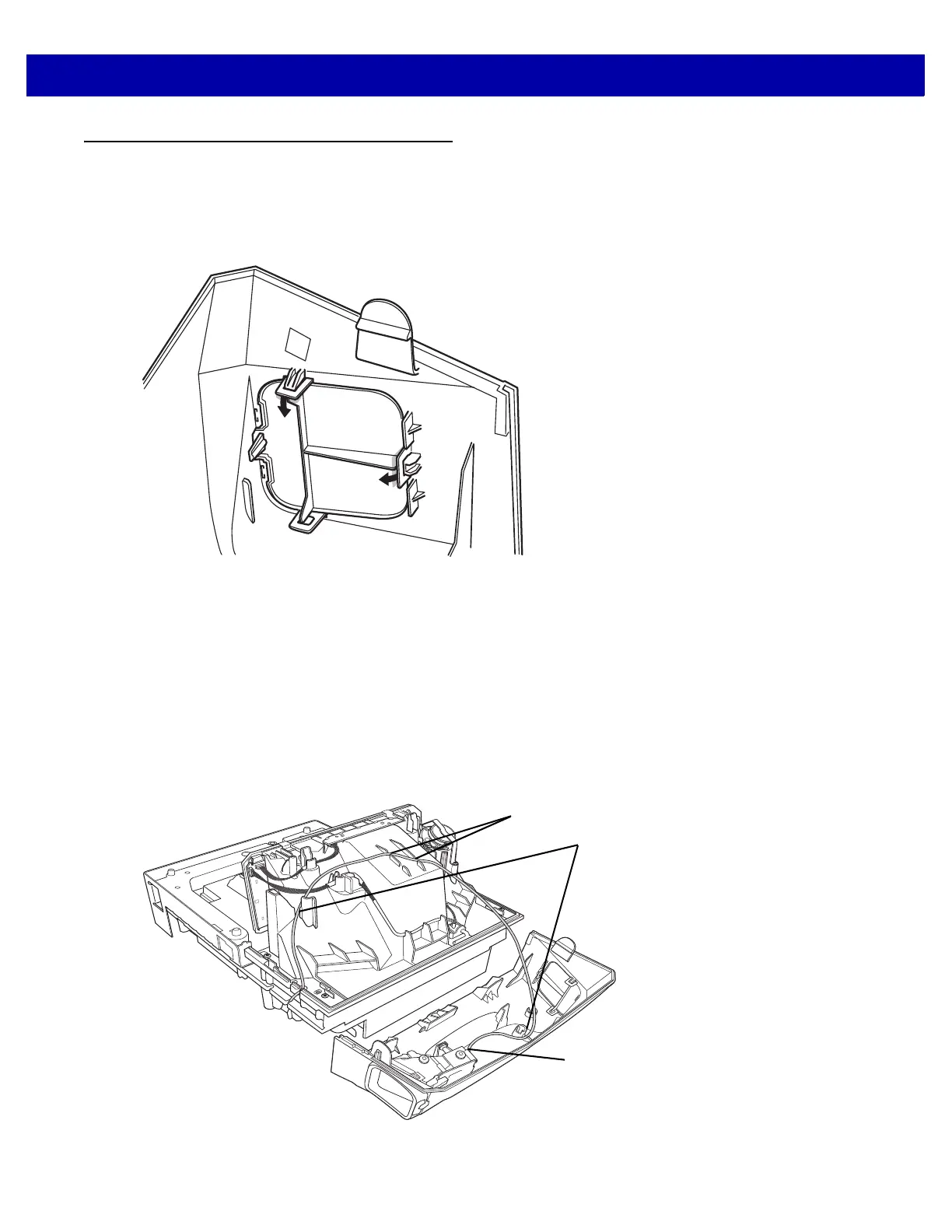
1. Push out the CSS blank side cover on the left side of the CSS tower cover, and replace the cover into the
opening on the right side of the tower cover.
Figure 8-12
Pushing Out the Blank Side Cover
2. Repeat steps 1, 2, 8-2, and 4 from Installing the MX101 on the Customer’s Right Side of the Tower Cover
on page 8-2.
3. Insert the scan module into place facing out of the left side opening of the CSS tower cover. Ensure the
grommets on the scan module align with the holes in the tower cover, and push into place.
4. Snap the scan window cover into place on the tower, over the scan window.
5. Connect the USB cable to the top USB port (recommended) on the MP6000 and route the cable through
the side cable slots shown in step 8 on page 4.
6. Route the cable, looping through the left side cable slots as shown below.
Figure 8-13
Routing the Cable
Cable Slots for Left Side
Installation
Scan Module Cable
Clip














 To Next Page