Switching Mode
34 35
Voice Recording
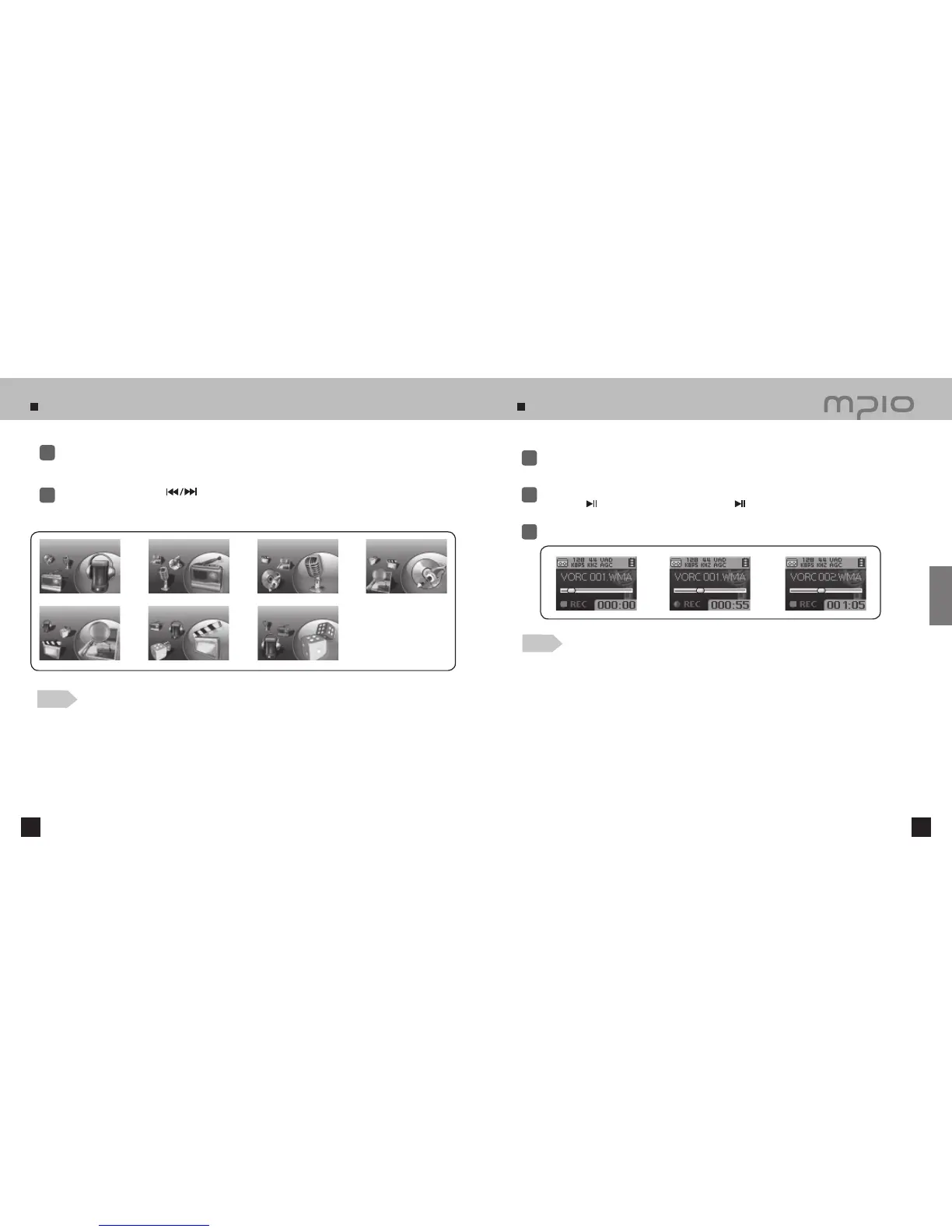
Press and hold the FUNC button during playback or in pause.
1
Push the lever toward + /
-
or
to select the mode to use and press the lever to switch.
●
The mode with changing in the following order: MP3 MODE → FM MODE → VOICE MODE →
LINE-IN MODE → PHOTO → MOVIE → GAME
.
2
Press the REC button during pause to switch into VOICE mode.
●
Voice Recording does not work while music is playing.
1
Press the REC button again to begin recording.
●
Press the
button to pause the recording. Press the
button again to resume the recording.
2
Press the REC button to stop recording.
3
Note
●
The files will be stored in order of VORC001, VORC002, etc. And it will be stored in the
RECORD folder as a WMA file.
●
When storing the voice recording files, recording wills stop automatically if there aren’t sufficient
memory space.
●
Pressing the REC button in FM Mode will record the radio. Be sure to use voice recording in MP3
Mode.
●
IF VAD setting is activated, the device will not record anything until it detects a sound from the
microphone. Refer to page 58 for details.
Note
●
When switching the mode again, press and hold the FUNC button and move to the desired mode.
MP3 MODE FM MODE VOICE MODE LINE-IN MODE
PHOTO
MOVIE
GAME
Usage



 To Next Page