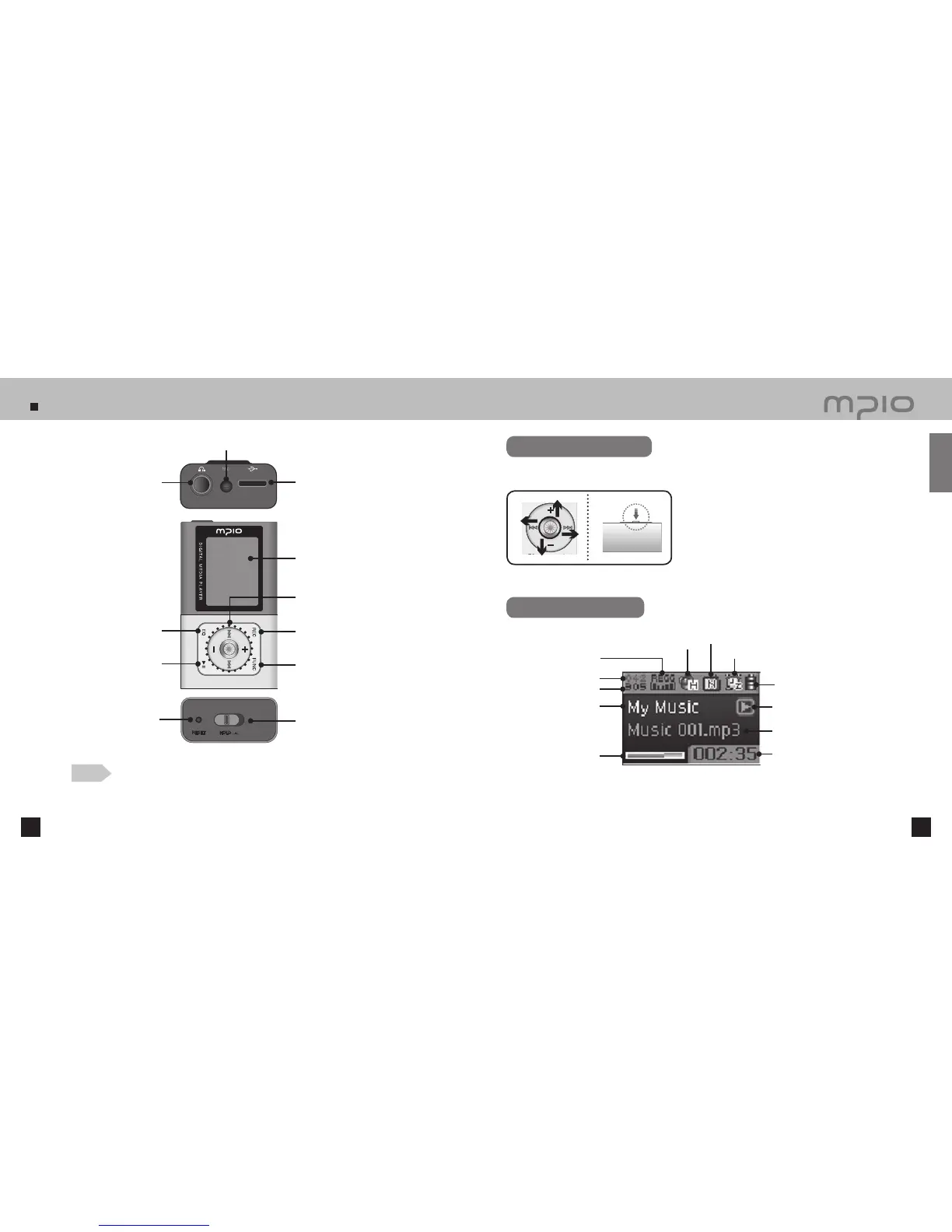
Name of the Parts
10 11
USB Connector
LCD Screen
Menu, Navigation setting /
Changing Track / Rewind & Fast
Forward / Volume Control Lever
Power / Play / Pause Button
RESET Hole
HOLD Switch
Function Button
Record Button
EQ Button
Earphone Jack
Microphone
Note
●
Pressing the RESET hole with a pen tip will turn off the device and reset it to default settings when
turned back on.
●
When RESET, all menu settings are returned to its default setting.
Using the lever
Pressing Lever: Press the lever down or press and hold it.
Pushing Up : Push the lever or push and hold it up.
Push Down: Push the lever or push and hold it down.
Pushing to Left: Push the lever or push and hold it to left.
Pushing to Right: Push the lever or push and hold it to right.
Functioning by pushing the lever up, down, left, right direction and pressing it.
LCD Screen
Batter Indicator
Playback / Pause Indicator
Song Information (Song title and Artist)
Folder Name
Current Track
Auto Power Off indicator
Repeat Indicator
Playback timer
3D Sound Indicator
EQ Indicator
Visualization
Getting Started
Total Tracks



 To Next Page