Setting Video
62 63
Setting Display
Viewing image / playing movie
Select Video in the menu.
1
Push the lever in + /
-
directions to select Photo or Movie and then, push the lever in
direction or
press it to enter.
2
3
Push the lever in + /
-
directions to select the player options and then, push the lever in
direction or
press it to execute the file.
Note
●
When selecting List View for images and video
Push the lever in
+ /
-
directions to select the file and then, push the lever in
direction or press it to
execute the file.
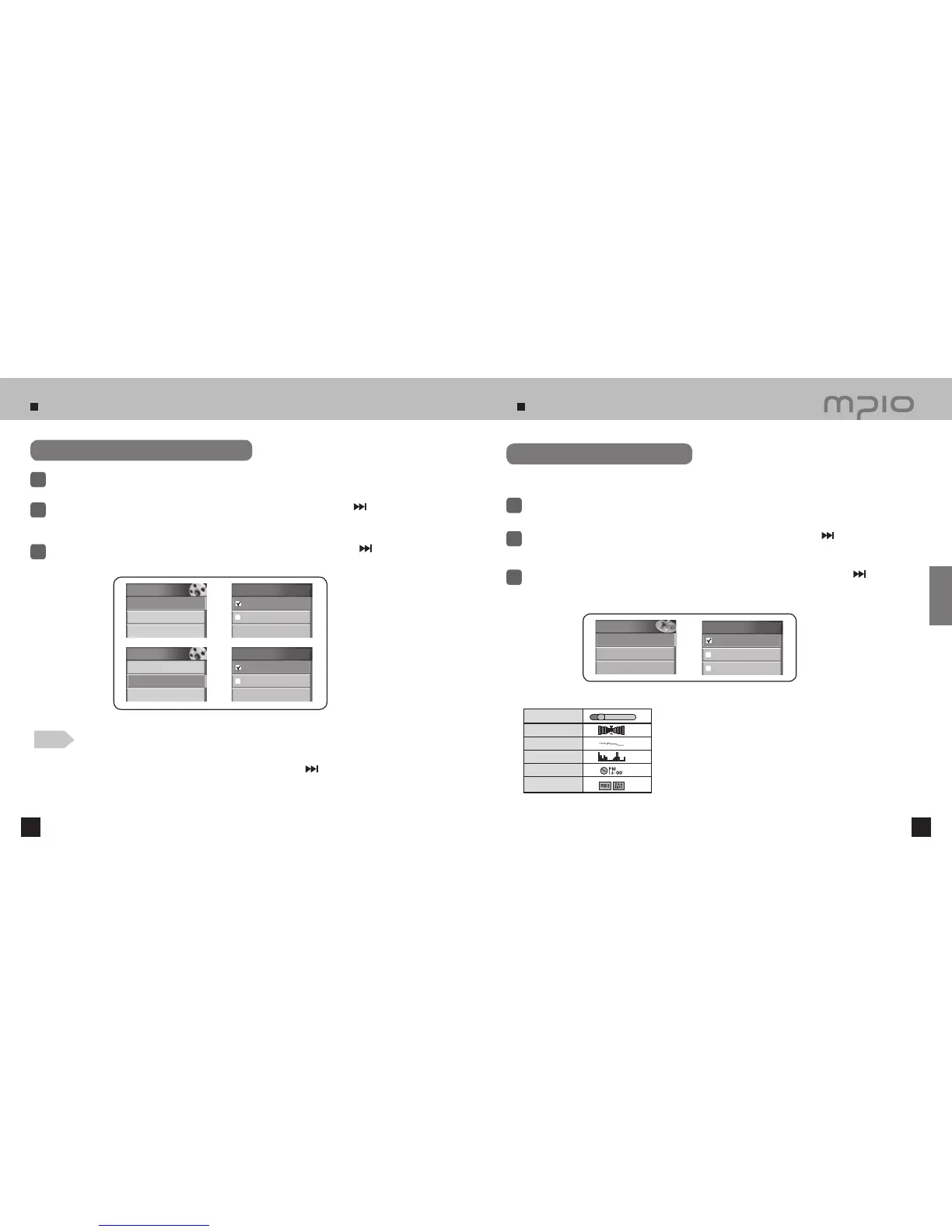
Select Visualization
Select Display in the menu.
1
Push the lever in + /
-
directions to select Visualization and then, push the lever in
direction or
press it to enter.
2
3
Push the lever in + /
-
directions to select the visualization to use and then, push the lever in
direction or press it to save. After saving, the device will return to its previous menu.
●
The selected visualization will appear at the bottom of the LCD Screen.
Select the visualization shown at the bottom of the LCD screen.
Visualization Setting Icons
Video
1. Photo
2. Movie
Photo
Display now
File list
Video
1. Photo
2. Movie
Movie
Play now
File list
Display
1. Visualization
2. Language
3. File Info
Visualization
Status
Stereo Image
Wave
Status
Stereo Image
Wave
Level Meter
Clock
File Infor
mation
Usage



 To Next Page