3 Device Overview
US FL5000 Multi-Spectrum Flame Detector 11
3.3 Bluetooth Connectivity
NOTE: Bluetooth is enabled by factory default. If Bluetooth is not needed, it can be deactivated by opening the unit and
setting the Bluetooth DIP switch to disabled. This switch is inside the FL5000, see 5.7 Switch Selectable Options. During
configuration change using Bluetooth communication, the device will not be capable of performing the intended safety
function. It is recommended that the password-protection feature be activated to prevent accidental or deliberate changes
of the device configuration potentially affecting device operation.
To connect to the FL5000 using Bluetooth:
1. Power up the FL5000.
a. All LEDs will flash during the startup procedure.
2. After the unit startup is competed, the Bluetooth search mode will begin:
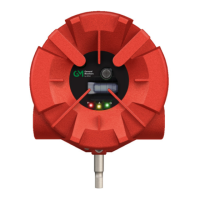
a. When the unit is in Bluetooth search mode, the Blue LED will flash slowly and the Yellow LEDwill remain
solid.
CAUTION!
While Bluetooth is active, the FL5000 cannot perform its safety function.
3. Connect your device via the Flame Connect App (follow the App instruction steps to connect a device).
a. The App will require a password to access the FL5000. The default password is 345678.
4. If a device is not connected or Bluetooth connectivity use is complete and the device is disconnected from the
FL5000, the Bluetooth search mode will time out within 3 minutes and revert to flame detection mode.
a. Flame detection mode is shown to be active when a steady green LED (with heartbeat) is showing on the
FL5000. This means that the detector is now performing its safety function.
b. Other than at startup, Bluetooth cannot be accessed unless by hardware switch (custom option by request),
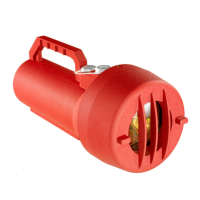
Flame Test through the Test Lamp (4.3.1 Test Lamp), HARTCommand or Modbus Command.
c. Bluetooth can also be accessed by shorting terminal 1 (BTE) Bluetooth to (GND) Ground for a minimum
duration of 10 seconds and a maximum duration of 60 seconds.
NOTE: If Bluetooth is not functioning, ensure the Bluetooth DIP switch is enabled by opening the FL5000 unit the and
checking the 5.7 Switch Selectable Options. If the DIP switch is enabled, check that the Bluetooth flex cable and
connectors are fully seated.











 To Next Page