34 FL5000 Multi-Spectrum Flame Detector US
5 Installation
5.7 Switch Selectable Options
All settings on the FL5000 are selected via a dipswitch on the Power/Relay board or via Modbus (overrides switch
settings).
To set these options:
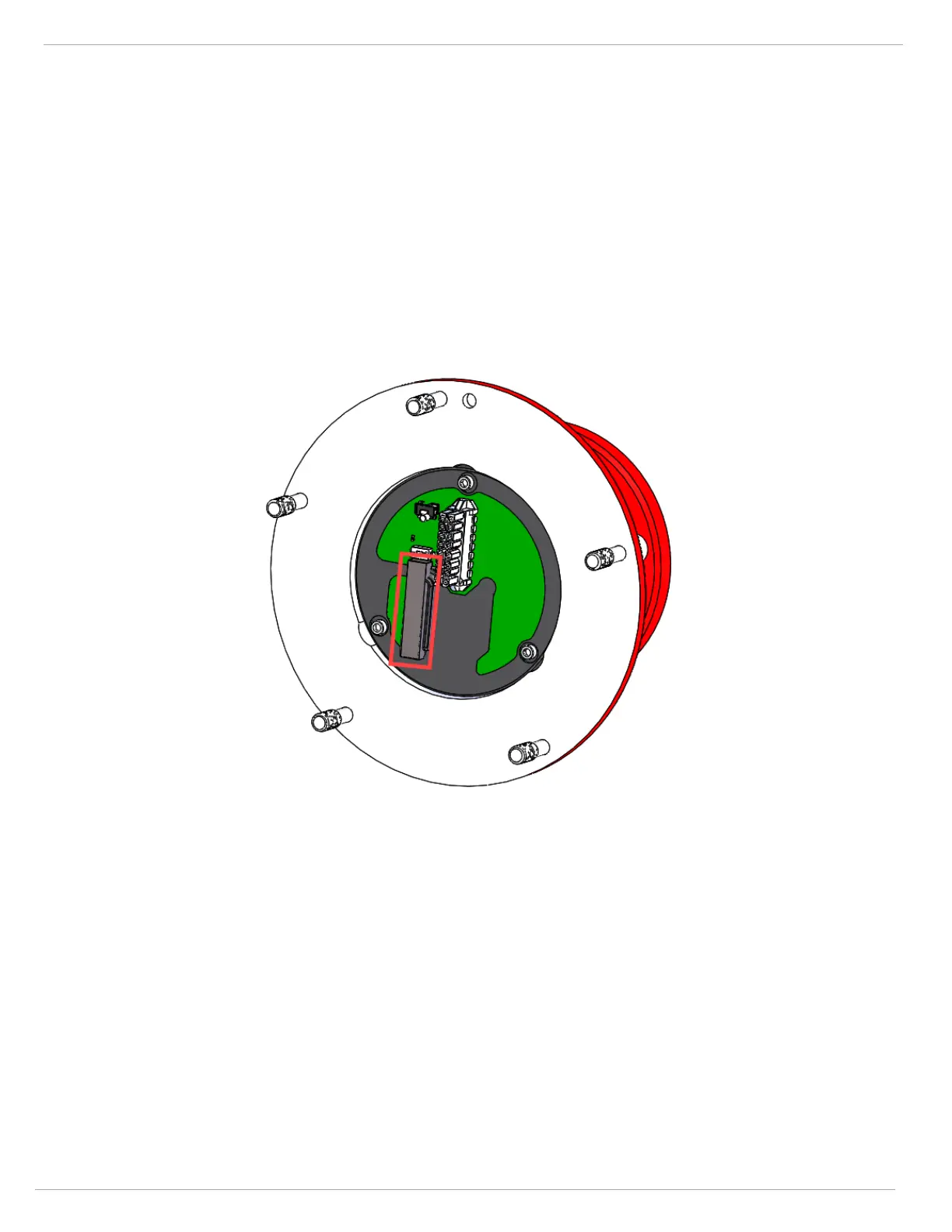
1. Remove the detector head from the Base Assembly and locate the dipswitch per the Dipswitch Location figure in
5.7.1 Time Delay Settings
2. On the dipswitch, ON/CLOSED means the switch is pushed in on the side labeled ON or CLOSED (opposite the
OPEN side).
3. OFF/OPEN means the switch is pushed in on the side with the number corresponding to the switch position or the
side labeled OPEN – refer to 5.7.1 Time Delay Settings for dipswitch assignments.
The settings for the INSTANT ALARM and SUSTAINED ALARM outputs are covered in 5.6 Terminal Connections.
Figure 19 Dipswitch Location











 To Next Page