2 Quick Start Instructions
US FL5000 Multi-Spectrum Flame Detector 7
2 Quick Start Instructions
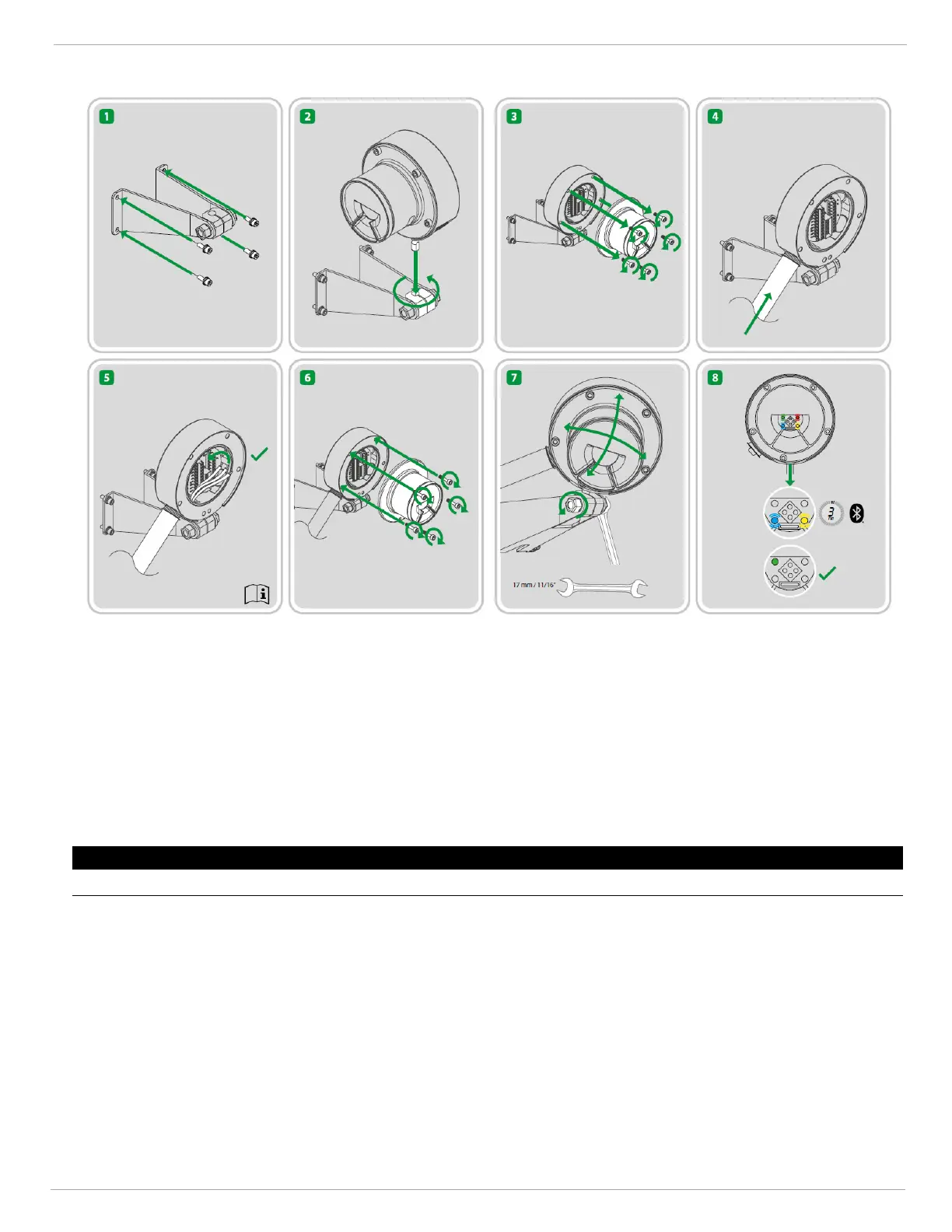
Figure 1 FL5000 Quick Start Insert
1. Electrical Connection
a. Loosen the captive screws (A) located on the Optical Housing Assembly.
b. Pull the Optical Housing Assembly from the Base Housing Assembly to separate, gently rocking from side to
side if necessary to loosen the connector's grip.
c. Wire the unit to the site-wiring.
d. Fit the Optical Housing Assembly to the Base Housing Assembly.
e. Tighten the captive screws (A) located on the Optical Housing Assembly.
NOTICE
Do not unscrew the field wiring board from the base housing assembly for wiring.











 To Next Page