Chapter 3
Using the Orion Multigas Detector
Turning ON the Orion Multigas
Detector
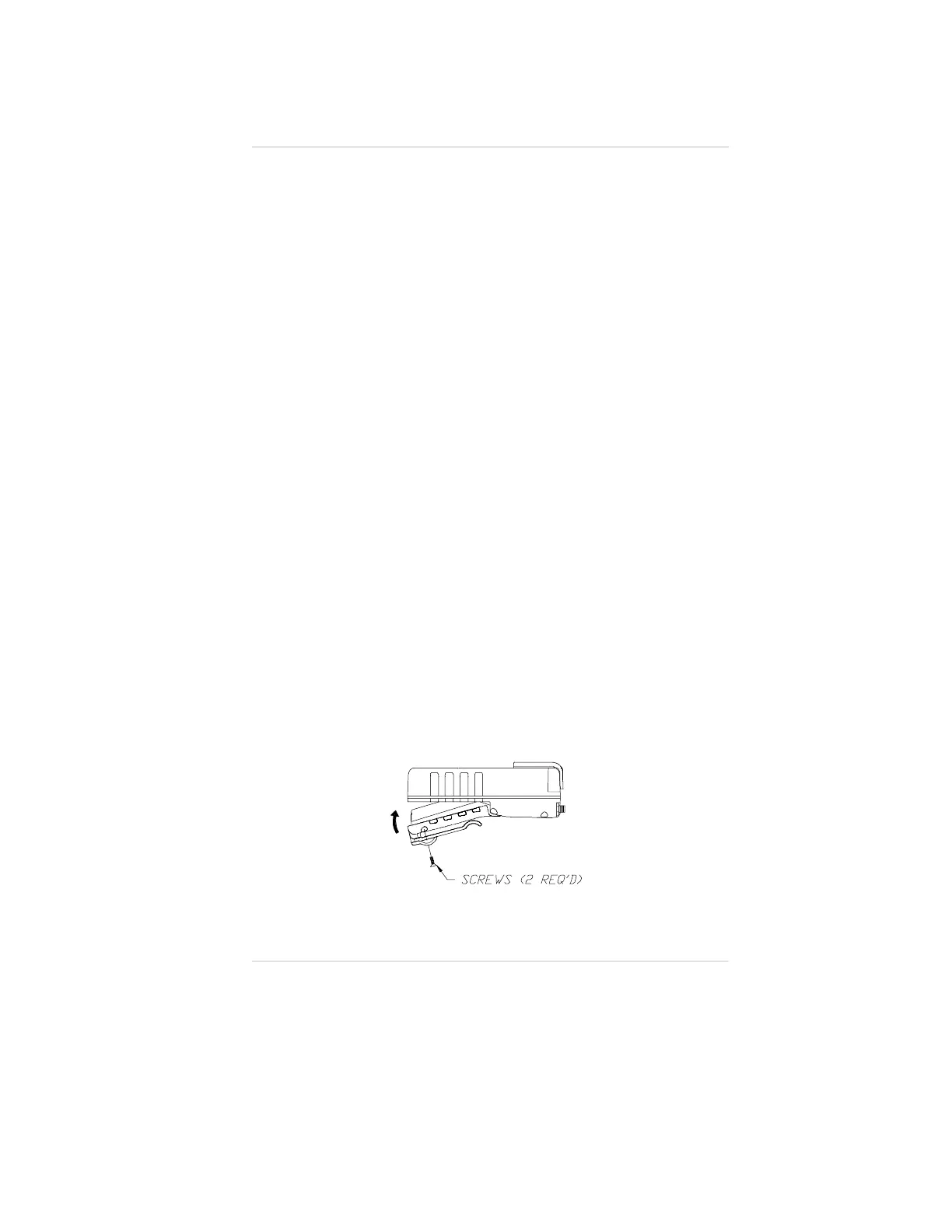
Installing the Battery Pack (FIGURE 3-1)
1. Slide battery pack toward the top of the instrument.
2. Swing battery pack up and into the body of the instrument.
3. Secure battery pack by installing the two screws in the bottom
two corners of the battery pack and instrument. The screws
must be snug to ensure that the battery pack properly seals
to the instrument. Do not over-tighten.
4. Once battery pack is installed, the Orion Multigas Detector
will turn ON.
The instrument now performs the following Self-test where the:
•
Display check occurs
(every segment on the display momentarily illuminates)
•
Audible alarm sounds
•
Alarm lights illuminate
•
Display backlight illuminates
•
Internal instrument diagnostic occurs
(any detected internal errors appear on the display).
When Self-test ends:
•
Instrument enters the Measure mode
Figure 3-1. Battery Pack Installation
Operating Manual Chapter 3, Using the Orion Multigas Detector
3-1


 To Next Page