5. Press the CHANGE/RESET button to reset the alarm and
restart the pump.
During operation, a pump alarm may occur when the:
•
Flow system is blocked
•
Pump is inoperative
•
Sample lines are attached or removed.
To Clear an Alarm
1. Correct any flow blockage.
2. Press the CHANGE/RESET button.
•
The Pump will now restart.
NOTE:
When the instrument is in a gas alarm, the pump
alarm may not display until gas alarm is cleared.
Calibration Check
The calibration check is simple and should only take about one
minute. Perform this calibration check before each day’s use.
1. Turn ON the Orion
Multigas Detector in clean,
fresh air.
2. Verify that readings
indicate no gas is present.
Diffusion Instrument
If your Orion Multigas Detector is
NOT equipped with an optional
built-in sampling pump:
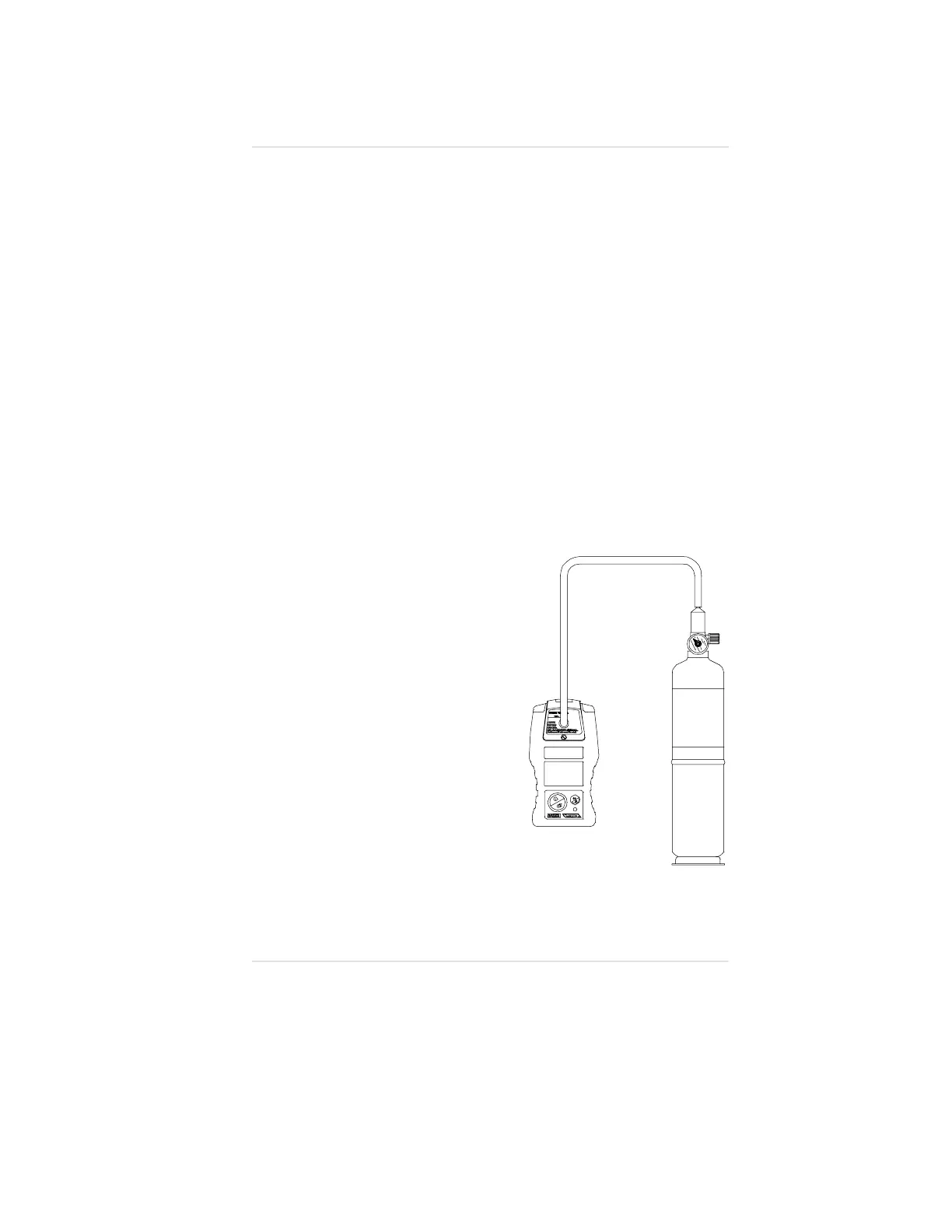
1. Attach calibration cap to
the Orion Multigas Detector,
orienting the inlet fitting
toward the display
(FIGURE 3-4).
2. Attach regulator (supplied with
calibration kit) to the cylinder.
Figure 3-4. Instrument with
Calibration Cap Installed
Operating Manual Chapter 3, Using the Orion Multigas Detector
3-7


 To Next Page