NOTE:
The following Display pages appear only if they
are enabled.
Press the ON-OFF/PAGE button to move to:
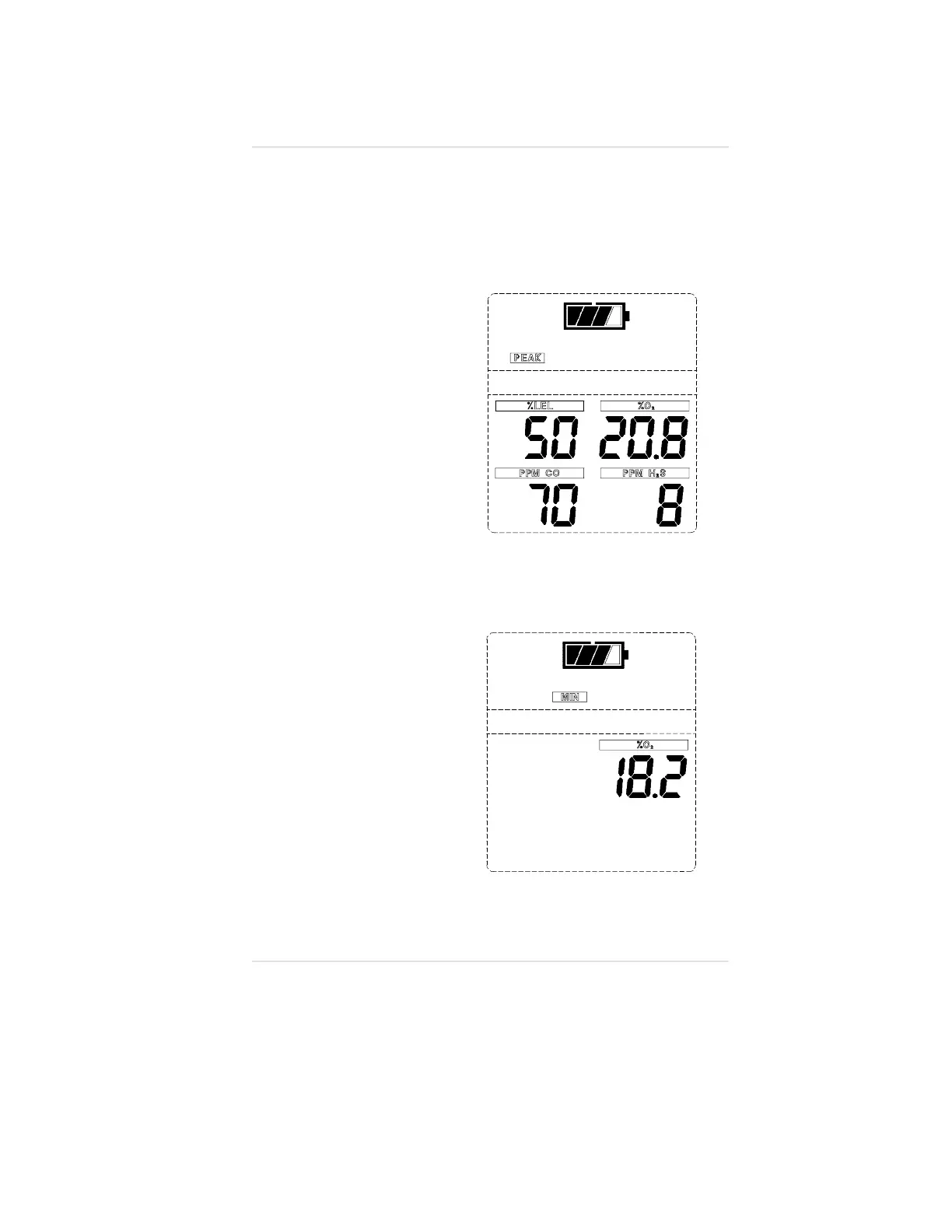
Peak Readings (PEAK) (FIGURE 3-10)
•
The PEAK flag appears
in the upper portion of
the display to show the
highest levels of gas
recorded by the Orion
Multigas Detector since:
•
Turn-ON or
•
Peak readings
were reset.
•
To Reset the Peak
Readings:
1. Access the Peak page.
2. Push and hold the
CHANGE/RESET
button until the
PEAK flag flashes.
3. Push the
ON-OFF/PAGE
button to reset
the Peak.
Minimum Readings
(MIN) (FIGURE 3-11)
•
This page shows the
lowest level of oxygen
recorded by the Orion
Multigas Detector since:
•
Turn-ON or
•
MIN reading
was reset.
•
The MIN flag appears
in the upper portion of
the display.
Figure 3-10. PEAK Readings on the
Display
Figure 3-11. MIN Reading on Display
Operating Manual Chapter 3, Using the Orion Multigas Detector
3-13


 To Next Page