EasyManua.ls Logo

MSA ORION - Date Display (FIGURE 3-15); Time Display (FIGURE 3-14)

MSA ORION
244 pages
Print Icon
To Next Page IconTo Next Page
To Previous Page IconTo Previous Page
Loading...
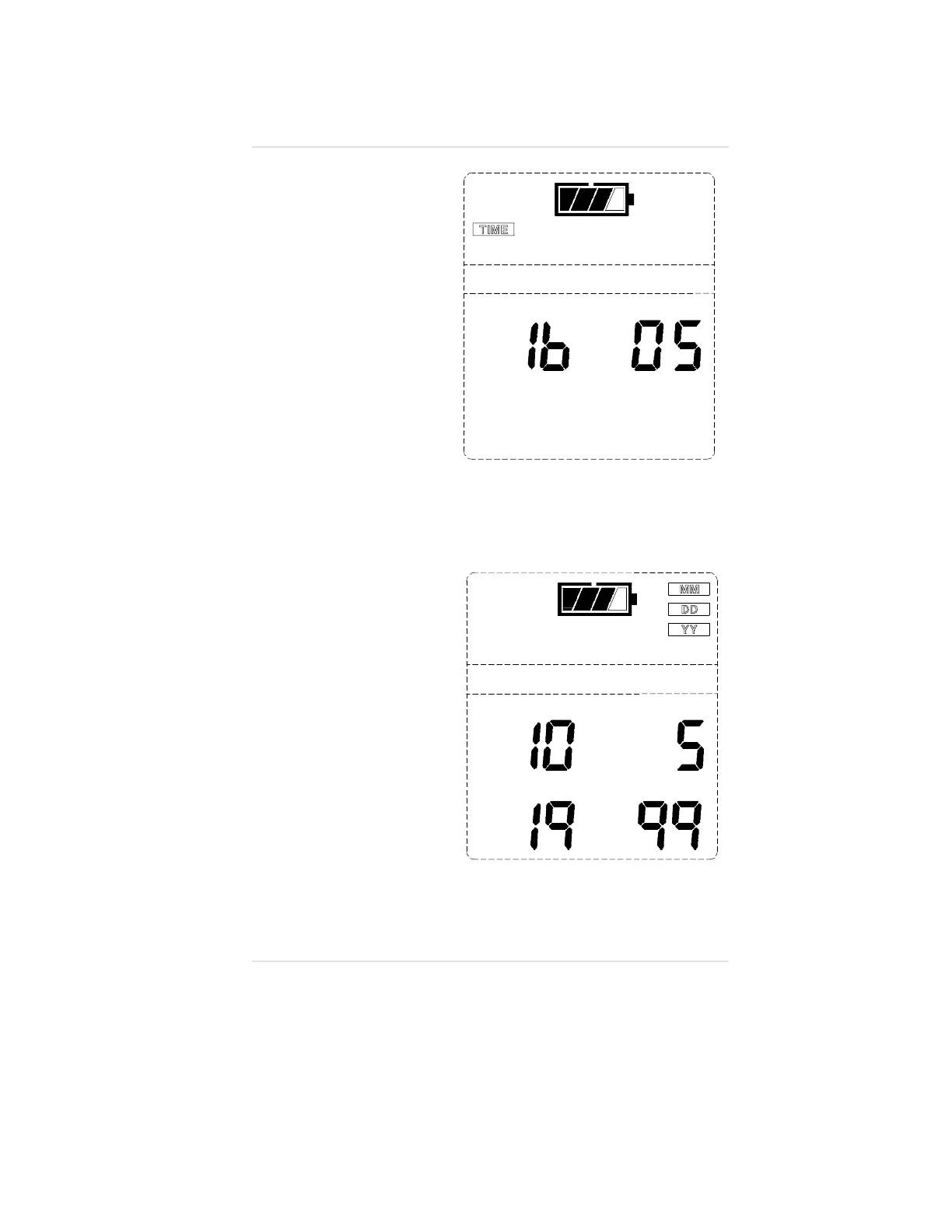
Time Display
(FIGURE 3-14)
The TIME flag
appears in the upper
portion of the display
to show the current
time of day in a
24-hour format.
Date Display
(FIGURE 3-15)
The MM (month),
DD (day) and YY
(year) flags appear in
the upper portion of
the display.
The current date
displays as the:
Month in the
upper left corner
Day in the upper
right corner
Year across
the bottom.
To return the display
to the Measure page,
press the
ON-OFF/PAGE button.
Figure 3-14. Time Display
Figure 3-15. Date Display
Operating Manual Chapter 3, Using the Orion Multigas Detector
3-17

Table of Contents

Other manuals for MSA ORION

Related product manuals