35
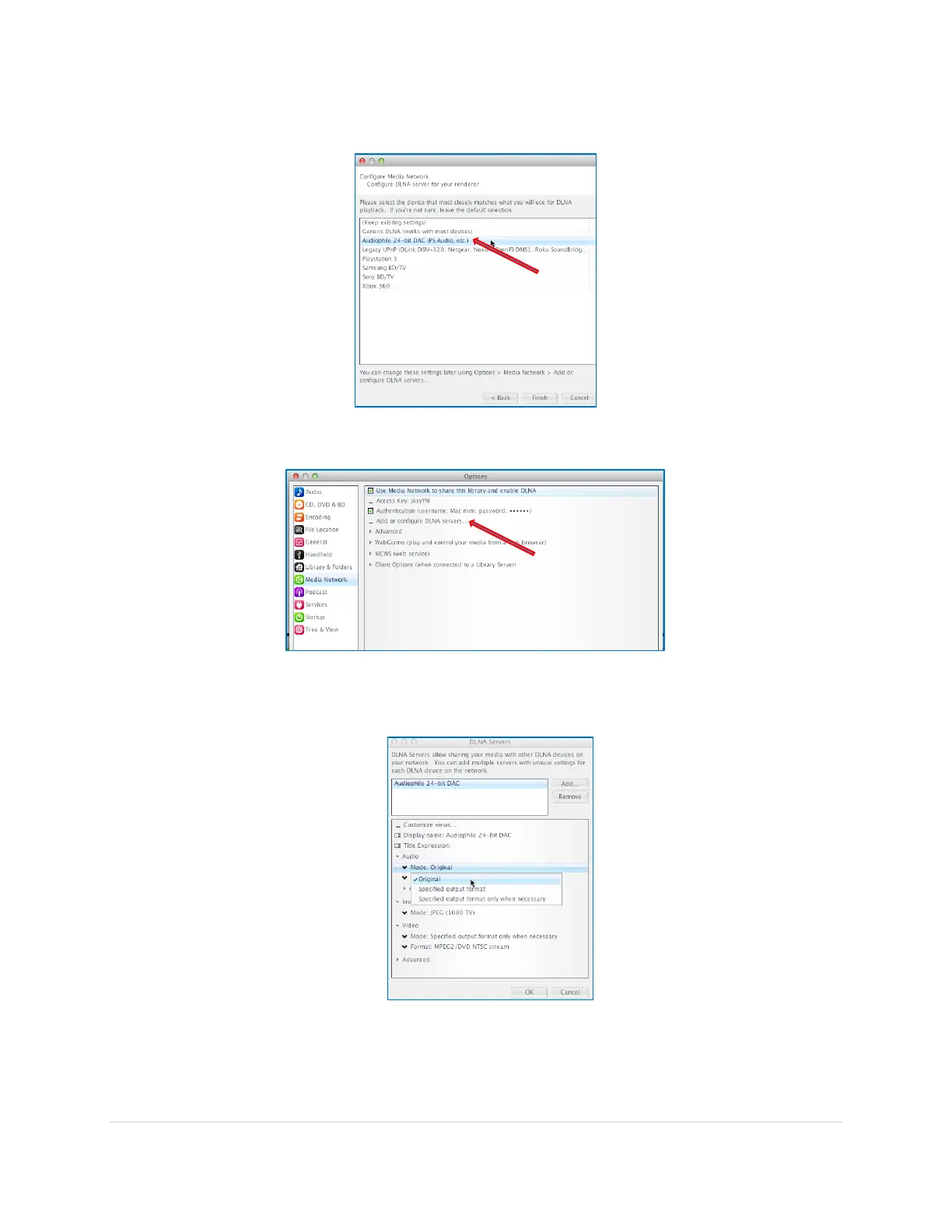
6. Select Audiophile 24-bit DAC from the list in the following screen and click Finish
7. Once back at the Options screen, click on Add or configure DLNA servers…
8. In the DLNA Servers page that pops up, navigate to Audio Mode and change to Mode:
Original.
This selection sends the original audio file to the MSB Renderer. If you have files that cannot
be played by the MSB Renderer for which transcoding is required you might want to select
the other options, but it will no longer be bit-perfect.



 To Next Page