36
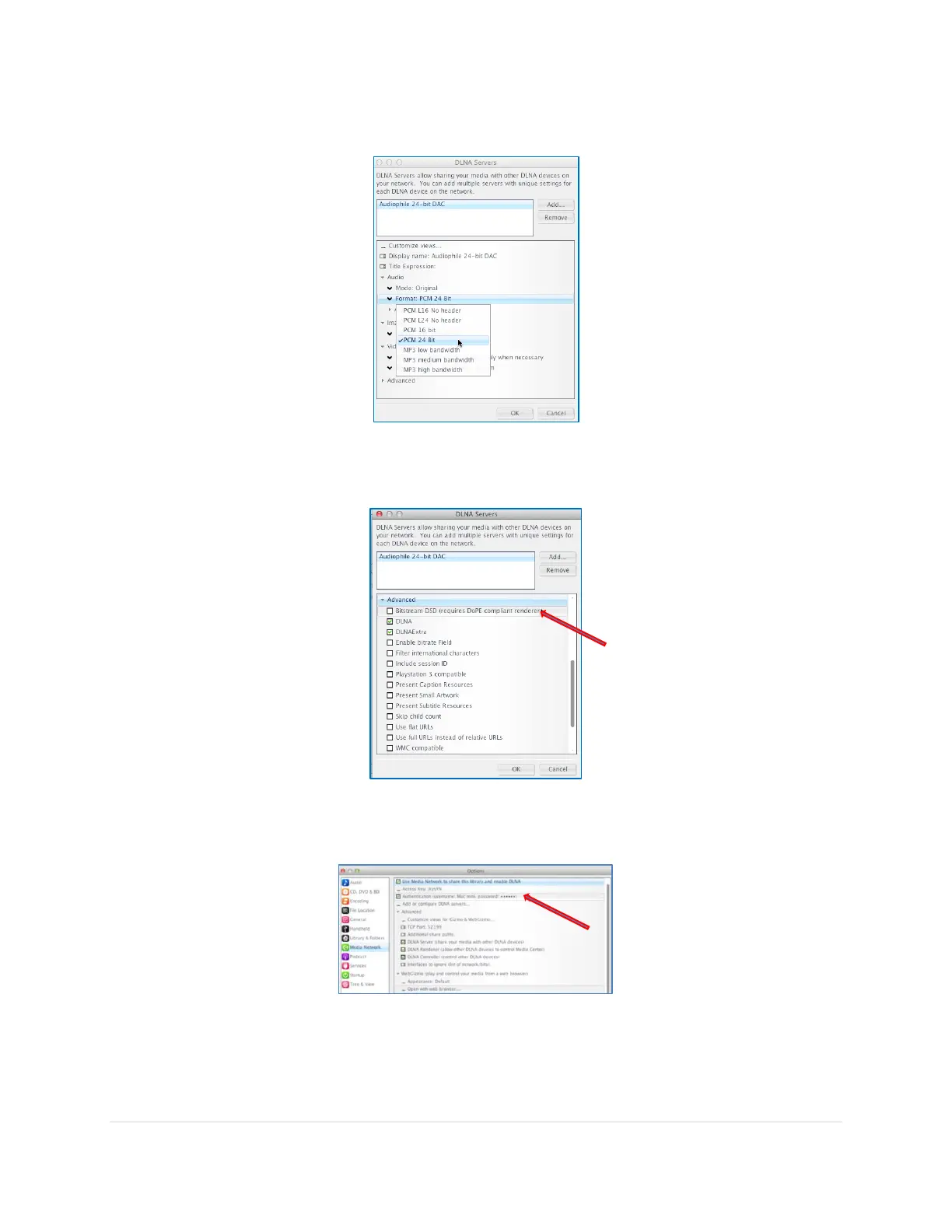
9. Still in the DLNA Servers page, navigate to Audio Format and select to PCM 24 Bit for
the highest quality.
10. Still in the DLNA Servers page, navigate to Advanced and make sure that the checkbox next
to “Bitstream DSD (Requires DoPE compliant renderer)” is Unchecked. Click OK
11. Once back at the Options screen, check the box next to the option Authentication (username:
Your Mac Name, password: ●●●●). Add your computer user name and password in the pop
up page. Click OK
This is to secure your music library when using it with JRemote remote control app.
Important: Please write down the username and password for the JRemote setup step later on



 To Next Page