42
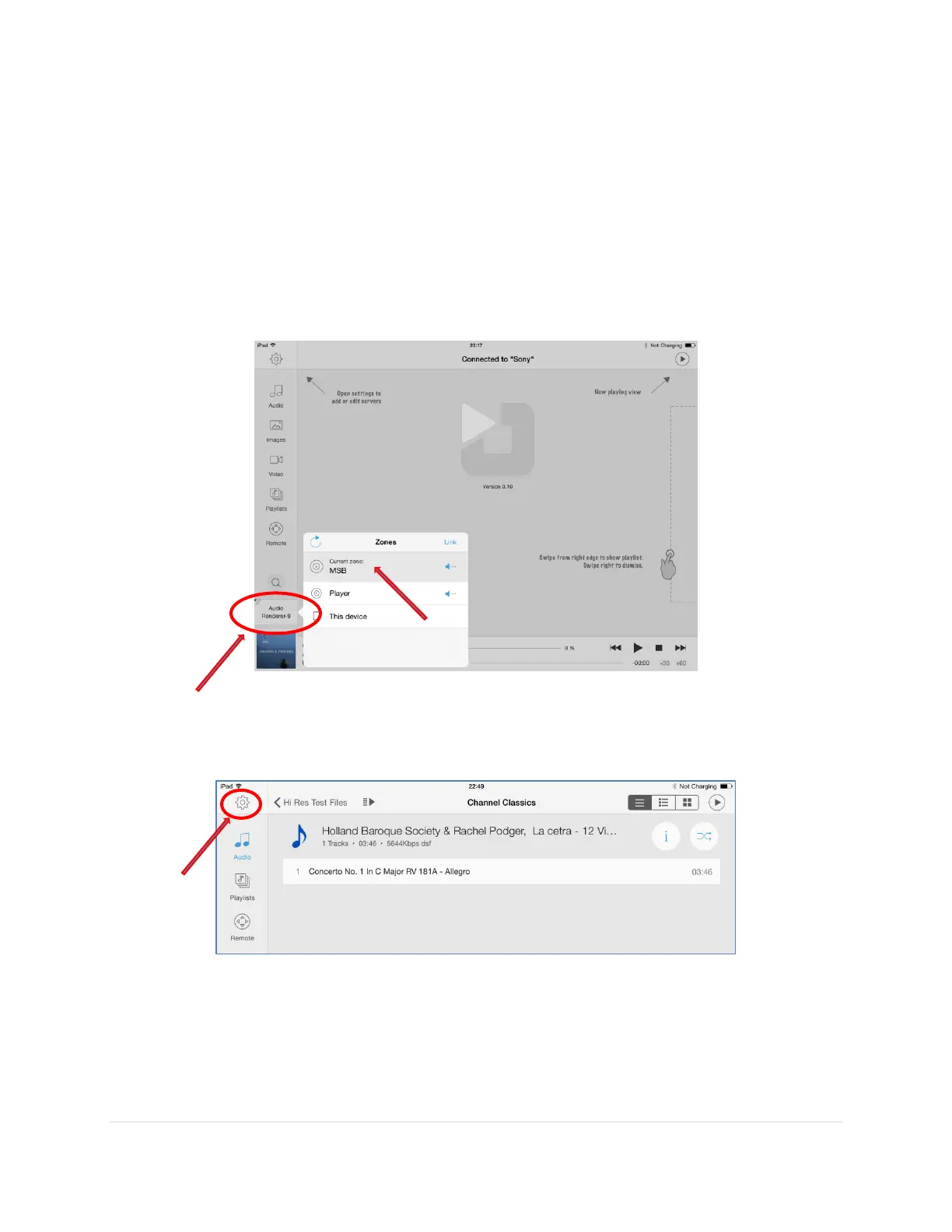
8. Tap on the
Current Zone
button in the bottom left of the screen to view and select the
Renderer. It will show as Audio Renderer X (Where X is the last digit of the IP Address
given to the MSB Renderer) or the name you had changed it to within JRMC. In this
example the MSB Renderer was renamed to
MSB
, and your current zone will be the
renderer currently selected for playback.
9. Select the renderer by tapping on it.
10. Tap on the Settings button in the top left hand corner again for one final setting change



 To Next Page