60
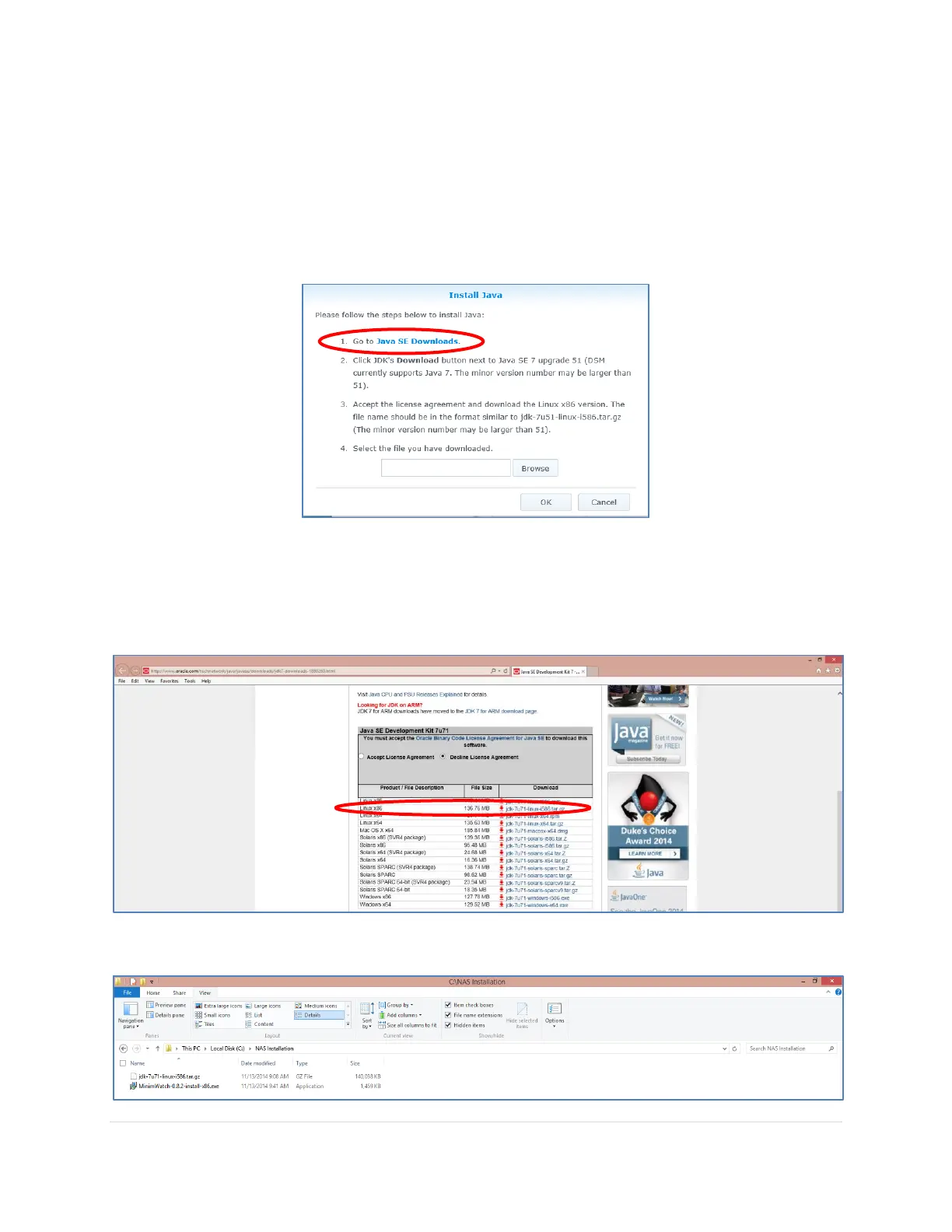
5. Click on the Java SE Downloads hyperlink. This will open up your internet browser on
your computer, not the NAS, and automatically navigate to the following Oracle website
to download Java SE Development Kit 7.
http://www.oracle.com/technetwork/java/javase/downloads/jdk7-downloads-
1880260.html
6. Be sure to check which version you need for your specific NAS, click on the Accept License
Agreement radio button and click on the download link. In this example we will be using the
latest version 7 release available for Linux x86. The installation file is called:
jdk-7u71-linux-i586.tar.gz
7. Save the installation file to a folder on your computer



 To Next Page