61
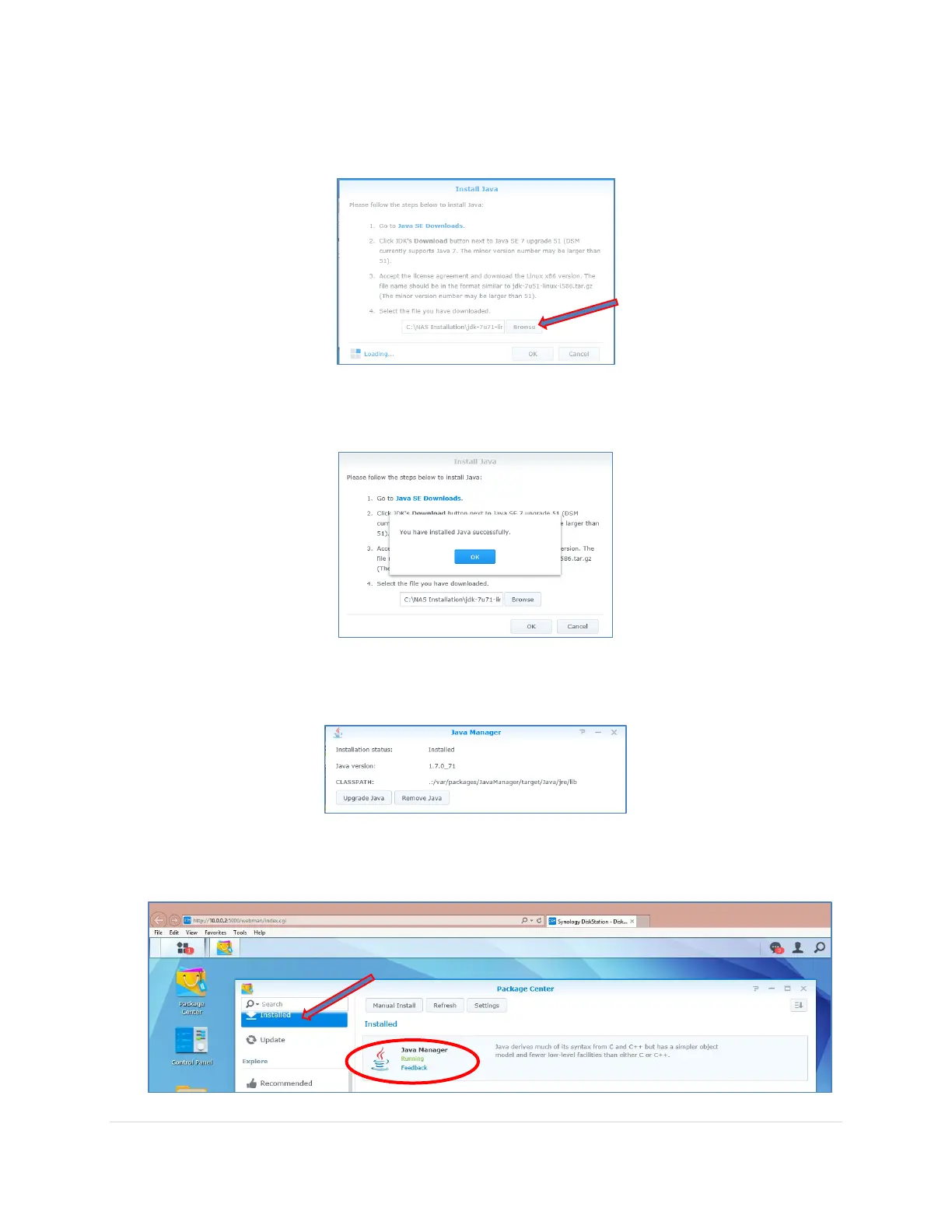
8. Back on the NAS Install Java screen, click on Browse button and select the installation
file that you had just saved to a folder on your computer. Click OK.
9. Wait a few moments for the installation is complete and you will see the following
message. Click OK.
10. Back in the Java Manager screen you will now see installation status is Installed with the
Java version showing.
11. Back in the Package Center, if you click on Installed you will now see Java Manager
Installed and with the Status of Running



 To Next Page