74
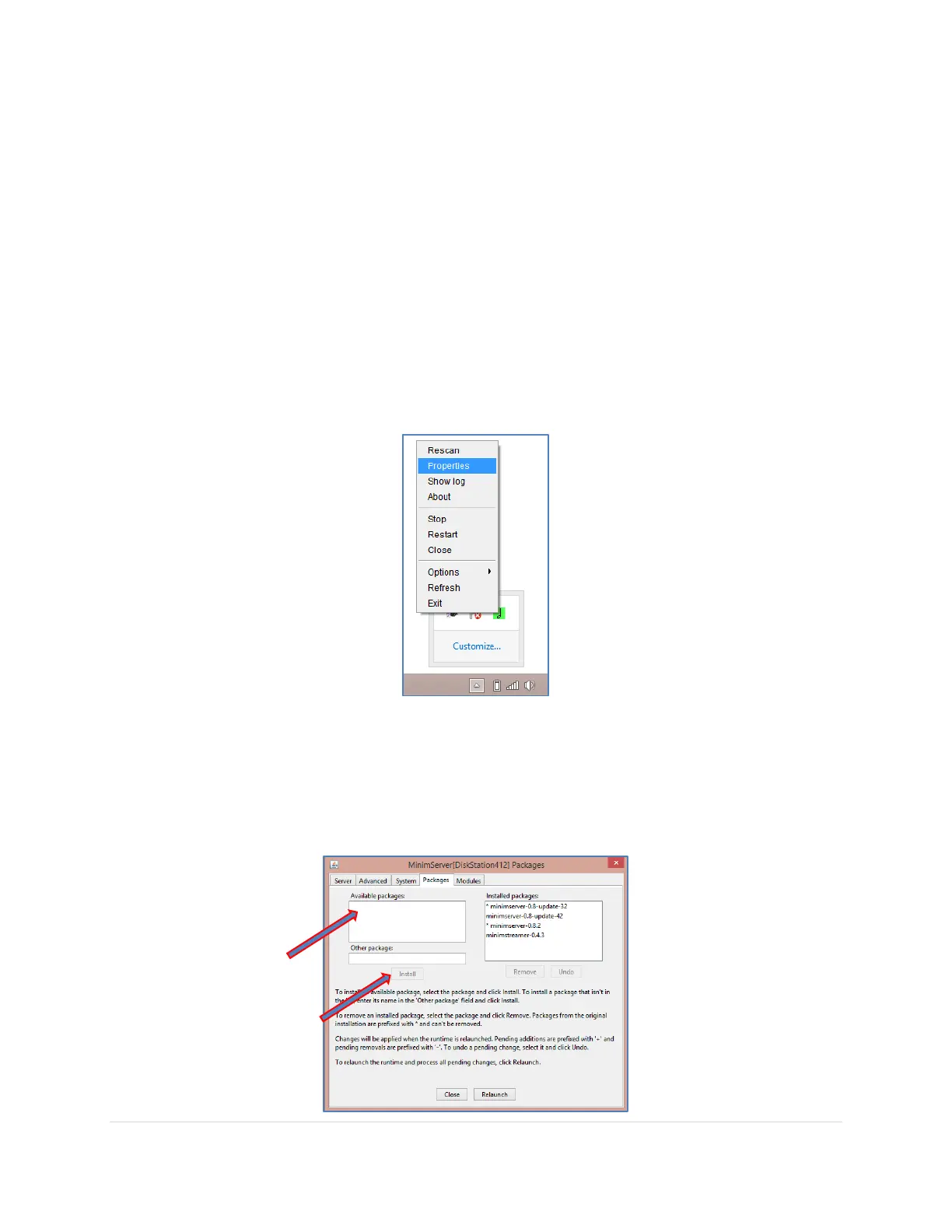
12. Right-Click on the MinimWatch icon on the bottom right corner, and select from the pop-up
menu. Various selection are available:
Rescan – If you have recently added files or folders to your music library and you
want them to become visible to your UPnP Server and Controller
Properties – Any additional setting changes and version updates are done here
Show log – This provides you detailed information on possible issues with the server
or your library
Stop – To stop the MinimServer UPnP Server
Restart – To restart the MinimServer UPnP Server
Options – Select the detail of logging
Exit – Close MinimWatch program
13. Initially no setup changes are required, but it is a good idea to see whether there are new
versions available. Right-Click on the MinimWatch icon on the bottom right corner, and
select Properties from the pop-up. Navigate to the Packages tab. If any additional available
packages are showing you can select and install them from here. Follow the prompts. If the
Available packages list is empty you are up-to-date and exit out of MinimWatch.



 To Next Page