English
Tester MS016
10
2. MENU TESTERA
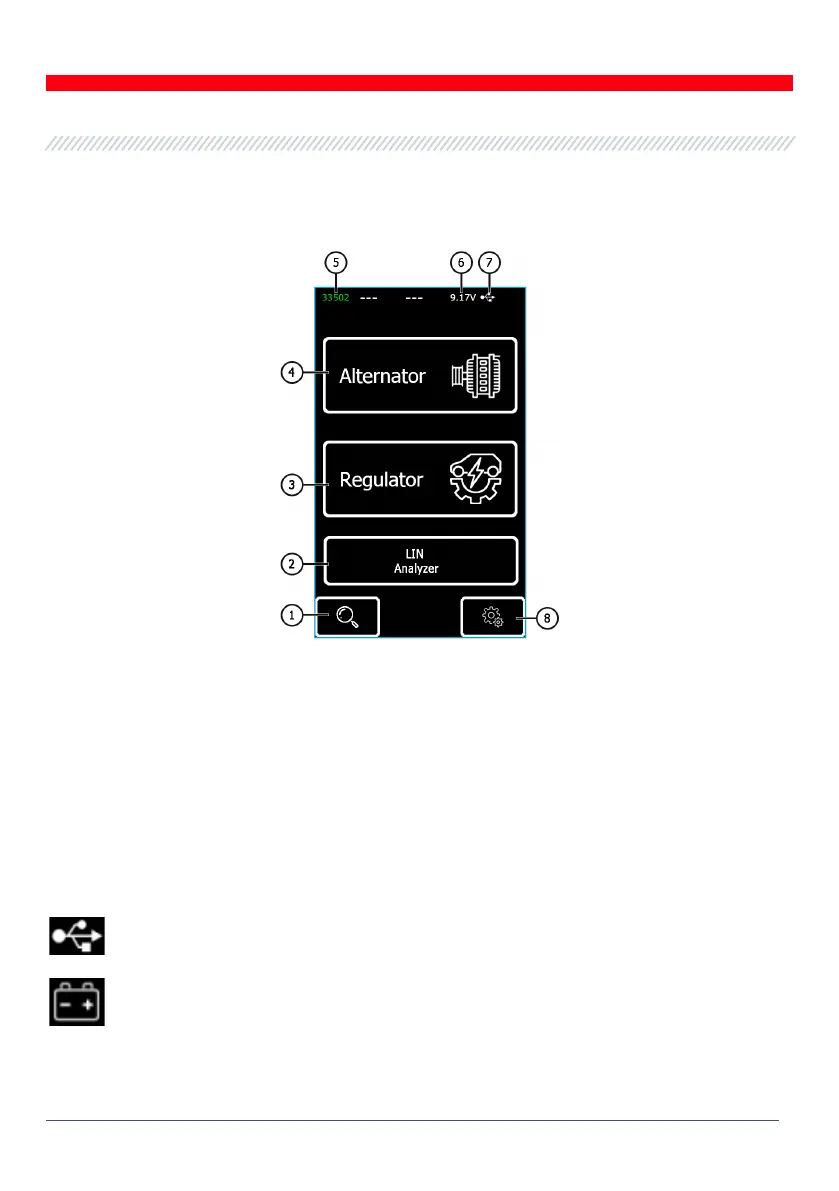
The tester main menu (Fig. 7) contains:
Figure 7 - Tester main menu
1 – Button to enter a search menu of the voltage regulator database;
2 – Button to enable “LIN Analyzer”;
3 – Button to enter the menu for selection of the tested voltage regulator type;
4 – Button to enter the menu for selection of the tested alternator type;
5 – Tag number of the connected cable;
6 – Current power supply voltage;
7 – Power supply of the tester:
– USB,
– BATTERY.
8 – Button to enter the tester settings.



 To Next Page