-19-
5.7 Snapshot
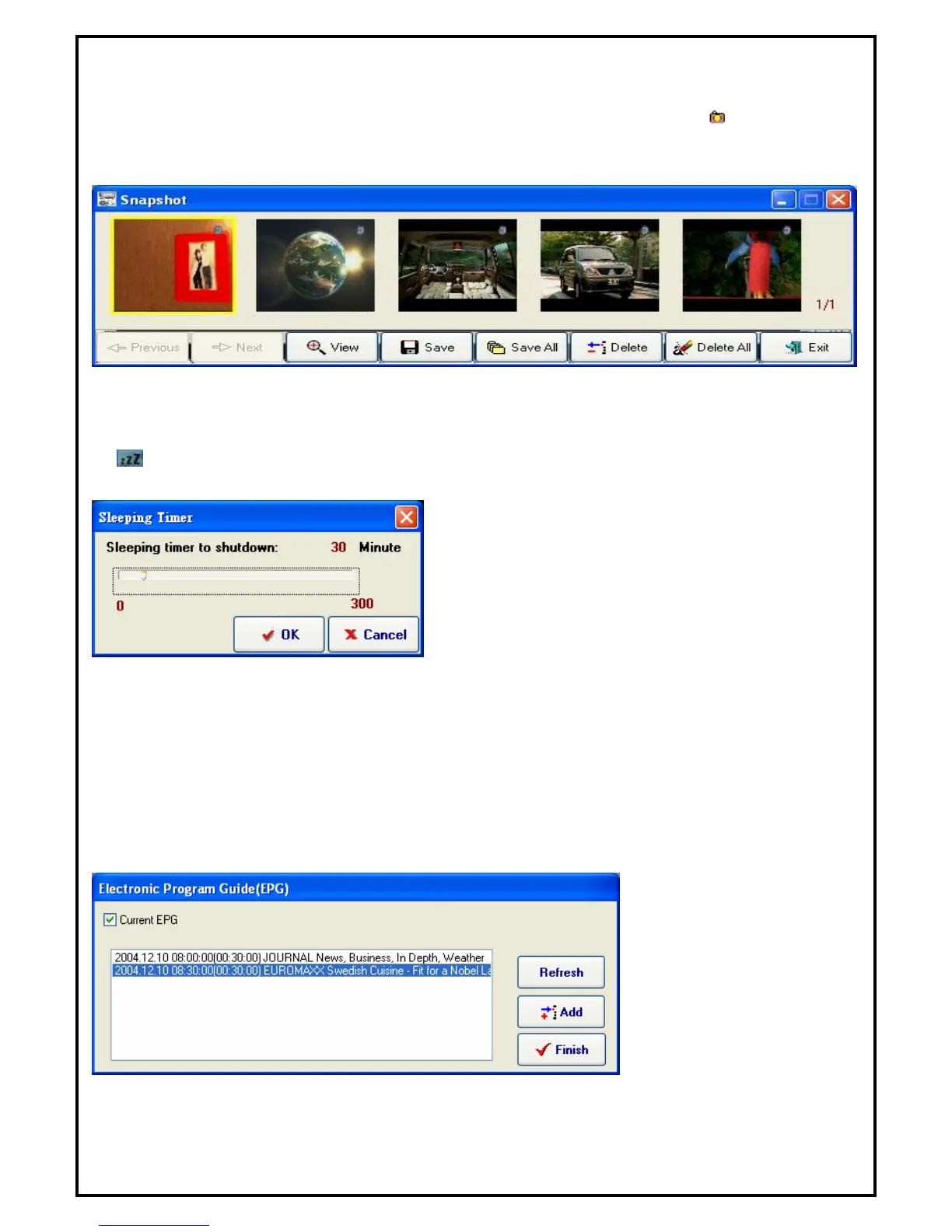
Snapshots (still image capture) can be taken from current viewing window by clicking from the control
panel or choose "Snapshot" in popup menu. The Snapshot window will pop up when a snapshot is taken.
Here, users can view, save or delete images taken.
Note: The captured images can be saved in either bitmap or JPEG file format when saving the file.
5.8 Sleeping Timer
If is selected, you can use “Sleeping Timer” function.
After you select the button, you would see the dialog box as below:
You can use slide bar or left and right key to adjust the timer value, click “OK” to start or “Cancel” to exit.
5.9 iEPG
Click on the iEPG icon and it will pop up as shown in the window below.
You will see the information provided by the TV supplier in the message window.


 To Next Page