-8-
Chapter 5: DTVR
DTVR is a powerful and easy-to-use TV application which includes feature-rich video/audio entertainment
functions. DTVR provides a convenient way to watch and record digital terrestrial TV programs or video on
your PC and also allows you to playback recorded TV or video files. You could also listen to digital radio
broadcasts (NOT DAB) under radio mode if it is included in your model.
5.1 System Setting and Channel Scan
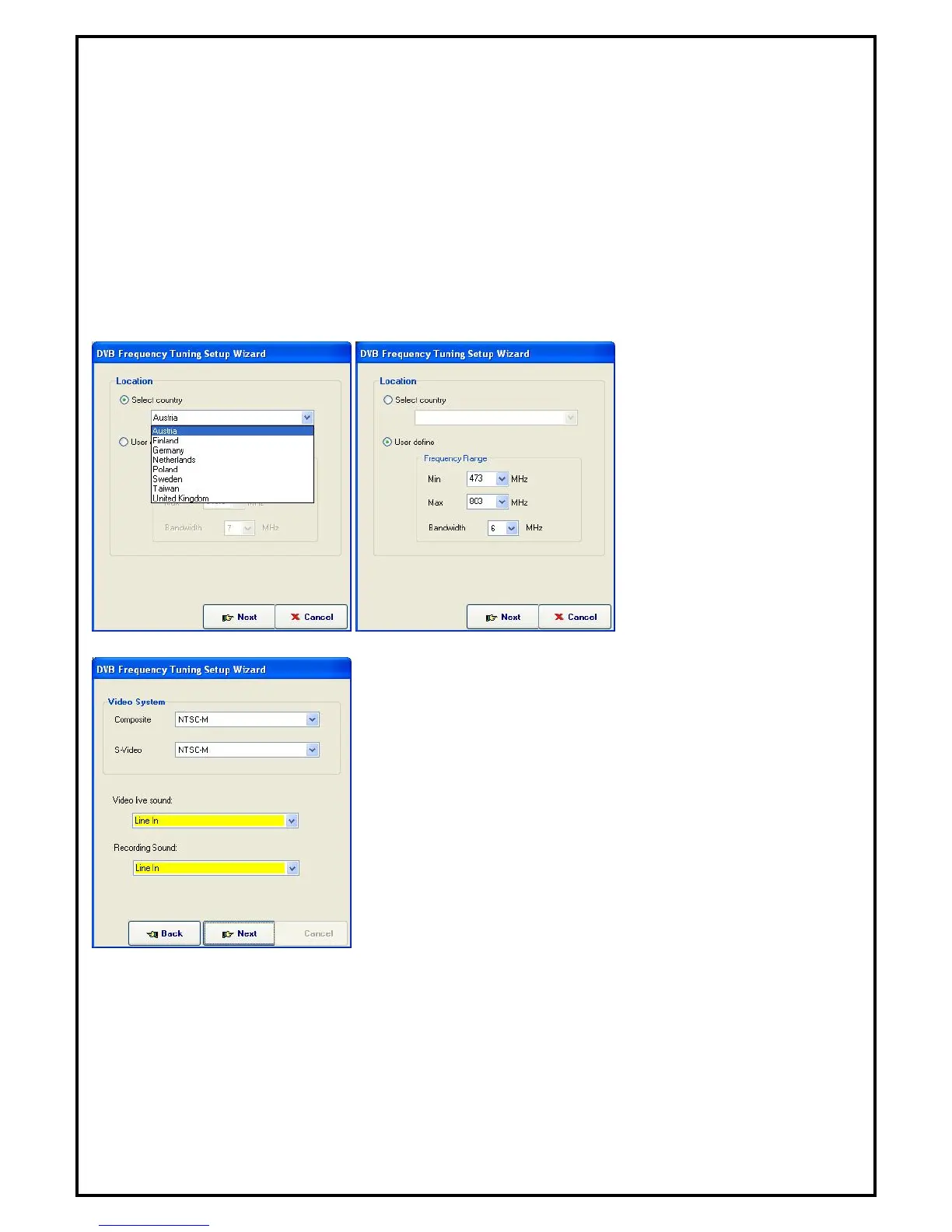
When executing DTVR at first time, TV Setup Wizard will help you to set your TV configurations step-by-
step.
Set the frequency range by
either choosing your origin’s
default frequency from “Select
country,” or define the range
manually from “User define.”
Set frequency input source from “Video System” and sound source
from “Video live sound.” Video live sound is the audio device
channel that connects to your audio-out of TV tuner card.


 To Next Page