-11-
5.2.6 Record, Playback and TimeShifting
1. Record Function
Any current live video can be recorded by clicking the capture button, on control panel or choose
"Capture" in popup menu. To stop recording, simply click the “Stop” button on control panel or
choose "Stop" in popup menu to stop current recording. Recorded files can be reviewed in the playback list
after recording.
2. Playback Function
By clicking the “Play” button,
on control panel or choose "Play" in popup menu to playback any
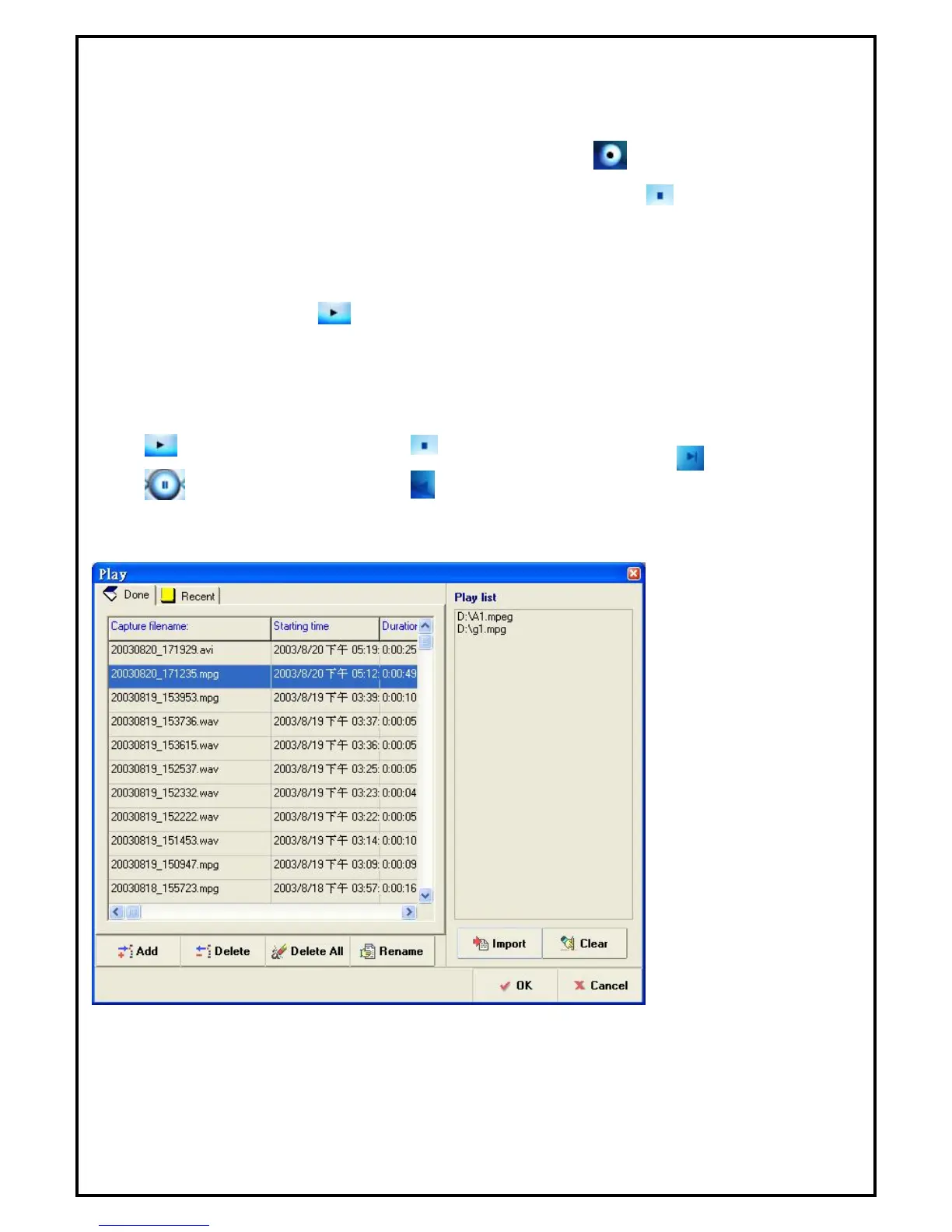
recorded files. A playback dialog which shows all recorded video files and all recently played files will pop
up. More than one video/Audio files from either recorded file or files of your own collections can be entered
into a play list.
Button Definition:
• : Play
• : Pause
• : Stop
• : Rewind
• : Fast Forward
Note: The window above is an example of adding or deleting files to and from the play list.


 To Next Page