-3-
Chapter 1 : DIGI VOX mini Dongle Hardware Installation
1.1 Package Contents
Unpack your DIGI VOX mini package and make sure that all items are included. The following items should
be included in your package:
MSI Digi VOX mini USB2.0
Software Pack CD
Quick guide
USB2.0 extension cable
Portable antenna
Antenna adapter Cable
1.2 System Requirements
PentiumR –IV1.6 GHz or above
256MB RAM of system memory or above.
One free USB2.0 port
Graphics Card (Must support Microsoft DirectR x9.0 or above)
Sound Card (AC97 compatible sound card).
1GB Free HD Space.
CD-ROM Drive (For software installation)
Microsoft DirectR x9.0b .
Windows ® 2000/XP / MCE(when using MCE OS an extra 3rd party DVD decoder must be installed)
1.3 Hardware Installation
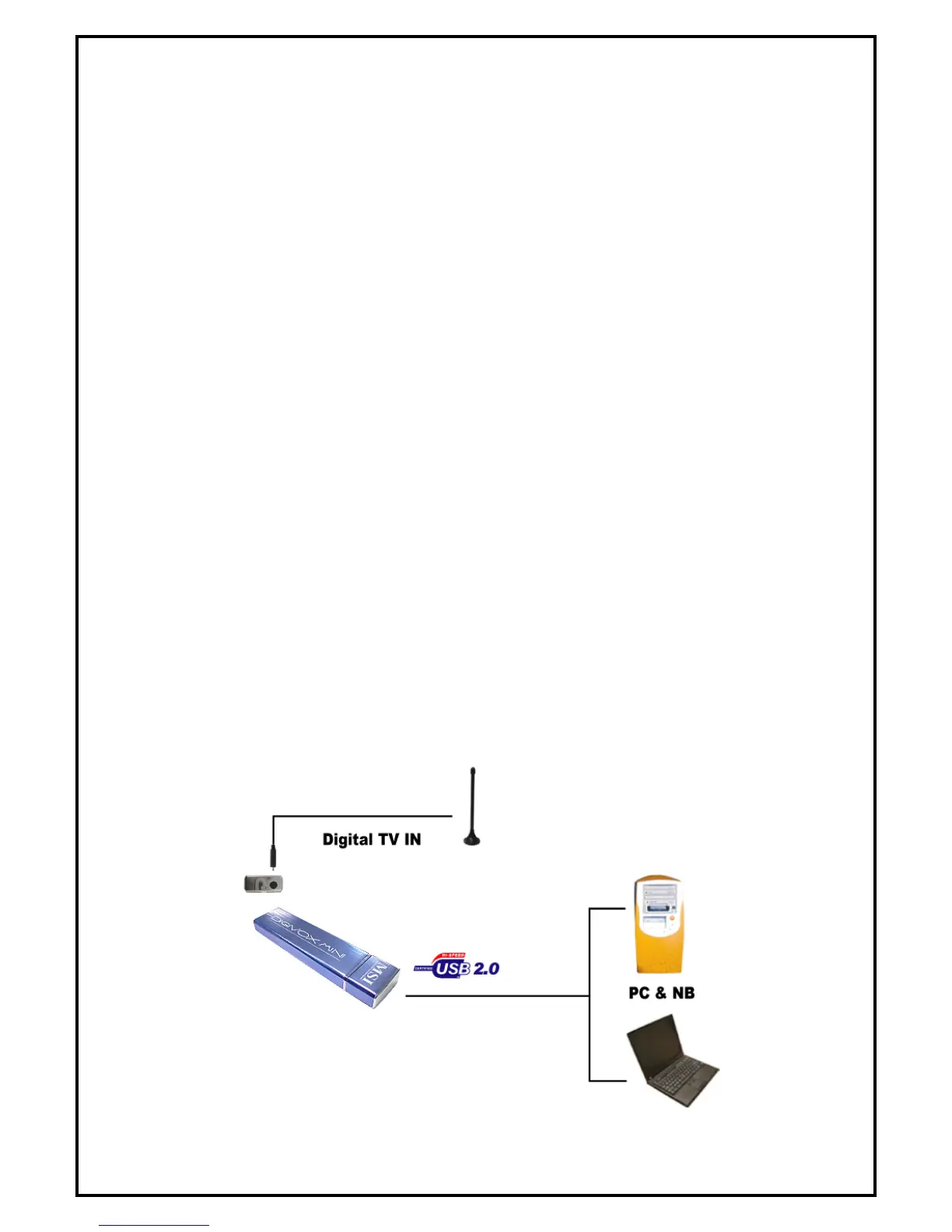
Please follow the steps shown below to connect DIGI VOX mini to your computer:
1. Connect the antenna into the TV INPUT connector.
2. Plug DIGI VOX mini Dongle into the USB 2.0 port of your system.


 To Next Page