-5-
Chapter 3 : DVB-T PLUS Software Installation
After the drivers are installed, the next step you need to do is to install “DVB-T PLUS”. Please follow the
steps below to install it.
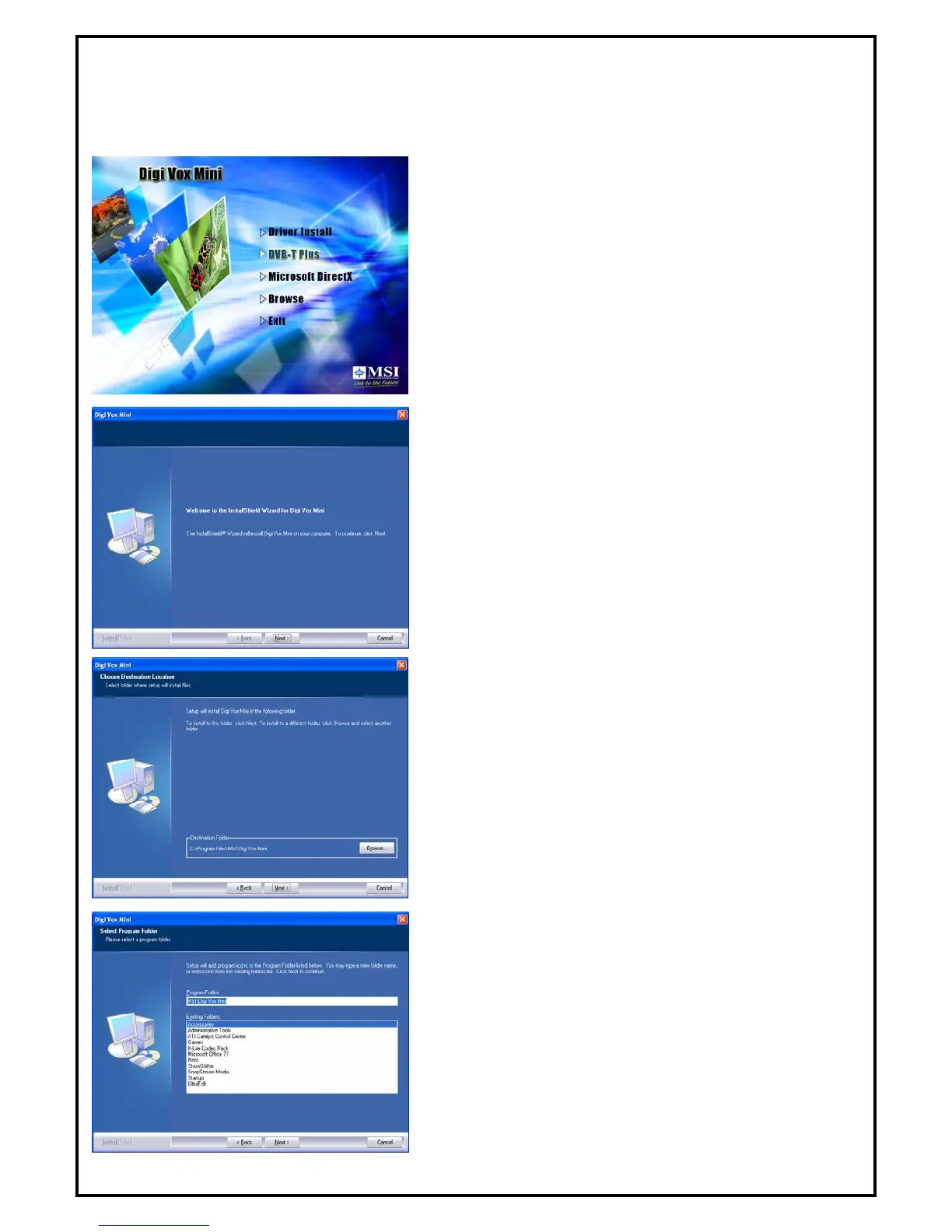
1. Select “DVB-T PLUS” to start installing the software.
2. The InstallShield Wizard will guide through installation of
DVB-T PLUS application. Click “Next” to continue.
3. Please choose the destination folder where you want to
install the files. You can click “Browse” to change the
destination folder.
4. Setup will add program icons to the Program Folder’s list.
You may type a new folder name, or select one from the
existing folders list. Click “Next” to start installing. Please
wait while installation in process.


 To Next Page