-30-
Chapter 8 : Burn DVD
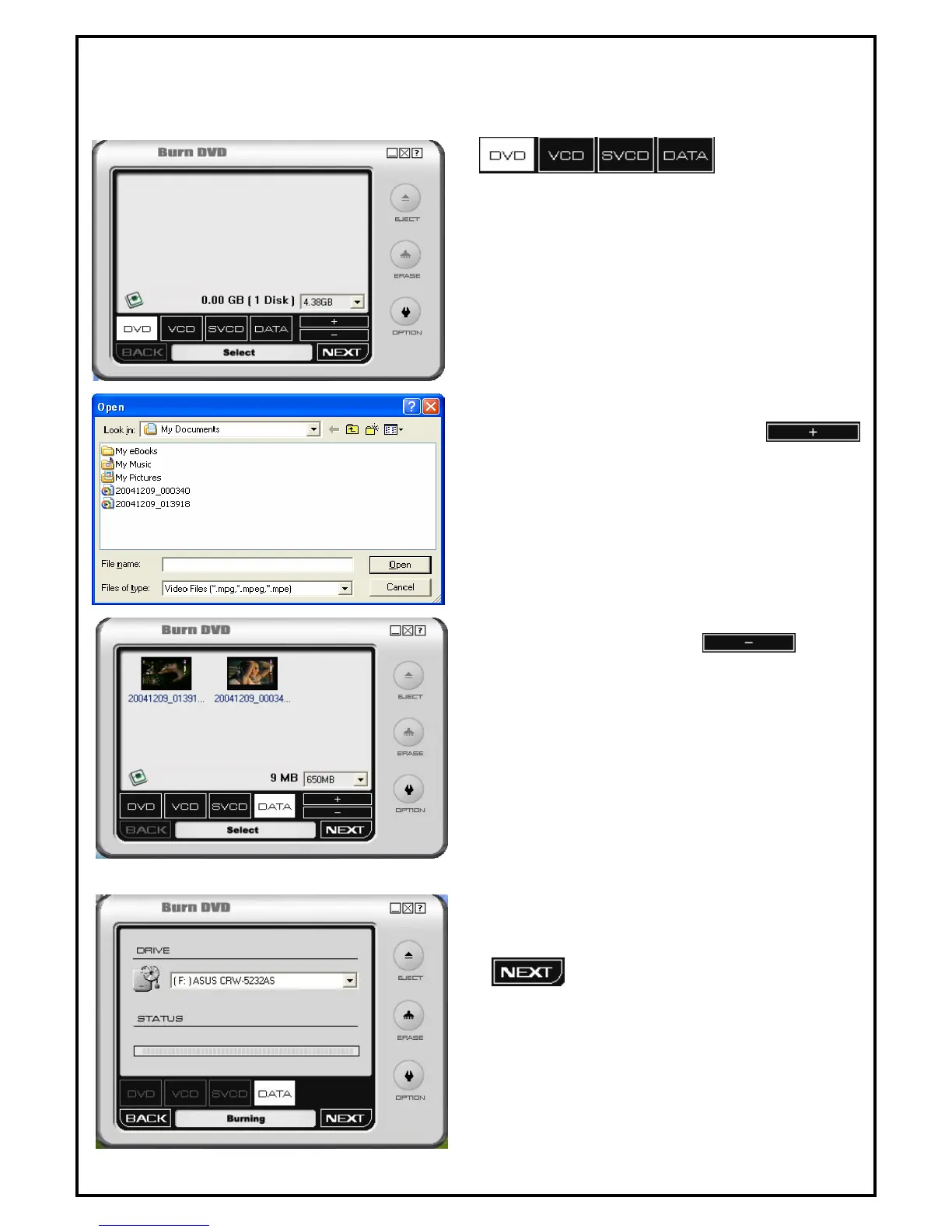
8.1 Adding Files
Select format :
DVD: For DVD.
VCD: For Video CD.
SVCD: For Super VCD.
DATA: For multimedia data CD.
1 This dialog box shows up when the
is clicked. Video or photo files are displayed as
thumb nails on the screen (As shown below) after
being added.
2 Added files can be deleted. Click on the file to be
deleted and then click on the button.
3 When all necessary files are added, click on
to move to next step.


 To Next Page