-4-
Chapter 2 : DIGI VOX mini Drivers Setup
Before installation, we recommend that you exit all background programs. These include applications such
as anti-virus software and system monitoring applications.
Once you finish the hardware installation, restart your
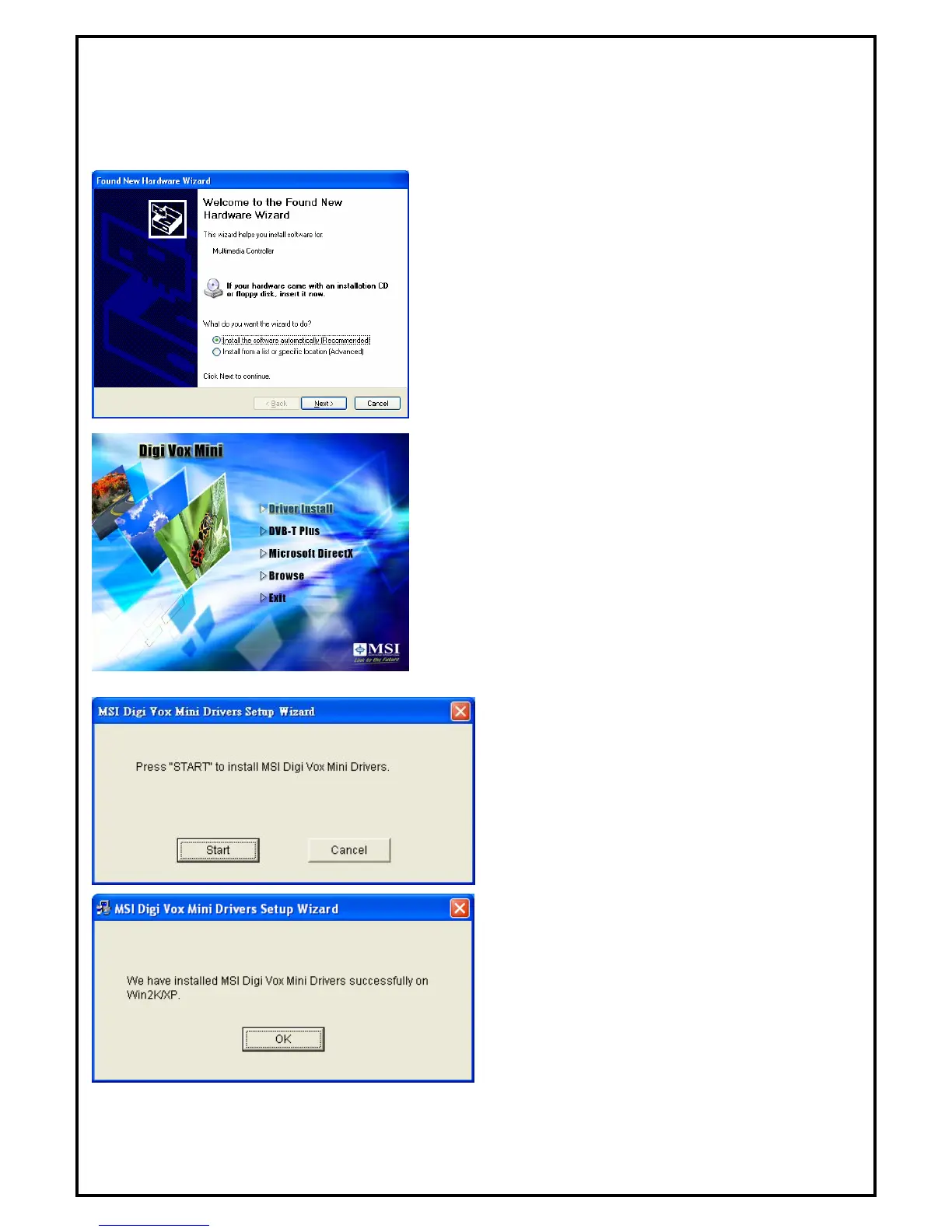
system. “Windows Found New Hardware Wizard” will pop
up. Please click “Cancel” and run the setup included in the
CD.
1. Select “Driver Install” to install drivers and utilities.
2. The driver utilities will help you to install all the
drivers. Click “Start” to continue installing
drivers. Please wait while installation in process.
3. Click “Start” to start installing DVB-T BDA
drivers. Please wait while installation is in
process.
Note: You can restart your computer after installing
DVB-T PLUS software application.


 To Next Page