-25-
Chapter 7 : MPEG Editor
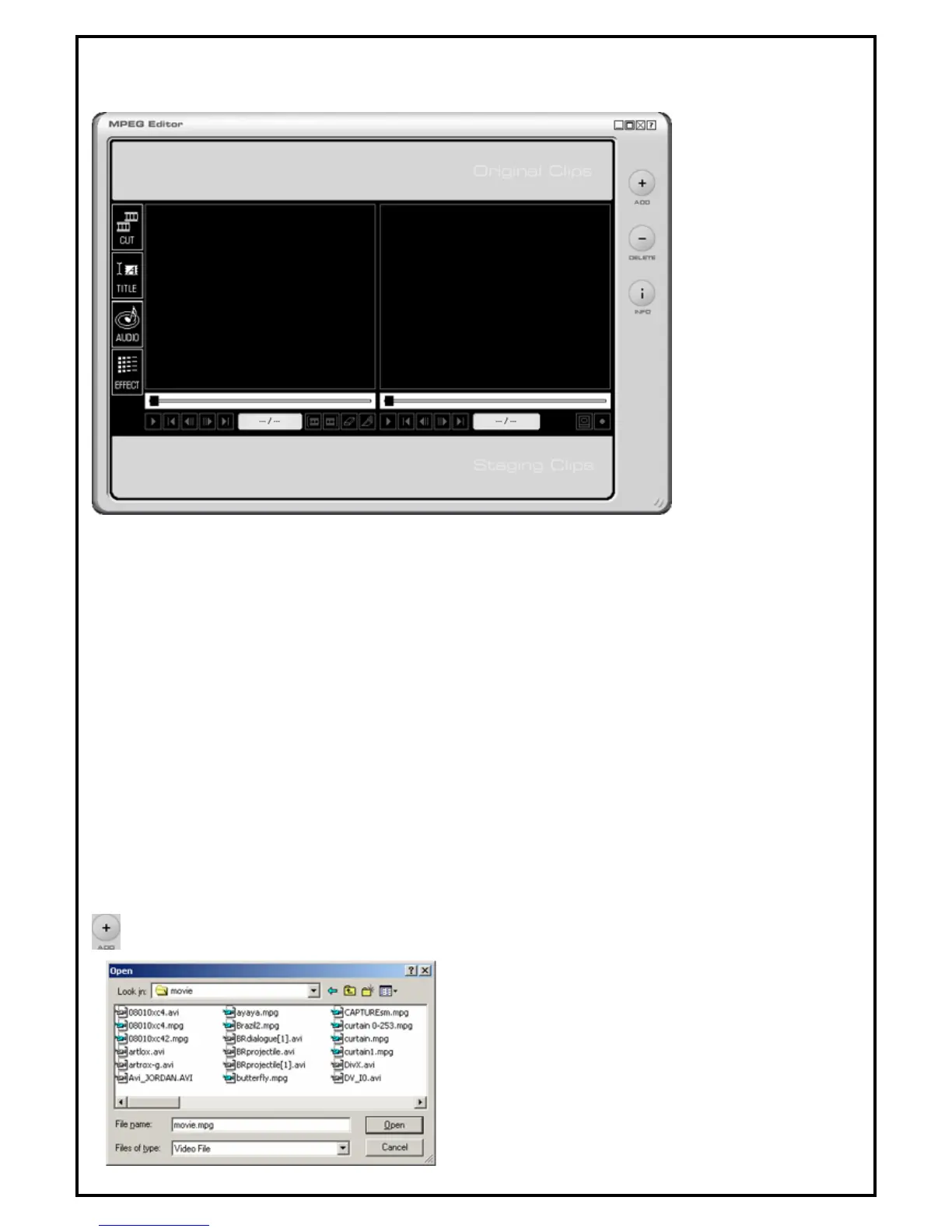
Fig. 7.1
Fig. 7.1 Shows how the “MPEG Editor” user interface looks like.
• Menu Section : file open, file/video clip delete, video property, change skin color, minimize,
maximize, close and help.
• Display panel : play original video clips, play edited video clips (preview), display saving progress
information.
• Video Clip Staging Section : Original clips, Staging clips.
• Frame Edit Section : mark frame range, sequence arrangement, merges multiple frames into one
video.
• Title Edit Section : add title, font style, size, color, movement (straight line, curve line)
• Audio Edit Section : add audio and create sound effect
• Special Effect Section : use Color Effect, Filter Effect, Transition Effect, Transition In Effect,
Transition Out Effect, Noise Reduction Filter
7.1 Play List Editor
: Add files to play list
• Support MPEG-1, 2 system file (Video and
Audio), AVI (DV-AVI).
• Select a file and click Ok button.


 To Next Page