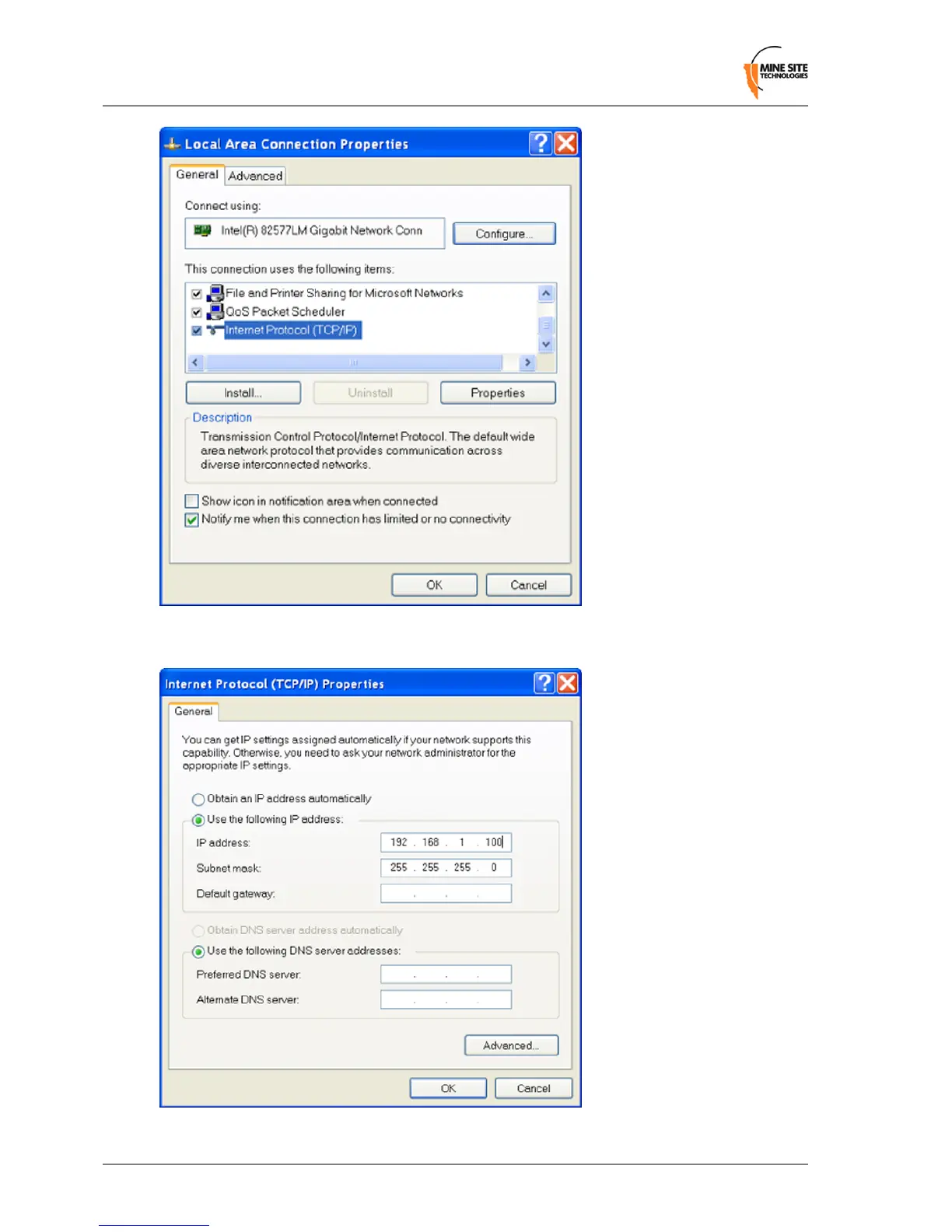
4.
On the General tab, scroll down to Internet Protocol (TCP/IP), then click Properties. The Internet
Protocol (TCP/IP) Properties dialog box is displayed.
5.
Click the Use the following IP address option button.
Revision B70Wireless Access Point User Manual
Connecting a PC to an ImPact Network Device


 To Next Page