Video Grabber DGR-1000 User Manual - v. 1.4 (FW 1.9)
Once Video Grabber mounts the NFS share the following folder structure is created:
Files are saved inside the HOUR folders that correspond to the time of their capture. Files use the
following naming convention:
Year value from the timestamp
Month value from the timestamp
Day value from the timestamp
Hour value (24-hour format) from the timestamp
Year value (2-digit format)
Month value (2 digit format)
Day value (2-digit format)
Hour value (24-hour format)
Minute value (2-digit format)
Second value (2-digit format)
Millisecond value (3-digit format)
Device description set in
Standard file extension for a chosen format
Table 17: Description of the naming convention
4.2.3.2. SMB protocol
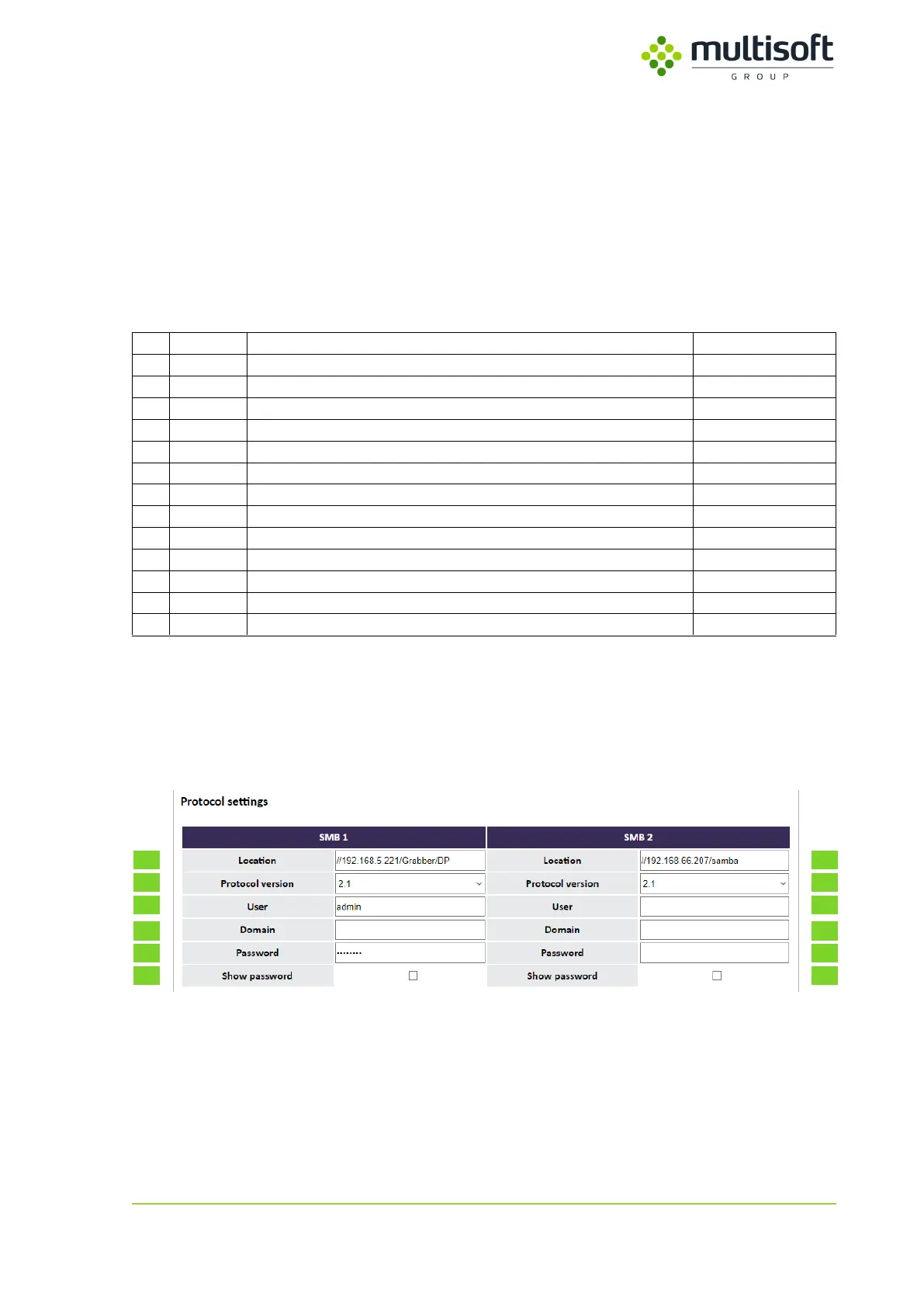
When user sets the Output to SMB then access details to the SMB share have to be provided. Up to
two remote shares can be configured.
Figure 29: Protocol settings subsection for SMB Output
See the table below for the description of the required parameters. Identification numbers (first
column) refer to the parameter’s position on the Figure 29.



 To Next Page