UsingtheRouter’sWebInterface 24
Settingupcellularfeatures
PPPconfiguration
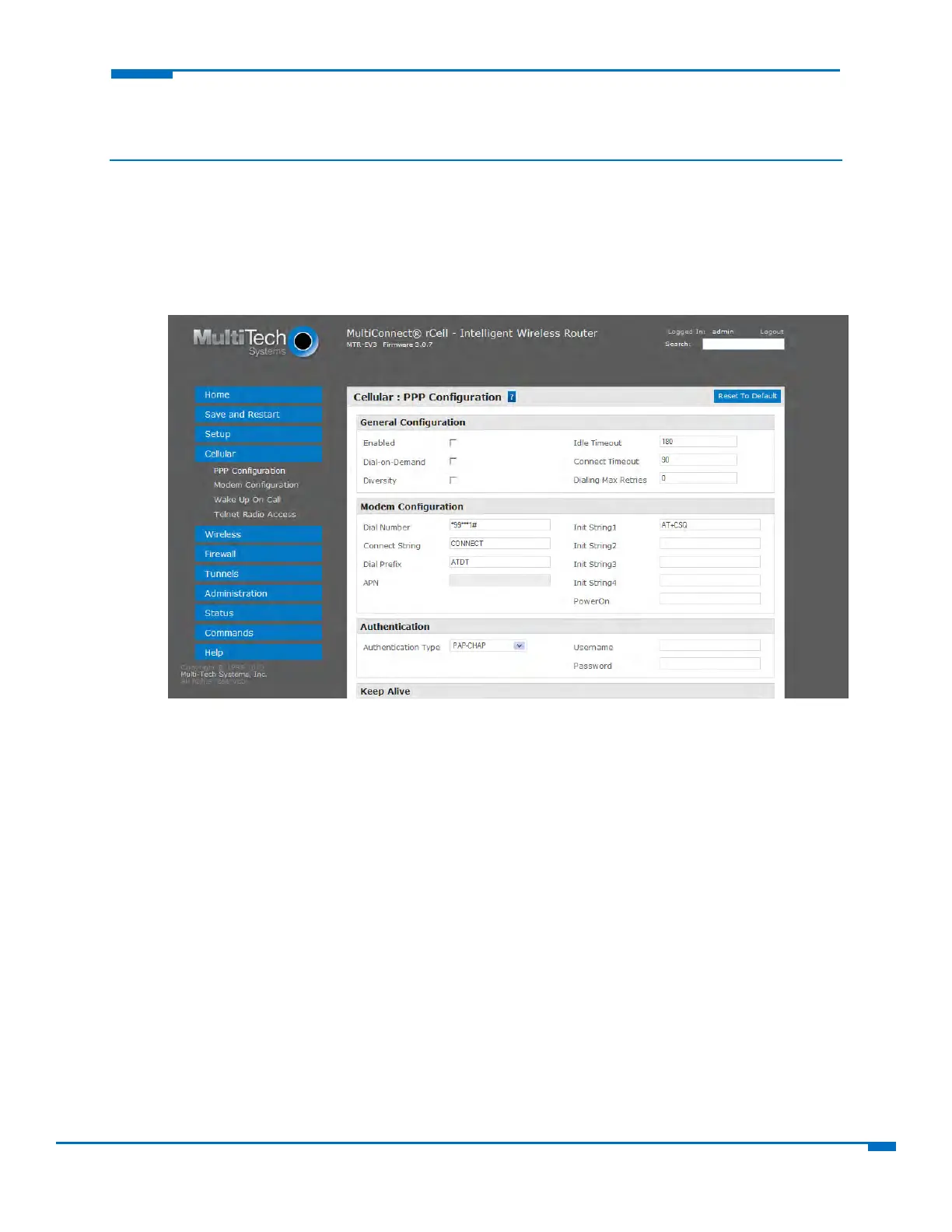
ConfiguringPoint‐to‐Point(PPP)
ToconfigurehowthePPPprotocolisusedonyourrouter:
1. FromCellular,selectPPPConfiguration.
2. TousePPP,checkEnabled.Whenenabled,yourdevicefunctionsasarouter.IfPPPisenabled,you
cannotaccesstheintegratedcellularradio.
3. Toaccessthecellularradiointegratedwithyourrouter,disablePPP.WhenPPPisdisabled,youcan
directlyaccessthecellularmodembyusingtelnetport50
00.
4. Toenablethedial‐on‐demandfeature,checkDial‐on‐Demand.Toconfigurethesettingsthatre‐
establishtheconnectionwhenDial‐on‐Demandisenabled,seeConfiguringwakeup‐on‐call.
Ifdisabled,therouteralwaysstaysconnectedunlesstheIdleTimeOutexpires.
5. Toallowtheuseoftwoan
tennastoincreasereceivesignalquality,checkDiversity.
Note:Notallmodelssupportdiversity.Ifyouenablediversity,youmustconnectasecondcellular
antennatotheAUXportonthedevice.Ifyoudonotaddthesecondantenna,anddiversityisenabled,
thedevic
e'spe
rformancecandegrade.
6. IntheIdleTimeOutfield,typetheamountofidletimethatpassesbeforetheroutertimesout.The
defaultis180seconds.Ifthetimeexpires,thePPPconnectiontotheInternetisdisconnected.AnyIP
packetsfromtheLANsideorIPtrafficfr
omthewireless
sideresetthetimerandpreventdisconnecting.
7. IntheConnectTimeoutfield,typethenumberofsecondstowaitforaconnectionwhileinreceive
modebeforetimingout.



 To Next Page