UsingtheRouter’sWebInterface 6
Welcome
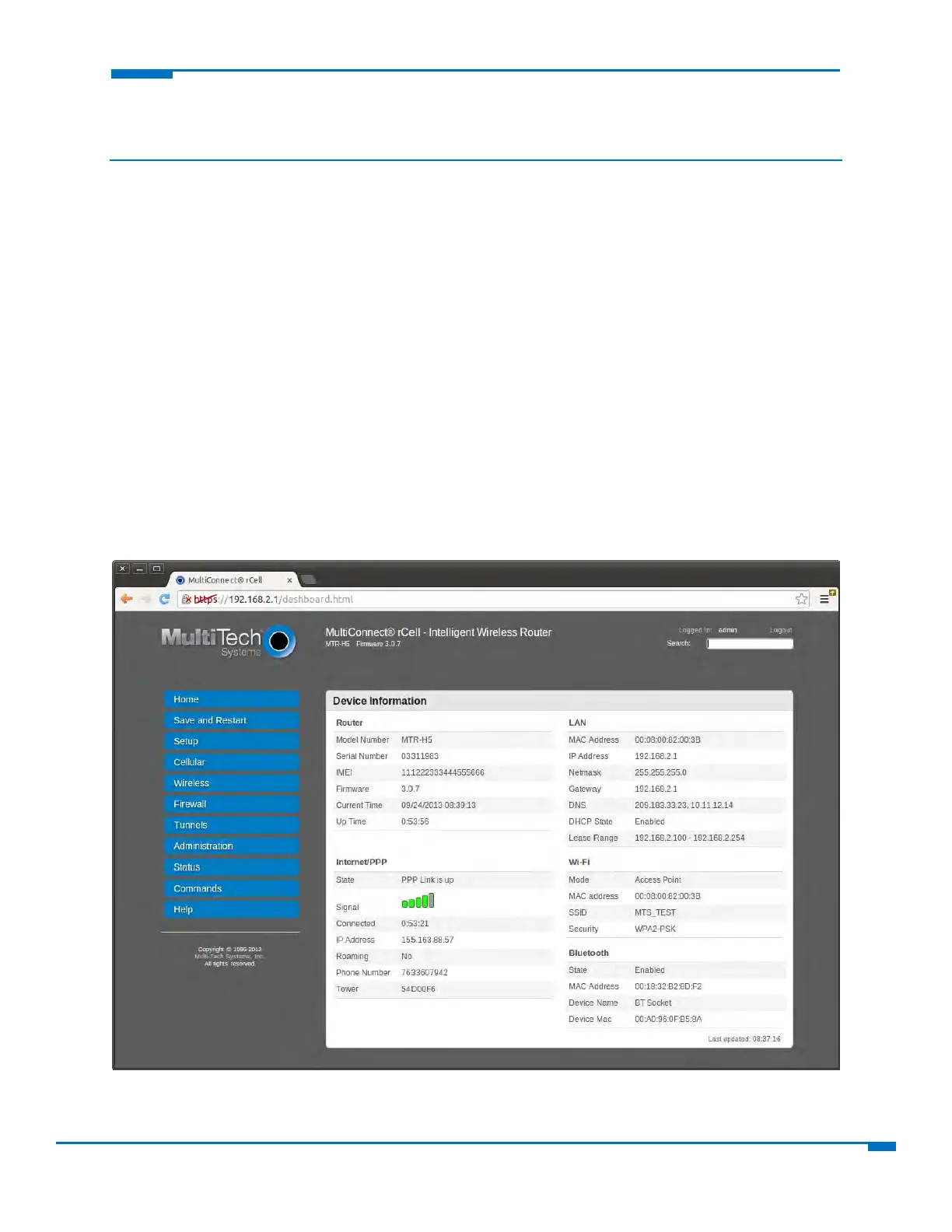
Thishelpfileprovidesinformationonconfiguring,managing,andupdatingyourMultiConnect®rCell100
Seriesrouter.YourrouterincludesaWebManagementInterface(thisapplication)thatallowsyoutosetup
yourrouterandthenetworksanddevicesthatyourroutersupports.
YoucanuseyourrCellroutertoprovidesecureda
tacom
municationbetweenmanytypesofdevicesthatuse
legacyaswellasthelatestcommunicationtechnologies.TheroutersupportsbluetoothandWi‐Fi
communicationtodeviceswiththesetechnologies.Therouterhasanintegratedcellularmodemandalso
includes10/100BaseTEthernetandRS‐232serialconnectivity.
Gettingstarted
Toaccessyourrouter'swebmanagementinterface:
1. OpenanInternetbrowser.
2. Inthebrowser'saddressfield,typethedefaultaddressfortherouter:http://192.168.2.1.Aloginpage
opens.
3. Intheusernamefield,typethedefaultUserName:admin(alllower‐case).
4. Inthepasswordfield,typethedefa
ultpassword:ad
min(alllower‐case).
5. ClickLogin.TheWebManagementHomepageopens.



 To Next Page