Operation Instructions Spitfire 65/90 Extreme
CHAPTER 3 : BASICS
25 AP-77140 – Rev. 1.1 – 05/04/07
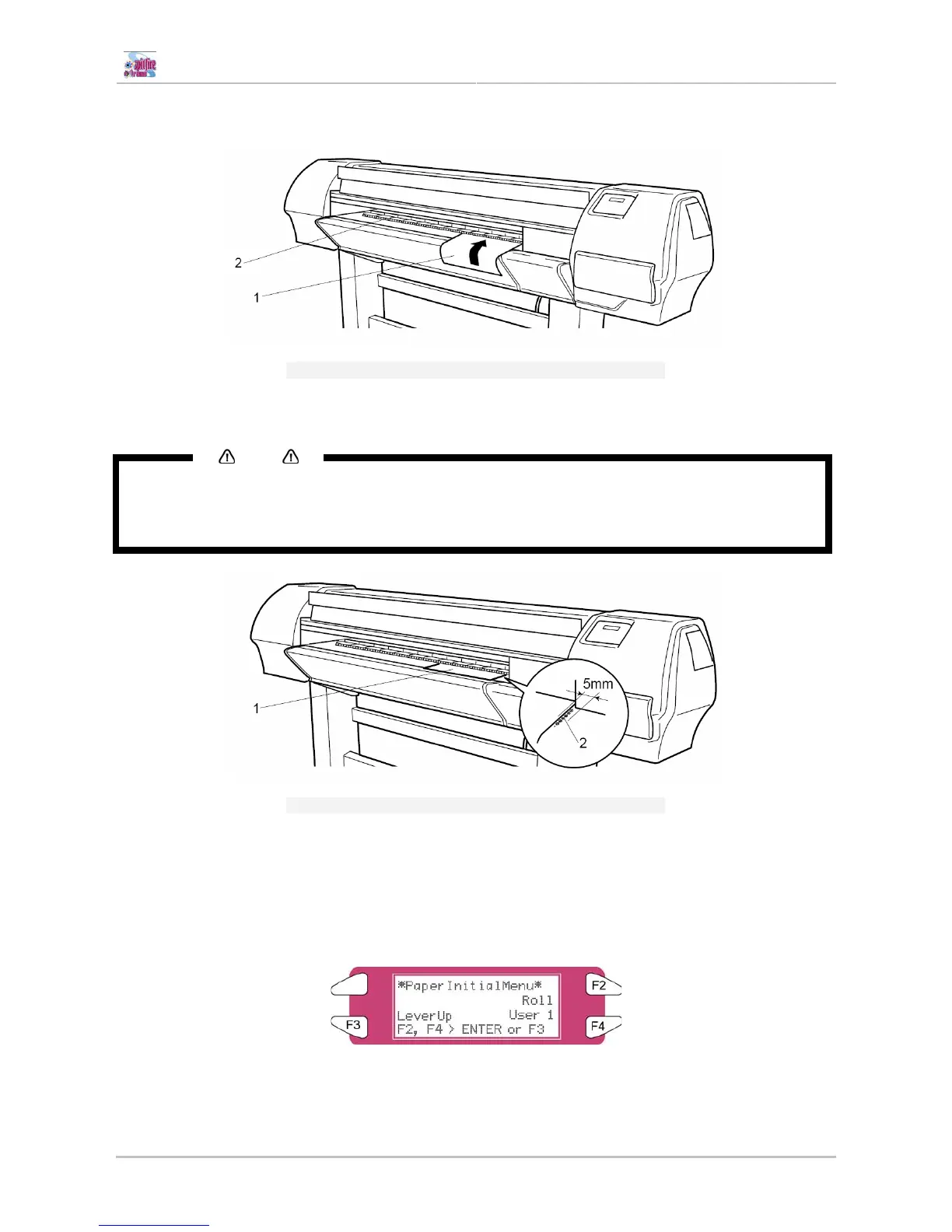
Step 6 : Load the sheet media into the insertion slot at the front of the printer.
1
Sheet media
2
Insertion slot
Step 7 : Set the right edge of the media so that it is parallel with the media setting position.
Notes
• The media set position is a guideline for setting up the media.
• If the right edge of the sheet media is 5 mm or more from the media setting position, a media set error
may occur if the media is not detected. Make sure to set the right edge of the sheet media within 5
mm of the media setting position.
1
Sheet media
2
Media loading position
Step 8 : Press the [F4] key on the operation panel to lower the pressure rollers.
• The MEDIA SET lamp will turn off.
Step 9 : Close the front cover.
Step 10 : The media initial menu is displayed on the operation panel.















 To Next Page