Operation Instructions Spitfire 65/90 Extreme
CHAPTER 4 : PERIODICAL MAINTENANCE
38 AP-77140 – Rev. 1.1 – 05/04/07
4.1.1 Daily Maintenance
Before every print, perform a nozzle check. If some nozzles are missing or misfiring, perform cleaning cycles
until all nozzles are in good shape.
We advise to run a normal or a powerful cleaning cycle to recover the nozzles.
At the end of the day, when you will shut down the printer, the ink has to be removed from some parts, so it
cannot harden. Otherwise, some parts will break down or result in bad print quality.
Notes
In the box you will find a Good Shape Kit to perform the daily maintenance. Normally this is enough for 6
months. In case you’re out of stock, you can order a new kit at Mutoh Order Entry Department. The product
code of the good shape kit is KY-80228
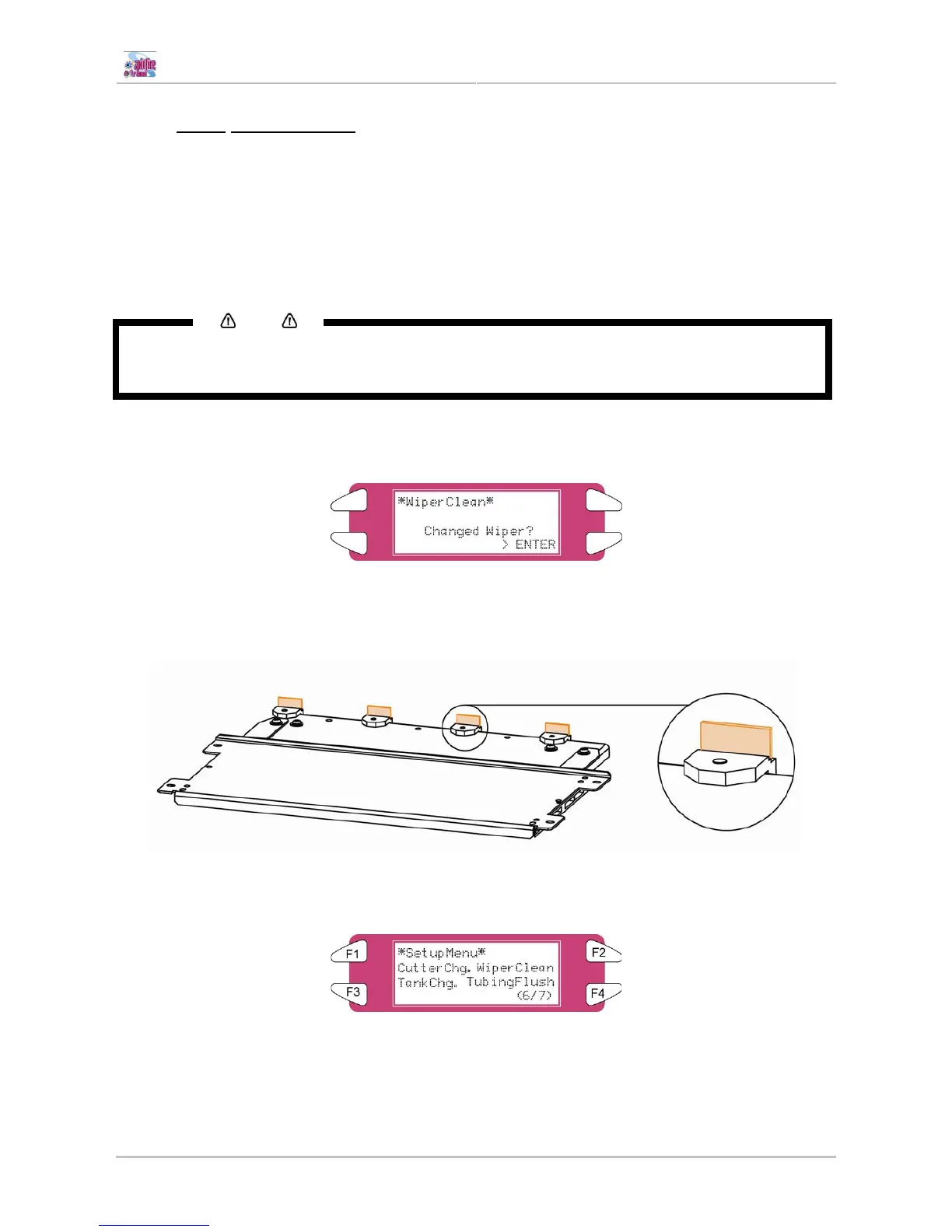
Step 1 : Power ON the printer and go to the “WiperClean-Menu”. This will cause the unlocking of the
carriage.
Step 2 : Clean the wipers with a polyknit wiper. Use some Spitfire Cleaning Liquid to remove drops of ink.
Be sure to wear gloves.
Step 3 : Perform a tubing flush (F4 in Menu 6/7)















 To Next Page