Operation Instructions Spitfire 65/90 Extreme
CHAPTER 3 : BASICS
28 AP-77140 – Rev. 1.1 – 05/04/07
3.3.3 Replacement procedure
Follow the steps below to replace ink cassettes.
Step 1 : If the printer is turned on, make sure of the following
• Printing or other operations are not performed.
• Make sure that the display on the operation panel shows the normal state.
• The MEDIA SET light on the operation panel goes off.
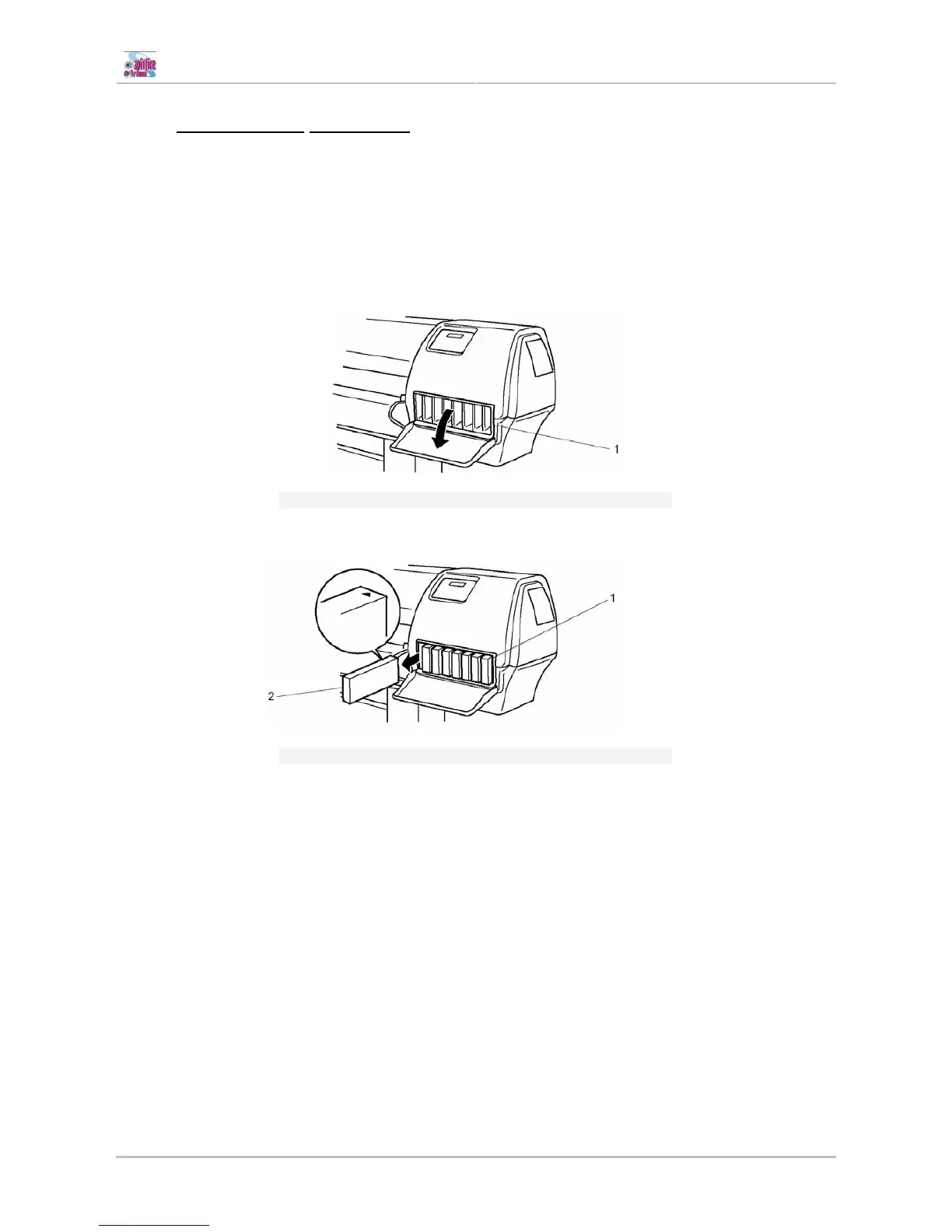
Step 2 : Open the ink compartment cover.
1
Ink Compartment
Step 3 : Remove the ink cassette from the ink cassette slot.
1
Ink cassette slot
2
Ink cassette
Step 4 : Take the new ink cassette from its package.
Step 5 : Install the ink cassette following the steps in "Installing ink cassettes".
Step 6 : Close the cover of the ink compartment.
Step 7 : Make sure that the display on the operation panel returns to normal status.















 To Next Page