Operation Instructions Spitfire 65/90 Extreme
CHAPTER 6 : PRINTER MENU
61 AP-77140 – Rev. 1.1 – 05/04/07
6.2 OPERATION PANEL IN STANDBY MODE
This section describes functions operated on the operational panel when the printer is in the normal status.
6.2.1 [F1] – Feeding, Cutting media and Step Adjust
When you want to feed media forward or backward, follow the steps below:
Step 1 : Verify the following regarding the condition of the printer.
I) It is not currently printing
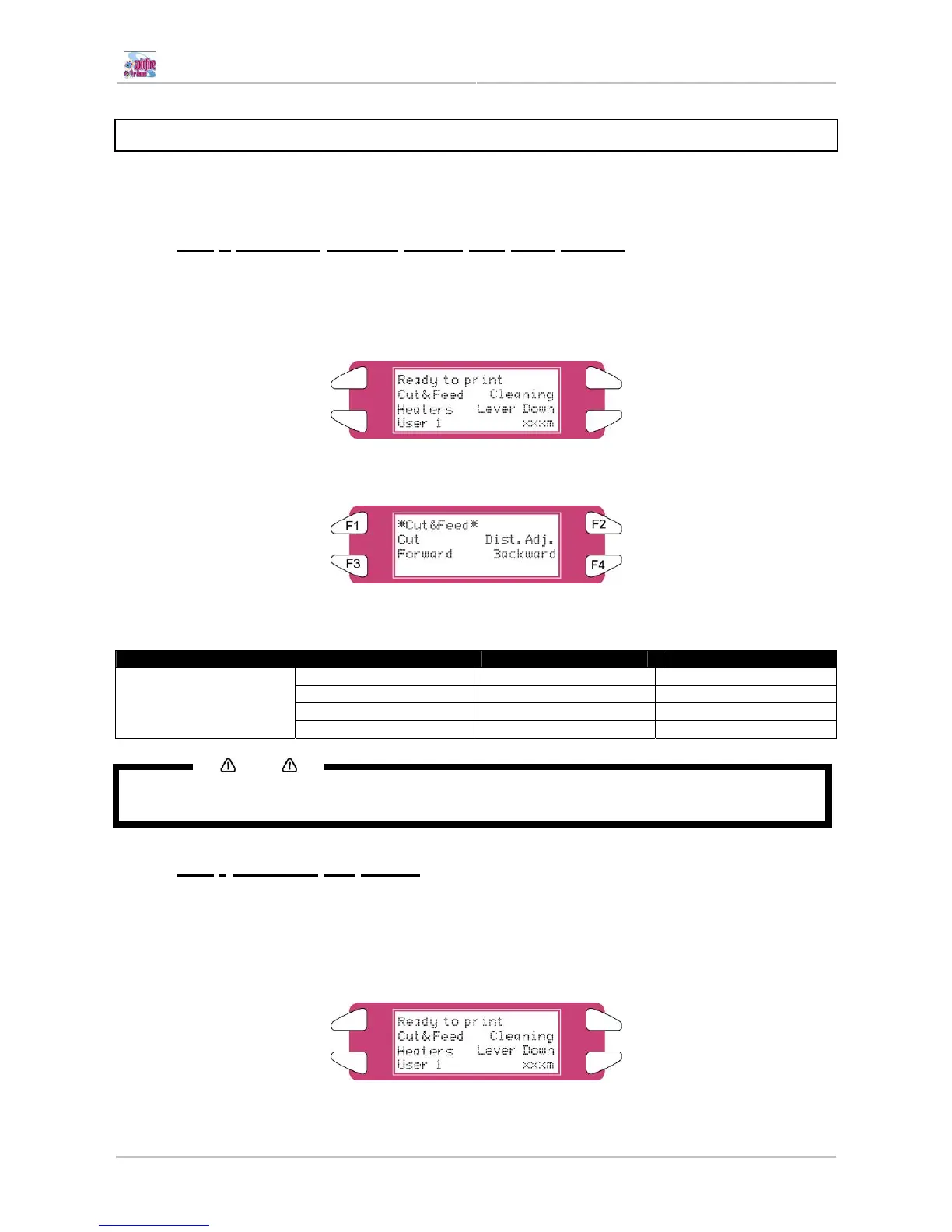
Step 2 : Press the [F1] key of the operation panel.
I) To shift to the Cut&Feed menu.
Step 3 : Press the [F3] key or the [F4] key on the operation panel.
I) The product will perform following operations:
Setup items Key name Parameters Description
F1 Cut Cut media
F2 Dist.Adj. Set step
F3 Forward Feeds media forward.
Cut & Feed
F4 Backward Feeds media backward.
Notes
If "Take-Up Roll" is set in the media detection setup menu, the product will not operate even if the [F4] key
has been pressed.
6.2.2 [F2] - Cleaning the heads
When there are some missing nozzles, a cleaning should be done. Depending on the quantity of missing
nozzles and which head, a little, normal or powerful cleaning on head 1-2, head 3-4 or ALL could be done.
Step 1 : Verify the following regarding the condition of the printer.
I) It is not currently printing















 To Next Page