Operation Instructions Spitfire 65/90 Extreme
CHAPTER 6 : PRINTER MENU
62 AP-77140 – Rev. 1.1 – 05/04/07
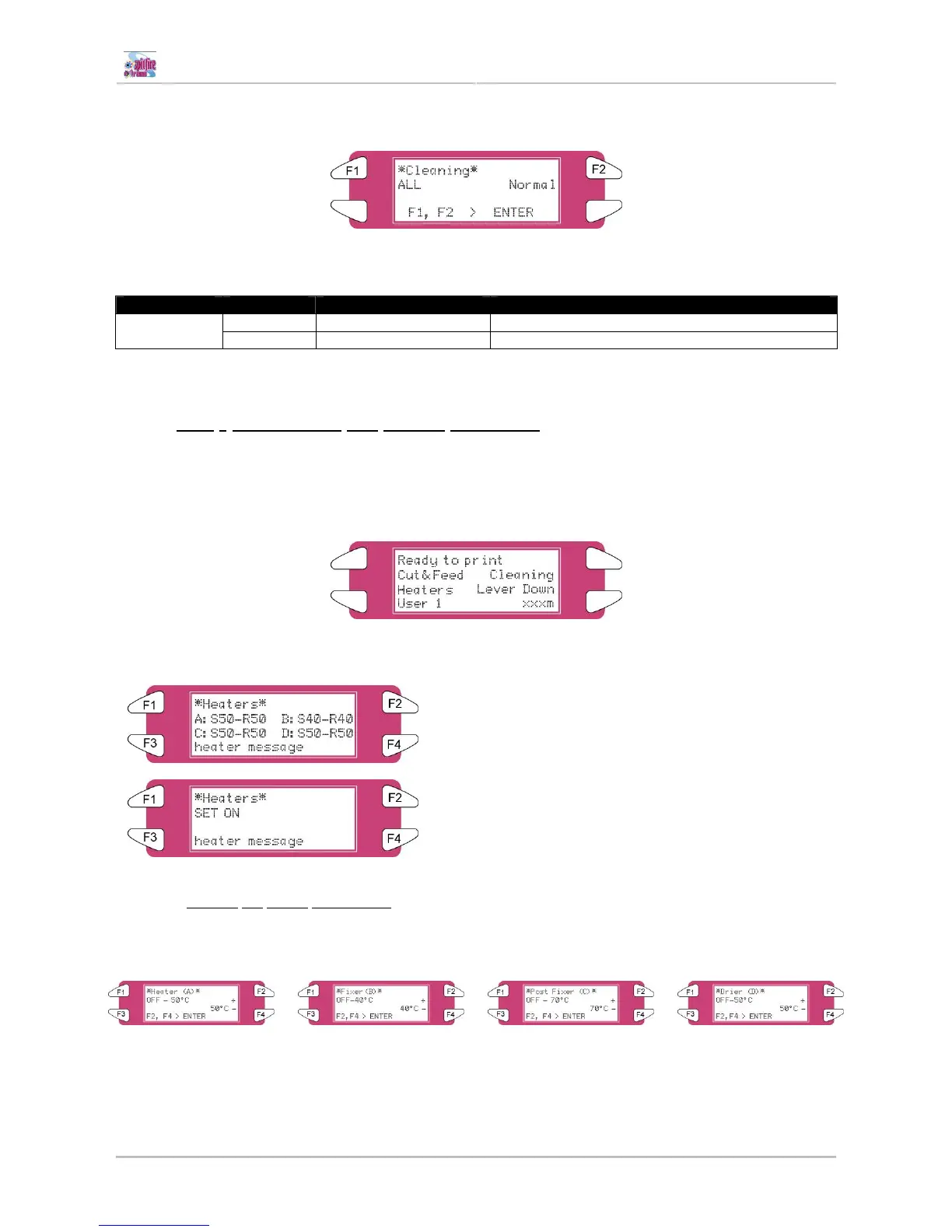
Step 2 : Press the [F2] key of the operation panel.
I) To shift to the cleaning menu.
Step 3 : Press the [F1] key or the [F2] key on the operation panel.
I) The product will perform following operations:
Setup items Key name Parameters Description
F1 ALL, Head 1 – Head 2 Clean ALL heads or head couple one or two Cut & Feed
F2 Little, normal, powerful Set the intensity of a cleaning
Step 4 : Press the [ENTER] key to start the requested cleaning.
6.2.3 [F3] - Controlling the heater elements
If you want to change or check the heater elements, follow the steps below.
Step 1 : Verify the following regarding the condition of the printer.
I) It is not currently printing
Step 2 : Press the [F3] key of the operation panel.
I) To shift to the heater menu.
The ‘heater message’ can be one of the following:
o Heater standby
o Heater warming up
o Heater ready
‘A’ stands for the heater.
‘B’ stands for the fixer.
‘C’ stands for the post fixer.
‘D’ stands for the dryer.
‘S’ stands for the Set-temperature (requested temperature).
‘R’ stands for the Real-temperature (actual temperature).
6.2.3.1 Change
the heater temperature
To change the temperature of one of the heaters, press the [F1-F4] key on the operation panel. The display
will mention the following:
Press the [F2] key to decrease the temperature.
Press the [F4] key to increase the temperature.
Press the [ENTER] key to confirm the requested temperature change.
Press the [CANCEL] key to leave the menu without changing the heater settings.















 To Next Page