54
1
3
1
4
2
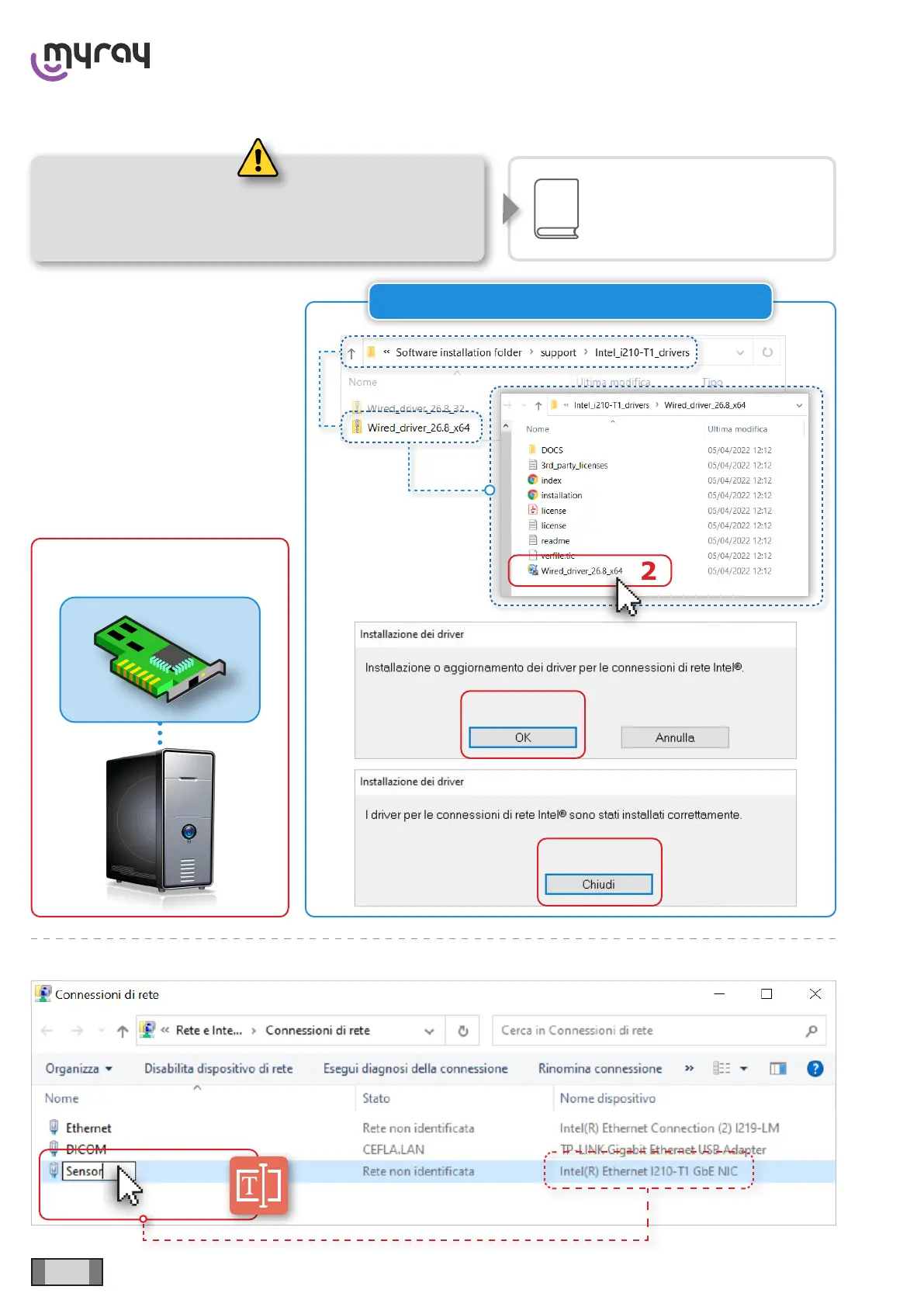
ONLY FOR: INTEL® Ethernet I210-T1 GbE
hyperion X5 2D CEPH/CEPH Ready - TECHNICAL MANUAL
EN
DEVICE INSTALLATION AND CALIBRATION » Operating system conguration
4.4.5 CONFIGURATION OF “INTEL®” NETWORK CARD FOR SENSORS
The dedicated net interface for the
communication with sensors must be
an Ethernet I210-T1 GbE INTEL® or
an INTEL® CT Desktop Adapter.
Manually install the net interface
and the related drivers.
The INTEL® CT Desktop Adapter
is automatically detected by the
operating system and installed with
the corresponding drivers.
Rename the dedicated net ineterface with “Sensor”.
See chapter
“Software installation”
Before carrying out the operations described in
the next paragraph, installation of “Acquisition
Server Plus” software is required



 To Next Page